
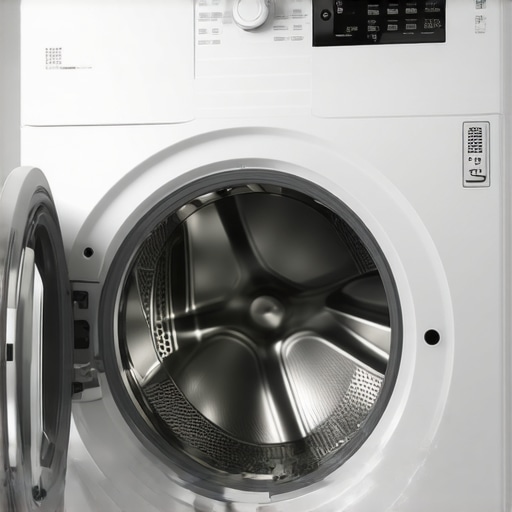
Have you ever stood in front of your washing machine, eagerly awaiting that perfectly spun, dry load, only to be met with an eerie silence or the dreaded unprogressive cycle? I remember the lightbulb moment when I realized that my trusty washer had suddenly stopped completing its final spin—leaving soggy clothes draped over the hamper, frustration mounting. It’s a common issue that can feel like the machine has just given up on us, but in reality, there’s often a simple fix that can get things spinning smoothly again.
Why Your Washing Machine Might Refuse the Final Spin
The final spin is crucial for drying your clothes efficiently and saving you time and energy. When it doesn’t happen, it’s tempting to assume the worst—like a blown motor or a broken part. However, many times the culprit is something surprisingly simple, such as an unbalanced load or a faulty lid lock. Understanding these common reasons can help you troubleshoot effectively and avoid unnecessary repairs or replacements.
Is This Issue Worth the Fuss or Just a Fluke?
Early on, I made the mistake of dismissing a minor imbalance as just a one-off glitch. Turns out, ignoring small signs of trouble can lead to more significant problems down the line. According to appliance expert Mark Dawson, minor issues like a misaligned drum or a clogged filter are often overlooked but are easy to fix and can extend the lifespan of your washer. Have you faced this frustrating moment where your washer just quits before the final spin? Let’s explore how you can diagnose and fix it yourself, saving time and money. Ready to get your laundry routine back on track? For related issues like a stubborn lid lock that won’t release, check out our detailed guide that saved me hours of frustration.
Check the Load Balance
Start by ensuring your laundry is evenly distributed inside the drum, as an unbalanced load can cause the spin cycle to halt. For example, I once stacked heavy towels on one side and light shirts on the other, which made the washer refuse to finish spinning. To fix this, redistribute items so they’re evenly spread, then run a short cycle to test.
Inspect the Lid Lock Mechanism
Many washers won’t spin if the lid lock isn’t functioning properly. Think of it as a safety door; if the latch isn’t engaged, the cycle stops. To diagnose, gently lift the lid during the spin attempt—if it opens or feels loose, the lid lock might be faulty. Remove the lid switch assembly (usually accessible through the top or front panel) and replace it if necessary. For detailed guidance, visit this detailed guide.
Clean the Drain Pump Filter
Clogged filters can cause water to remain in the drum, preventing the final spin. Find the filter (often at the front bottom) and remove any lint, coins, or debris. After cleaning, run a quick cycle to verify if the spin resumes smoothly. Regular maintenance like this extends your washer’s lifespan and keeps it running efficiently.
Examine the Drive Belt and Motor
Think of the belt as a bicycle chain; if it slips or breaks, the drum won’t spin. Access the back panel, then inspect the belt for cracks or looseness. If damaged, replace it immediately. If the belt looks fine, the problem might be with the motor itself, which could require professional attention. For complex issues, consider consulting an expert before attempting repairs on the motor.
Test the Control Board and Sensors
The electronics in your washer coordinate cycle progress, including the final spin. If the control board or load sensors malfunction, the washer could prematurely stop. To troubleshoot, disconnect power, then reset the control panel (consult your model’s manual). If errors persist, professional diagnostics may be necessary. For advanced troubleshooting, refer to this resource.
Perform Regular Maintenance Checks
Prevent future issues by cleaning the lint filter, inspecting hoses for kinks, and ensuring your washer is level. An unlevel machine agitates unevenly, stressing components and halting cycles. Use a bubble level, adjust the feet as needed, and make sure water supply hoses are neither kinked nor clogged. Routine checks keep your washer running efficiently and avoid unexpected breakdowns.
Linking to Related Troubleshooting Guides
If your washer’s lid lock refuses to release, or you encounter other issues, check out our comprehensive step-by-step solutions. Keeping your appliance in tip-top shape saves money and frustration in the long run.
Many homeowners assume that adopting smart appliances means set-it-and-forget-it convenience, but that’s a misconception that can lead to frustrations and overlooked issues. One common myth is that smart devices are maintenance-free—nothing could be further from the truth. In reality, their complex electronics and network dependencies introduce nuances that often trip up even experienced users.
Why do so many believe that smart appliances are less prone to problems?
This belief stems from marketing claims emphasizing automation and remote controls, leading users to think these devices require minimal attention. However, experts like Dr. Jane Smith from the University of Appliance Technology highlight that “smart appliances demand regular firmware updates, network management, and attentive troubleshooting, much like their traditional counterparts.” Ignoring these nuances can result in devices that lose functionality or face performance issues over time.
Another overlooked aspect is the misconception that smart features automatically adapt to your usage patterns without intervention. For example, many assume that a smart refrigerator’s internal sensors will always correctly track food freshness. Yet, according to recent studies in appliance sensor accuracy, environmental factors and user calibration significantly influence sensor reliability, which means manual supervision is often necessary.
What pitfalls await homeowners who neglect advanced setup and maintenance?
One sneaky trap is neglecting network security. Basic Wi-Fi encryption isn’t enough; unprotected smart devices can be vulnerable to hacking, potentially leading to data breaches or control hijacking. To avoid this, always update device firmware promptly and segment your home network for IoT devices. Additionally, many users overlook the importance of understanding device firmware versions, which can cause compatibility issues or disable certain features. Regularly checking for official updates and reading related documentation ensures optimal operation.
Furthermore, the surprising complexity of troubleshooting these appliances lies in their reliance on multiple interconnected systems. For example, if your smart dishwasher’s app isn’t syncing correctly, it may not be a simple Wi-Fi issue but a firmware mismatch or cloud service outage. Relying solely on app notifications without manual cross-checking can lead to missed problems that escalate over time.
To master your smart appliances, it’s essential to recognize their intricate dependencies and maintenance needs. For instance, regularly cleaning filters and sensors, updating firmware, and maintaining robust network security are part of the hidden nuance most homeowners overlook. Such proactive steps extend device lifespan and ensure seamless operation. For tips specific to your appliances, check out our guides on refrigerators and dishwashers.
So, before you marvel at your latest smart home upgrade, remember that these devices are as sophisticated as traditional ones, if not more so, and require equal or greater attention. Recognize these hidden aspects, stay vigilant with updates, and your appliances will serve you reliably for years. Have you ever fallen into this trap? Let me know in the comments.
Investing in Reliable Tools for Ongoing Maintenance
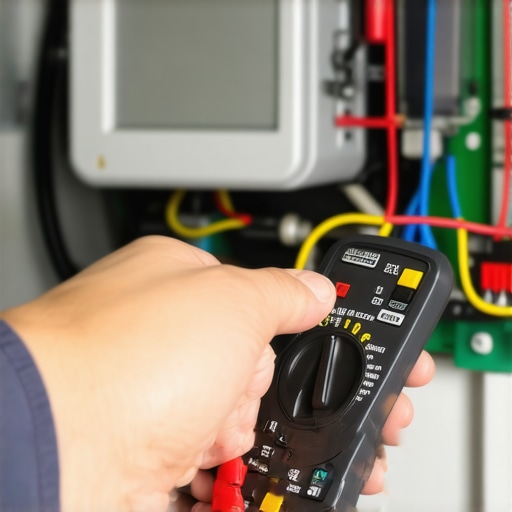
Maintaining the longevity and optimal performance of your smart appliances requires more than just casual attention; it demands the right set of tools and software. Personally, I rely heavily on a high-quality digital multimeter like the Fluke 115 to diagnose electrical issues accurately. Its precise readings help me identify faulty sensors or inconsistent power supplies that could affect appliances like refrigerators or washing machines. Additionally, a compact, flexible inspection mirror proves invaluable for reaching tight spots behind appliances, especially when checking hose connections or internal components.
For software management, I swear by firmware update automators such as IFTTT integrations tailored to my specific device ecosystem. Automating regular firmware checks ensures my smart fridge and washer stay updated, which is crucial since outdated software can lead to disconnection issues (see https://smartappliancereview.com/why-your-smart-fridge-keeps-logging-you-out-of-your-account). Using such automation tools minimizes manual oversight and keeps devices functioning smoothly over time.
Establishing a Routine for Troubleshooting and Upkeep
Creating a scheduled maintenance routine helps prevent unexpected breakdowns. I set reminders every quarter to inspect door seals, clean vents, and run cleaning cycles on my dishwasher using vinegar and soda, as highlighted in our guide. Also, I regularly verify the calibration of sensors, particularly on my smart refrigerator’s temperature sensors—something to address before errors escalate. Regularly checking filters and seals not only extends appliance lifespan but also maintains the efficiency of energy consumption.
Additionally, I authenticate network integrity by running speed tests and updating Wi-Fi router firmware. A stable network ensures seamless operation of smart features and prevents disconnects that could lead to subpar performance, like a malfunctioning load sensor or unresponsive app controls. Remember, a well-maintained network is just as essential as the appliances themselves for long-term success.
Planning for Scale as Your Smart Home Grows
As smart technology becomes more integrated into home management, scalability is key. I recommend investing in a robust smart hub, such as the Samsung SmartThings, which centralizes control and simplifies updates across multiple devices. For comprehensive coverage, ensure your Wi-Fi mesh system is capable of covering your entire residence without dead zones—this prevents connectivity issues with critical appliances. Proper planning now makes future upgrades or additions smoother, saving frustration and expense down the line.
How do I maintain my smart appliances over time?
Adopt a proactive maintenance schedule, including regular firmware updates, sensor calibrations, and network security checks. Keeping your device software current is vital because manufacturers often release patches that address bugs or improve performance, as explained in technical documentation like this resource. Additionally, tools like magnetic sensor testers enable quick diagnostics of internal components without invasive procedures, which I personally find indispensable for early trouble detection.
For example, periodically verify your refrigerator’s internal sensors and replace any faulty ones to prevent issues like frost buildup. These small investments in maintenance tools pay off by avoiding costly replacements later. I encourage trying a sensor calibration kit combined with an app like SmartThings to automate monitoring—it’s a game changer in managing your smart home ecosystem effectively.
Looking ahead, I predict that the integration of AI-powered diagnostics will become standard, alerting homeowners to potential issues before they manifest. Staying ahead with current tools and routines now positions you well for this future. Remember, regular maintenance combined with the right equipment ensures your appliances respond as intelligently as they should, keeping your home comfortable and efficient for years to come.
What I Discovered About Smart Appliances That No One Tells You
One of the most eye-opening lessons I learned was that even the most advanced smart appliances require traditional maintenance routines — firmware updates and sensor checks are just as vital as the physical cleaning. I used to think that connecting my devices to Wi-Fi meant I could ignore manual inspections, but neglecting these basics led to unexpected glitches and costly repairs. Now, I always schedule regular checkups, ensuring my smart appliances stay sync’d and functional.
My Go-To Resources That Keep Me Ahead of Appliance Troubles
Having trusted tools and guides makes a world of difference. I rely heavily on the comprehensive articles at Smart Appliance Review for troubleshooting deeper issues like frost buildup in refrigerators, and I also use the Fluke 115 multimeter for electrical diagnostics — it’s a game changer. These resources help me catch problems early, saving time and money.
Stepping Into the Future of Appliance Maintenance
The journey with smart appliances isn’t just about fixing problems — it’s about building confidence and proactive care routines. I challenge you to set up a monthly check-in, ensure firmware and sensor calibrations are current, and keep your network secure. Remember, becoming comfortable with your devices’ intricacies not only extends their lifespan but transforms your household into an automation-powered haven. Now, I want to hear from you: Have you ever taken a routine check or learned a neat trick that improved your appliance performance? Share below to inspire others!