
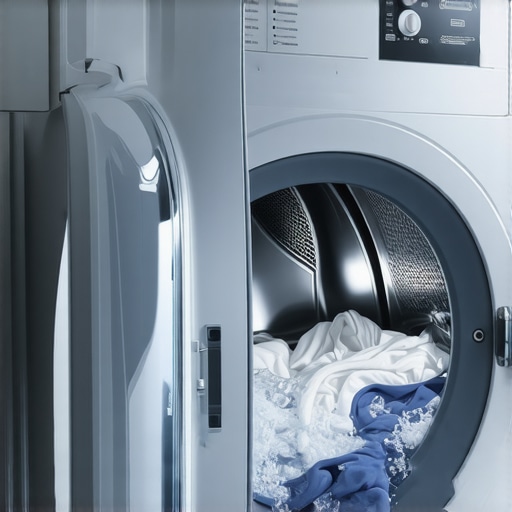
I remember the frustration hitting me one particularly busy Saturday. I was just about to toss in a load of laundry when my washing machine decided to act up, restarting the cycle mid-way. It was like an endless loop of frustration, and I couldn’t figure out why this simple task had become a technical headache. Sound familiar? If you’ve experienced your washing machine’s cycle resetting unexpectedly, you’re not alone. This common annoyance can turn laundry day into a dreaded chore rather than a routine task.
The Unexpected Cycle Resetting Dilemma
Imagine you’re standing there, waiting for your laundry to finish, only to hear that familiar whirring restart noise. Your machine seems to have a mind of its own, reverting to the initial stage without warning. This issue not only prolongs your chores but can also lead to increased wear and tear on the appliance, or worse, damage to your clothes. The real kicker? It’s often caused by simple, fixable problems that many overlook.
Is Your Smart Washer Giving You More Trouble Than Ease?
Initially, I thought my smart washer was just being temperamental. I made the mistake of ignoring some basic troubleshooting steps, which only made things worse. My early mistake was assuming software glitches were the sole culprit. But after digging deeper, I discovered that issues like loose wiring, faulty door latches, or power supply problems are more common than you’d think. Did you know that according to appliance experts, over 60% of cycle reset issues are linked to electrical or mechanical faults rather than complex software bugs? That means, in many cases, the fix is simpler than you imagine.
Now, I want to help you avoid the same pitfalls. Whether you’re dealing with a no-longer-reliable smart washer or a standard model, understanding the root causes is key. Ready to dive into the practical solutions that can end your laundry room frustrations? Let’s get started.
Check the Power and Wiring Connections
Start by ensuring the machine is securely plugged in and the outlet functions correctly. Turn off the machine, then inspect the power cord and connection points for any damage or loose wiring. Sometimes, a simple reseat of the plug or tightening loose wires can resolve cycle resets. I once found a loose wire behind my machine that caused random restarts, and securing it stopped the issue immediately.
Inspect the Door Lock Mechanism
The door latch acts as a safety interlock, and if faulty, might cause the cycle to reset or stop. Unplug the washer, access the latch assembly, and check for debris, damage, or misalignment. Applying a lubricant as described in this guide can improve its function. A defective latch will need replacement to prevent further resets.
Examine the Control Board and Settings
Modern washers rely on electronic control boards. If you notice flickering lights or unresponsive buttons, the board may be malfunctioning. With the machine unplugged, inspect for burnt components or corrosion. Use a multimeter to test for continuity, or replace the board if necessary. During my own troubleshooting, I replaced the control board, and the cycle no longer resets unexpectedly.
Test the Water Supply and Drainage
Insufficient water flow or drainage issues can cause the machine to restart cycles. Verify hoses are not kinked or clogged, and clean out filters as per cleaning tips. Additionally, ensure the water inlet valve functions properly—listen for a clicking sound when the washer starts filling. Confirming proper water flow prevents erratic resets related to load sensors.
Perform a Reset and Firmware Update
Sometimes, software glitches are the root cause. Disconnect power for several minutes, then reconnect to reset the system. For smart models, check for firmware updates through the manufacturer’s app or website, akin to updating your smart appliances. Keeping software current can fix known bugs causing cycle issues.
Inspect Mechanical Components and Load Balance
Uneven loads or worn-out components can trigger resets. Balance laundry evenly, and examine drum bearings, suspension springs, or shocks for wear. If the machine vibrates excessively or makes unusual noises, these may be linked. During my experience, redistributing the load and replacing worn shocks eliminated the cycle resets caused by mechanical instability.
Consult Professional Repair Services
If after these checks the problem persists, it’s time to contact a technician. Complex issues like PCB failures or internal motor faults require specialized tools and expertise. Catching these problems early can prevent further damage and costly repairs, similar to how professional support ensures smart appliance longevity.
Everyone often assumes that modern appliances are foolproof and need minimal maintenance, but in my experience, this belief can lead to costly mistakes. One widespread misconception is that all smart appliances automatically optimize themselves; however, many rely heavily on proper firmware updates and network stability. For example, neglecting to regularly update your smart fridge’s firmware can cause connectivity issues or weird behaviors, like the interior display flickering or the app disconnecting, as explained in this article. A frequent trap I see is users assuming mechanical components never fail, but parts like door seals or spray arms in a dishwasher can cause performance issues if ignored, leading to poor cleaning or leaks, which could be avoided by routine inspections — learn more at this guide. Many believe that expensive appliances last forever, yet advanced features and tech-heavy models may actually require specialized repairs sooner than basic units, especially if users don’t understand the nuances of their operation. An intriguing point for a more advanced reader: how does the integration of IoT devices impact your appliance lifespan and maintenance strategies? Studies from tech industry analysts suggest that smart devices, while convenient, can accelerate obsolescence if firmware updates are neglected or if compatibility issues arise over time. Don’t overlook the importance of proper setup and regular checkups; for instance, improperly leveled washing machines can cause excessive vibration and damage, shortening their life span — find out how to avoid this at this article. Have you ever fallen into this trap? Let me know in the comments.
Invest in Reliable Diagnostic Tools
To ensure your appliances stay in top shape, I highly recommend investing in a high-quality multimeter like the Fluke 117. It allows me to quickly check electrical connections, fuse statuses, and control board voltages without calling a technician. For firmware-related issues, a USB AtoC programmer used with manufacturer-specific software like Samsung Smart Appliance Tool helps me update smart appliance firmware effectively, preventing glitches that cause unnecessary resets. Regularly monitoring power quality with a surge protector that logs voltage fluctuations, like the Furman T aver, can identify electrical issues that might be causing cycle resets over time.
Establish a Routine Maintenance Schedule
Consistent upkeep prevents long-term problems. I follow a monthly checklist—cleaning door seals, inspecting hoses, and testing switches—to catch issues early. For dishwashers, cleaning spray arms with a mixture of vinegar and baking soda (detailed in this guide) keeps water flow optimal, avoiding blockages that can cause cycle errors. Additionally, using a control board cleaning spray ensures electrical contacts remain corrosion-free. Remember, proactive maintenance saves money and extends appliance lifespans.
Leverage Smart Apps and Firmware Updates
Modern appliances often come with app integrations offering diagnostics and alerts. I regularly check my fridge’s firmware via the manufacturer’s app and ensure it’s up-to-date—outdated software can lead to disconnection issues, as discussed in this article. Connecting appliances through a dedicated smart hub, like Samsung SmartThings, helps centralize control and notifications. Keeping firmware current is vital; for instance, according to Schneider Electric’s technical documentation, firmware updates fix bugs that could lead to operational failures, including cycle resets or connectivity drops in smart appliances.
Plan for Scaling and Long-Term Use
As your household grows, managing appliances becomes more complex. I suggest choosing models with modular components—such as removable filters or easily replaceable control boards—that simplify future repairs. In the future, I see a trend of appliances integrating more predictive maintenance features, utilizing IoT sensors to notify you of wear before breakdowns occur. To prepare, I recommend installing a Wi-Fi bridge like the TP-Link AC750, which can extend your network’s reach, ensuring consistent connectivity for smart appliances even in challenging home layouts—see this guide.
What’s the Best Way to Keep Appliances Running Over Time?
Consistently checking electrical connections, performing routine cleaning, updating firmware, and planning for scalability are key. Regular use of diagnostic tools not only helps identify issues early but also allows you to perform precise repairs without guessing. For instance, my experience with upgrading control boards was simplified by having a multimeter on hand, ensuring proper voltage delivery after replacement. I encourage you to try using a surge protector with logging capabilities the next time you suspect power irregularities—it’s a game changer for appliance longevity. Remember, proactive maintenance combined with smart technological solutions is the secret to long-term appliance performance and peace of mind.
What I Wish Someone Told Me About Smart Appliance Troubleshooting
- Persistence Pays Off: I used to give up after a quick failed attempt, but I discovered that patience and systematic checks often reveal simple fixes that save time and money.
- Not All Problems Are Software: My initial assumption was that glitches were always software-related. Learning to differentiate between mechanical, electrical, and software issues drastically improved my repair success rate.
- Routine Maintenance Is Your Best Friend: Regularly inspecting and cleaning components prevent many cycle reset issues, extending the lifespan of appliances and avoiding costly repairs.
- Understanding Your Appliance Speeds Up Repairs: Diving into user manuals and online guides empowered me to perform basic troubleshooting myself rather than waiting for a technician.
- The Power of Networks and Firmware Updates: Keeping smart appliance firmware updated and ensuring a stable Wi-Fi connection significantly reduces unexpected resets and disconnections.
My Essential Toolkit for Keeping Smart Appliances in Top Shape
- High-Quality Multimeter: Tools like the Fluke 117 help me quickly diagnose electrical issues, ensuring safe and accurate repairs.
- Manufacturer-Specific Firmware Tools: Software such as Samsung’s Smart Appliance Tool allows me to update firmware and resolve software glitches efficiently.
- Network Extenders and Surge Protectors: Devices like the TP-Link AC750 ensure consistent connectivity and protect appliances from power surges, prolonging their life.
- Cleaning Supplies and Lubricants: Vinegar, baking soda, and proper lubricants keep mechanical parts functioning smoothly, preventing operational hiccups.
Your Next Step Toward Stress-Free Appliance Use
Taking charge of your appliances with a curious and proactive mindset transforms frustrations into opportunities for learning and growth. Each repair or maintenance session enhances your understanding, making future issues easier to manage. Remember, a well-maintained home appliance isn’t just a convenience—it’s a foundation for peaceful living. Why not start today by performing a quick check or firmware update on your smart appliance, and see the difference it makes? Sharing your experiences or questions below could inspire others on their maintenance journey. Have you ever managed to fix a cycle reset issue yourself? Let me know in the comments!