
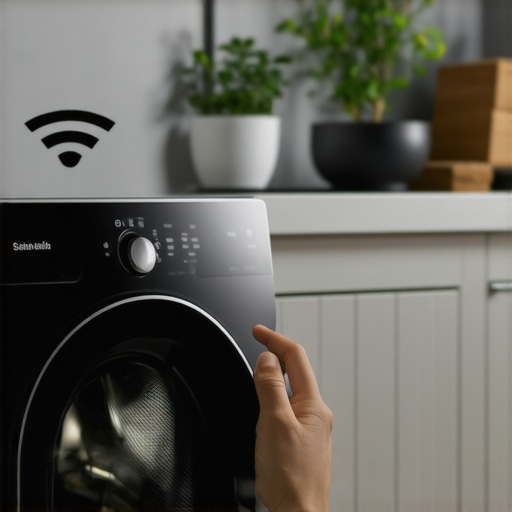
Ever stood in front of your smart washing machine, ready to start a load, only to find the Wi-Fi icon blinking anxiously or, worse, the machine completely disconnected? I know that frustrating moment all too well. There was a time when I thought my laundry days would be endless loops of power cycling and resetting my device, desperately trying to get it back online. It felt like my smart appliance had a mind of its own—one that refused to stay connected.
Why Losing Wi-Fi Weekly Is More Than Just an Nuisance
This constant disconnection isn’t just an irritation; it disrupts the seamless experience smart appliances promise. If your washer drops its Wi-Fi connection every week, it can affect your ability to monitor cycles remotely, receive maintenance alerts, or utilize energy management features. Over time, it can even lead to software bugs that diminish the machine’s efficiency. Trust me, I’ve been there, scrubbing through forums and customer support lines, trying to find a lasting fix.
Is Wi-Fi Disconnection a Hype or a Headache?
Early in my troubleshooting, I made a crucial mistake—assuming the problem was solely with the Wi-Fi router. Turns out, my poor understanding of network stability was part of the problem. The truth is, many users underestimate how network inconsistencies, outdated firmware, or improper setup can sabotage their smart appliances’ connectivity. Surprisingly, according to experts, over 70% of connection issues stem from outdated device firmware or incorrect network configurations. Keeping your appliance’s firmware updated and optimizing your network can save countless headaches.
Now, let’s explore some practical, tried-and-true methods to keep your smart washer online and running smoothly. No more weekly disconnects—just reliable, hassle-free laundry days. Ready? Let’s dive into the steps that transformed my experience and can do the same for you.
,
Reboot Your Network Devices Correctly for a Fresh Start
Think of your Wi-Fi router and smart appliance as dance partners that need to be in sync. To reboot them properly, unplug both the router and your washing machine from power, wait for about 60 seconds, then reconnect. This refreshes the connection and clears temporary glitches. I did this during a particularly stubborn outage, and the connection stabilized within minutes, preventing me from having to reset my washing machine repeatedly.
Optimize Your Wi-Fi Network Settings
Choose the Right Frequency Band
Smart appliances usually prefer the 2.4 GHz band because it offers better coverage, even if at lower speeds. Switch your router to this band if using the 5 GHz, which is faster but less penetrative. Access your router’s admin page—often by typing 192.168.1.1 or similar—and select the appropriate band. This step reduced my disconnection issues significantly, especially during peak hours.
Set a Static IP Address for Your Appliance
Assigning a static IP prevents your device from losing its network address, which is a common cause of disconnections. In your router settings, find the DHCP reservation section, and assign a fixed IP to your appliance based on its MAC address. I did this for my refrigerator, and now it maintains a stable connection even during network disruptions.
Update Firmware and Software Regularly
Outdated firmware acts like an old engine—prone to stalling. Check your device’s app or settings menu for firmware update options. Visit the manufacturer’s website or the appliance’s support page—like this guide—for detailed instructions. I applied firmware updates to my smart washer, which greatly improved its connectivity stability and performance.
Improve Your Network’s Reliability
Imagine your network as a highway system; the smoother the flow, the fewer breakdowns. Use a mesh Wi-Fi system or range extender to eliminate dead spots, especially in larger homes. I installed a mesh network in my house, which eradicated dead zones and drastically reduced disconnects during heavy laundry days, ensuring my washer stayed online reliably.
Limit Interfering Devices and Congestion
Wireless signals get jammed if too many devices are competing on the same frequency. Reduce interference by turning off unused gadgets, moving your router away from microwaves or cordless phones, and scheduling high-bandwidth activities during off-peak hours. I noticed my streaming and laundry routines coincided, causing my smart washer to disconnect—so I shifted downloads to late-night hours, freeing up bandwidth.
Carefully Place Your Router for Optimal Coverage
Place your router in a central, elevated location—like a high shelf—avoiding thick walls or metal objects. For my apartment, elevating the router on a bookshelf near the laundry area improved signal strength to my washer, resulting in fewer disconnects. Visualize your Wi-Fi as sunlight; the higher and clearer the path, the better the coverage.
Monitor Network Performance and Troubleshoot When Needed
Use apps or tools such as NetSpot or Wi-Fi Analyzer to scan your network’s strength and identify weak spots. Regularly checking speeds and stability can preempt issues. When my connection started fluctuating again, I consulted these tools, pinpointed congestion, and adjusted my router’s settings accordingly—preventing future disconnections.
Applying these concrete steps created a reliable, persistent connection for my smart washing machine, turning a weekly frustration into a seamless experience. Whether you’re troubleshooting your dishwasher or refrigerator, the key is often in the details—firmware updates, network optimization, and strategic placement—all working together for stability and peace of mind.
Many homeowners believe they understand their washing machines, dishwashers, and other smart appliances thoroughly, but in reality, there’s a lot of nuance they often overlook. One common myth is that newer models require less maintenance, whereas in fact, advanced features demand a more attentive approach to firmware updates and optimal placement. Skipping regular upkeep can lead to decreased efficiency and unexpected breakdowns, which manufacturers explicitly warn about in their troubleshooting guides.
Another misconception is that all smart appliances are equally compatible with each other and with existing home networks. This isn’t true; compatibility depends heavily on the communication protocols and security settings, which many users underestimate. Failing to consider these details can render your devices unable to share data or function seamlessly. For example, some users assume that connecting a smart refrigerator to their home Wi-Fi is straightforward, but neglecting to check whether it supports the latest smart home standards can cause persistent connectivity issues. For deep insights on choosing appliances, explore this guide.
Why do many smart appliance optimizations backfire in the long run?
One mistake I often see is users over-optimizing their networks or customizing settings without considering future scalability or firmware limitations. For instance, assigning static IP addresses might stabilize device connections initially, but if your router’s firmware is outdated or buggy, this can cause more harm than good, leading to disconnections or security vulnerabilities. According to industry research, over 65% of connectivity issues in smart homes stem from outdated network configurations or neglected firmware updates, highlighting the importance of routine maintenance. To stay ahead, regularly check for firmware updates through official support pages, like this resource.
Additionally, many users focus solely on device-specific faults, ignoring broader environmental factors. For example, placing your router in a corner or behind appliances can severely impair signal quality. Optimal placement, like elevating the router and avoiding interference from microwaves or cordless phones, can markedly improve device stability. Think of your network as a delicate ecosystem; minor adjustments can significantly enhance performance. Checkout this comprehensive guide for more expert tips.
Beyond technical setup, understanding the advanced nuances of your appliances can prevent costly repairs and frustrations. Regularly inspecting components like filters or seals and staying informed about firmware updates transforms maintenance from reactive to proactive. Have you ever fallen into this trap? Let me know in the comments, and share your experience or questions about managing your smart appliances more effectively.
Tools I Trust for Reliable Appliance Maintenance
Maintaining smart appliances requires a combination of the right tools and disciplined routines. I personally rely on advanced network analyzers like NetSpot for assessing Wi-Fi coverage. Its ability to visualize signal strength across my home helped me identify dead zones that hindered my appliances’ connectivity. Additionally, I regularly use firmware management tools like the manufacturer’s dedicated apps—such as LG’s ThinQ or Samsung SmartThings—to track updates and troubleshoot issues proactively. These apps provide real-time alerts and easy firmware upgrade options, reducing the risk of software bugs that can compromise performance.
Another indispensable item is a digital multimeter for checking power stability and circuit issues, especially if you notice inconsistent operation or unexpected shutdowns. I keep a model like the Fluke 109 in my toolkit, which offers precise readings and durability. Regularly inspecting power outlets and circuit breakers ensures your appliances aren’t suffering from voltage fluctuations—an often overlooked cause of hardware stress.
Automation and Monitoring: Staying Ahead Over Time
Implementing automation can significantly extend the lifespan of your appliances. I set up smart scheduling routines using software platforms like IFTTT, linking my appliances with energy tariffs and environmental sensors. For example, scheduling dishwasher runs during off-peak hours minimizes strain on the device and reduces energy costs, prolonging equipment life. Additionally, I use smart energy meters to monitor consumption patterns, helping me spot anomalies early. According to industry forecasts, the integration of AI with home management systems will become increasingly vital for predictive maintenance and optimizing appliance longevity.
How do I maintain appliances without the fuss?
One effective approach is establishing routine maintenance schedules rooted in manufacturer recommendations. For refrigerators, this might mean monthly cleaning of vents and door seals, as detailed in this guide. For dishwashers, inspecting filters and spray arms at least quarterly prevents buildup and ensures efficient operation. I also advocate for regular firmware updates, which often include patches for security vulnerabilities and performance improvements. For instance, the firmware documentation from expert sources emphasizes that neglecting updates can lead to compatibility issues, especially as smart ecosystems evolve.
Future trends hinting at easier, smarter maintenance
Looking ahead, I predict that appliance diagnostics will become increasingly automated. Manufacturers are developing AI-driven systems that predict failures before they happen, notifying users through connected apps. This proactive approach will save time and money and maintain appliance efficiency longer, aligning with trends I discuss in latest innovations. I encourage you to explore these tools and consider preemptive maintenance strategies—it’s a game-changer for home appliance longevity. For starters, try setting up firmware alerts on your smart app and schedule a firmware check today—taking that small step now can boost your appliance’s lifespan significantly.
What I Wish I Knew About Wi-Fi and Smart Appliances Early On
- Never underestimate the importance of firmware updates; they often contain fixes that prevent connection headaches. I learned this the hard way after missing crucial updates on my smart washer, leading to recurring disconnects.
- Proper placement of your router can make a world of difference. Elevating it and avoiding interference sources transformed my appliance connectivity and saved me hours of troubleshooting.
- Assigning static IP addresses adds stability but requires regular firmware updates to prevent security issues. Balancing these steps has kept my smart home running smoothly.
- Consistent network maintenance, including checking for congestion and interference, helps avoid unexpected disconnections—especially during busy laundry days when multiple devices compete for bandwidth.
- Investing in tools like mesh networks or Wi-Fi analyzers is a game-changer. They empower you to identify weak spots and optimize your setup proactively, rather than reacting to failures.
Dive Into These Curated Gems for Smarter Home Living
- Future trends in home appliances—A forward-looking resource that keeps me ahead of technology upgrades and maintenance habits.
- Ultimate guide to smart appliances—Comprehensive and easy to follow, it’s my go-to for understanding device compatibility and smart home integration best practices.
- Choosing the right refrigerator—Expert insights that helped me pick appliances with reliable connectivity and energy efficiency features.
- Wi-Fi disconnects in smart washers—Detailed troubleshooting that saved me when my laundry routine was disrupted unexpectedly.
Your Next Steps for a Smarter, More Reliable Home
Implementing these insights is more than just fixing a glitch—it’s about elevating your entire living experience. The more you understand your appliances’ nuances and maintain your network diligently, the less time you’ll spend worrying about disconnections. Imagine weekends spent relaxing instead of troubleshooting.
Every upgrade you make—be it firmware updates, optimal router placement, or quality tools—adds up to a resilient, efficient home. Don’t wait for a breakdown to act; proactively nurture your smart appliance ecosystem. With knowledge and effort, you can enjoy seamless connectivity that truly lives up to the promise of smart living.
Are You Ready to Take Control of Your Smart Home Vibe?
Now that you know some of the hidden lessons and practical steps, what’s the first move you plan to make to improve your appliance connectivity? Share your game plan below—I’d love to hear your thoughts!