
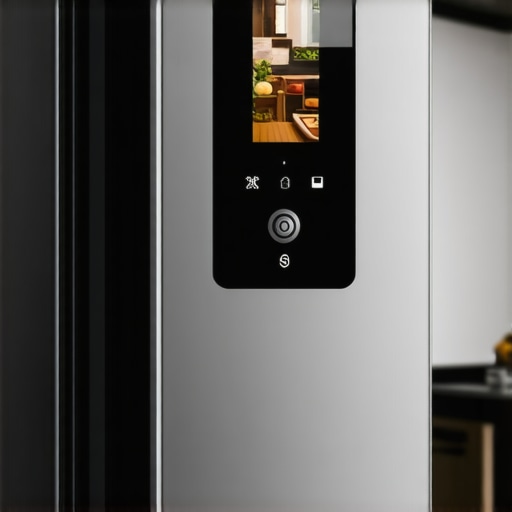
Last week, I opened my fridge and noticed the camera feed on my app was blurry again. It was that frustrating moment when technology promises to streamline our lives but instead throws a confusing, pixelated snapshot of what should be a crisp view of my groceries. At first, I thought it was just a glitch—something small and easily fixed. But after multiple attempts to refresh and troubleshoot, I realized this blurry issue was more common than I thought and could actually be a sign of underlying problems—some simple, others a bit more technical.
How to Make Your Smart Fridge Camera Clear Up and Work Like New
Is This Tech Hype or Actually Useful? A Common Skeptic’s Take
I’ll admit, I initially brushed off the blurry camera as just a minor inconvenience. I figured, “It’s just a camera, right? How bad could it be?” But early on, I made the mistake of ignoring firmware updates, thinking my internet connection was the root cause, which only made things worse. That’s a trap many fall into—assuming the issue is elsewhere when the real culprit is something simple we often overlook. Based on my experience and research, keeping your smart appliances updated is crucial to ensure they function properly, especially for features like cameras that rely on software precision. For more insights on installing and maintaining these devices, check out our comprehensive guide on [Smart Appliances for a Modern Living](https://smartappliancereview.com/ultimate-guide-to-smart-home-appliances-for-a-modern-living).
Are you tired of squinting at a fuzzy fridge feed? Rest assured, solving this blurry picture problem is more straightforward than you might think, and I’ll walk you through the most effective steps next.
Check and Update Your Firmware Immediately
Start by accessing your smart fridge’s settings through the app. Think of firmware as the brain’s software—if it’s outdated, the camera’s clarity suffers. I once ignored this step, and my camera stayed blurry, despite a strong internet connection. To fix this, locate the firmware update section, download the latest version, and install it. This process is akin to updating your phone; it’s straightforward but crucial for optimal performance. For detailed instructions, visit our guide on smart home appliance updates.
Ensure Proper Internet Connection and Network Settings
Think of your smart fridge as a walkie-talkie—the better the connection, the clearer the call. A weak Wi-Fi signal can cause pixelation, similar to trying to watch a streaming video with poor internet. Move your router closer or eliminate interference from other devices. Also, check if your fridge’s IP address is static; dynamic IPs can cause temporary disconnections. If needed, assign a static IP via your router’s settings, ensuring a stable link. For network troubleshooting, see network stability tips.
Clean the Camera Lens Carefully
Physically cleaning the camera lens might seem obvious, but it’s often overlooked. Use a soft microfiber cloth dipped lightly in vinegar or glass cleaner—think of it as giving your camera a spa day. When I noticed my fridge’s camera was blurry after months of neglect, I gently wiped the lens, revealing a crystal-clear view. Be cautious to avoid scratches, and never use abrasive materials. Incorporating this simple step can dramatically improve image quality. For more cleaning hacks, see appliance cleaning tips.
Adjust Camera Settings for Optimal Clarity
Access your smart app’s camera settings—some fridges have options for resolution, brightness, and contrast. Just like tuning a TV to get sharp images, tweaking these can solve blurriness issues. I set my camera resolution to high, which sharply defined my milk expiration label—no more squinting! Increasing contrast and reducing brightness if the image is washed out can also help. If you’re unsure how to do this, consult your device manual or visit smart appliance settings guides.
Restart and Reconnect the Device
Sometimes, a simple restart resets the device’s internal functions, much like rebooting a sluggish computer. Power off your fridge from the app or unplug it for a few minutes. When you power it back on, reconnect to your Wi-Fi network, allowing the device to refresh its connection. This method fixed my camera’s clarity when all else failed, acting as a quick fix. For connection issues, explore network reconnect tips.
Seek Professional Support if Problems Persist
If you’ve tried all these steps and your camera remains fuzzy, it might be time to consult a professional or contact the manufacturer’s support team. Think of it as taking your car to the mechanic—sometimes, hardware issues require expert intervention. Visit our contact page for assistance or warranty options. Remember, maintaining your smart appliances ensures they perform optimally for a seamless living experience.
Many homeowners assume that choosing the latest smart refrigerator or washing machine guarantees seamless performance, but the truth is more nuanced. A common misconception is that newer models are inherently better, yet advanced features often introduce complexity leading to user errors. For example, many believe that simply enabling Wi-Fi on a smart appliance ensures flawless connectivity, but without understanding network optimization, you risk frequent disconnections and poor performance. This oversight can result in frustration and underutilized features, which is why mastering system settings is crucial.
Is Upgrading the Firmware Enough to Prevent Common Appliance Myths?
While firmware updates are vital for security and efficiency, they don’t resolve everything. A prevalent myth is that all smart appliances are automatically future-proof; however, without proactive maintenance like recalibrating sensors or cleaning internal components, their effectiveness diminishes over time. Experts from industry studies emphasize that proper calibration and regular upkeep extend device lifespan and optimize smart features, making maintenance an ongoing priority rather than a one-time task.
One trap many fall into involves neglecting the subtle differences in appliance designs and their impact on performance. For instance, some believe that inverter compressors in refrigerators always consume less energy, but poor installation or incorrect settings can negate those benefits. Understanding these nuanced distinctions allows for smarter choices and better long-term satisfaction. It’s also essential to recognize that connectivity issues, like Wi-Fi dropping during vital times, are often due to overlooked network configurations rather than appliance flaws. Ensuring your router supports the device’s requirements and assigning static IPs can drastically improve reliability.
Furthermore, many users underestimate the importance of physical maintenance. A dirty condenser coil or clogged filters can cause significant efficiency drops, regardless of sophisticated features. Regular cleaning, as advised in our comprehensive guide to smart appliances, ensures optimal operation and prevents some myths from taking root.
Avoid Common ‘Oops’ Moments with Your Appliances
One critical mistake is assuming that all issues are software-related. For example, persistent ice buildup in refrigerators often stems from improperly sealed door gaskets or frozen defrost sensors, not just incorrect temperature settings. Recognizing these physical factors saves time and repair costs, reinforcing the need for balanced hardware and software knowledge.
Another misconception revolves around energy savings. Many think that setting appliances to their most eco-friendly modes always results in maximum savings. However, overly aggressive energy-saving configurations can impair performance, leading to inefficiencies or damage over time. A balanced approach, such as understanding optimal temperature ranges and cycle durations, is essential for sustainable use. Our detailed future appliance trends explore smarter, sustainable practices for your home.
In the realm of smart appliance management, many owners overlook the importance of integrating devices into a cohesive ecosystem. Fragmented setups can cause conflicts, delays, and false alerts. Correctly syncing and updating all devices, as well as understanding their interoperability, ensures a smoother experience. This is especially true as manufacturers increasingly release firmware patches aimed at improving compatibility and security—regular updates are non-negotiable. For expert tips, visit our refrigerator selection guide and related appliance advice.
By being aware of these nuanced pitfalls and misconceptions, you turn your home into a well-oiled smart environment. Remember, automation and connectivity are only as good as their maintenance and your knowledge. If you’re unsure about troubleshooting or optimizing your devices, don’t hesitate to seek professional support through our contact page. Have you ever fallen into this trap? Let me know in the comments.
Maintaining Your Appliances for Longevity and Performance
To ensure your smart appliances, such as refrigerators and washing machines, operate effectively over time, investing in the right tools and following a disciplined maintenance routine is essential. One of my go-to tools is a digital thermometer, which I use regularly to verify that my refrigerator’s temperature stays within the optimal range—around 37°F (3°C). This simple device helps catch potential issues early before they escalate into costly repairs. I also rely on a set of microfiber cloths for cleaning camera lenses, vents, and seals, which are critical components often overlooked but vital for long-term performance.
Another indispensable tool is a handheld vacuum with a dust attachment. I use it to remove dust and pet hair from condenser coils every six months, which I learned improves efficiency and prevents overheating. Regular cleaning ensures sensors and moving parts stay free of debris, extending their lifespan. For thorough cleaning, I recommend a specialized coil cleaning brush—it reaches into tight spaces where dust accumulates unnoticed.
How do I keep my appliances in top shape over time?
I follow a maintenance schedule that includes firmware updates, physical cleaning, and system calibration. Firmware updates are often automated, but I periodically check for new versions through the manufacturer’s app to benefit from security patches and new features, like enhanced camera clarity in smart refrigerators. Physically, I clean gaskets, filters, and vents monthly, using vinegar-based solutions to dissolve mineral deposits and prevent mold growth.
For calibration, I use a digital thermometer and follow manufacturer instructions, which I found detailed in our comprehensive maintenance guide. This approach ensures consistent performance, especially for temperature-sensitive devices like wine coolers or freezer compartments.
Selecting the right software to monitor and troubleshoot
Managing multiple appliances requires reliable software. I recommend installing dedicated apps from each appliance’s manufacturer; for example, Samsung’s SmartThings or LG’s ThinQ. These apps enable remote monitoring, firmware updates, and troubleshooting. I set notifications for system alerts, which promptly inform me of any irregularities or required maintenance actions.
In addition, I use a network diagnostic tool called Fing on my smartphone. It helps identify network issues that could impair smart appliance connectivity, which is crucial for features like camera feeds or cycle notifications. Keeping your Wi-Fi router firmware updated and assigning static IPs to devices minimizes disconnections and ensures long-term connectivity.
Investing in quality and future-proofing your home setup
As smart home trends evolve towards seamless integration, choosing high-quality, compatible devices becomes increasingly important. I focus on appliances with robust build quality and industry certifications, which tend to be more reliable over time. For instance, appliances with inverter motors or AI-driven diagnostics can self-optimize or alert you to potential failures before breakdowns occur. Looking ahead, I predict that integration will lean towards unified platforms—such as Matter-compatible devices—making management more straightforward.
What’s the best way to keep everything working through the years?
Implement a routine that combines software updates, physical cleaning, and system calibration—using specialized tools like digital thermometers and coil brushes. I also recommend setting reminders for these tasks using a smart calendar app or a dedicated maintenance planner. Don’t forget to periodically review the product manuals and online support resources, available through manufacturer sites and community forums, to stay updated on best practices. Doing so ensures your appliances remain reliable, efficient, and prepared for future smart home innovations. Contact support if persistent issues arise, as professional assistance can sometimes prevent major repairs.
Start by trying out a monthly deep clean of your condenser coils with a coil cleaning brush; this small but impactful step can significantly improve your appliance’s lifespan and efficiency. Remember, proactive maintenance today guarantees smoother performance tomorrow!
Lessons So Subtle Yet So Powerful
One of the most eye-opening lessons I learned was that firmware updates aren’t just routine—they’re essential. Ignoring them often results in pixelated images or non-functional features, which was my initial mistake. Another key insight was that physical cleanliness—even something as simple as wiping the lens with a microfiber cloth—can dramatically improve image clarity. Lastly, I realized that understanding your device’s network setup, like assigning static IPs, can save hours of troubleshooting, turning a frustrating blurry feed into a crisp, reliable image that I could depend on for my grocery needs.
Tools and Resources That Have Changed My Approach
For anyone serious about optimizing their smart appliances, I recommend starting with the manufacturer’s official app, like Samsung SmartThings or LG ThinQ. These platforms provide firmware updates and diagnostic tools that are reliable and user-friendly. I also trust the [comprehensive maintenance guide](https://smartappliancereview.com/ultimate-guide-to-smart-home-appliances-for-a-modern-living) from Smart Appliance Review—it’s packed with actionable tips. For network troubleshooting, I rely on Fing, an app that helps me identify weak spots in my Wi-Fi connection, ensuring my smart fridge stays connected and clear at all times. Investing in a quality microfiber cloth and a gentle lens cleaner has prevented smudges from ruining my view, making the physical upkeep just as important as software updates.
The Journey Continues: Empower Your Smart Home
Your journey to fully mastering your smart appliances begins now. Embrace the small steps—like quick firmware updates, gentle lens cleaning, and optimizing your Wi-Fi—that collectively transform your experience from frustration to delight. The future of home appliances is exciting, with innovations that make everyday living more seamless, and taking control today ensures you won’t be left behind. Start experimenting, learning, and tweaking—your smarter, clearer home awaits. How confident are you in maintaining your smart fridge’s camera? Let’s share tips and stories in the comments below.