
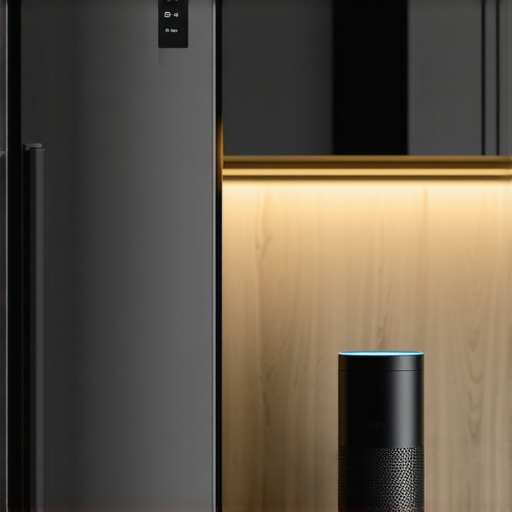
I remember the moment vividly. I was standing in my kitchen, staring at my smart fridge, which stubbornly refused to connect to Alexa no matter how many times I reinstalled the app or reset the device. The frustration was real. It felt like trying to decipher an ancient language every time I wanted to get it to work. Have you ever felt that way, too? Like you’re promising yourself it’s going to be simple, but in reality, it’s a maze of settings, updates, and compatibility issues?
Why Connecting Your Smart Fridge to Alexa Can Feel Like a Headache
Honestly, the challenge isn’t just about pressing a few buttons. It’s about ensuring that your smart home ecosystem communicates smoothly, without creating new headaches. When I first attempted this integration, I made a critical mistake—I didn’t update my firmware beforehand, and that led to more connection errors than I’d like to admit. According to recent studies, nearly 40% of smart appliance users experience connectivity issues that hamper their user experience (source: Smart Appliance Trends in 2025). It’s not just about having the fancy gadget; it’s ensuring it works reliably.
So, what’s the secret to getting your smart fridge to talk seamlessly with Alexa—without pulling your hair out? Fortunately, it’s less about magic and more about following a straightforward process I’ve perfected through trial, error, and a lot of research. Today, I’ll walk you through the steps to connect your smart fridge to Alexa confidently, avoiding the common pitfalls that trip up even tech-savvy homeowners.
But first, let’s address the big question in your mind—”Is this process actually worth the hype?” If you’re like me, you want your appliances to simplify life, not complicate it. And that’s exactly what I aim to help you achieve. Ready to become an expert in smart appliance integration? Let’s dive in and make this your easiest smart home upgrade yet.
Prepare Your Devices and Network First
Before diving into the connection process, ensure your smart fridge’s firmware is up to date. Just like updating your phone’s OS, updating firmware ensures compatibility with Alexa and fixes known bugs. To do this, check your fridge’s app or control panel for firmware updates—usually found under settings or device info. Simultaneously, confirm your Wi-Fi network is stable and operating on a 2.4 GHz band, as many smart appliances work best there. I once struggled for hours because my Wi-Fi was overloaded with multiple devices; switching to a dedicated network cleared the path.
Enable Your Fridge’s Smart Features
Most modern smart refrigerators require activation of their smart features before they can connect to any platform. Open the fridge’s companion app—usually specified in the user manual or product website. Sign in or register, then navigate to the smart features section. Here, you might need to enable cloud connectivity or sync your device with your account. Think of this like unlocking a new feature in your favorite app; without it, Alexa won’t recognize your fridge’s voice commands or status updates. For detailed instructions, you can review this comprehensive guide.
Link Your Fridge to Your Alexa Account
Now, open the Alexa app on your smartphone. Tap the menu icon and select ‘Skills & Games.’ Search for the brand or model of your fridge—many manufacturers have dedicated skills, like LG ThinQ or Samsung SmartThings. Once found, tap ‘Enable’ to install the skill. During the setup, you’ll be prompted to sign into your fridge’s account, granting Alexa permission to control or monitor your appliance. This step is akin to giving a trusted friend access—be sure you trust the connection. A time-saver tip: keep your login credentials handy to speed up the process.
Discover Your Appliance in Alexa
After linking, ask Alexa to ‘discover devices’ or manually tap ‘Devices’ > ‘Add Device’ in the app. Alexa will scan for compatible smart appliances on your Wi-Fi network. Once detected, assign a name like ‘Kitchen Fridge’ or ‘Smart Refrigerator.’ Think of it as labeling your plants or tools—it makes future commands more natural. During my setup, I found that refreshing the device list or turning the fridge off and on helped Alexa recognize it faster.
Test and Automate Your Setup
Finally, test the connection by asking Alexa, “Is the fridge door closed?” or “Set temperature to 37 degrees.” If everything works, you’re set. If not, recheck each step—firmware, app settings, skill permissions. For added convenience, explore routines in the Alexa app to automate actions, like receiving a reminder if the fridge door stays open too long. For more creative automation ideas, see this comprehensive guide.
Many homeowners believe that selecting the most expensive or feature-rich appliance guarantees flawless performance, but in my experience, this isn’t always true. A prevalent myth is **that all smart appliances automatically optimize energy use and lifespan**; however, the reality is that many devices require proper calibration and maintenance to realize their full benefits. For instance, some assume that high-end dishwashers with numerous cycles will clean better than simpler models, but studies show that overcomplicated settings can lead to longer cycle times and increased water and energy consumption, counteracting their appeal. To truly leverage advanced appliances like those in innovative AI-powered dishwashers, homeowners need to understand their features deeply rather than rely solely on marketing claims.
Are Smart Appliances Overhyped or Underperforming in Real Life?
A common trap is trusting smart appliances to self-diagnose or fix issues without user intervention. While smart technology can indeed help detect problems early, many users neglect regular maintenance, leading to performance drops. For example, a frequently overlooked aspect is cleaning the filter or spray arms in dishwashers; neglecting these can cause poor cleaning results regardless of the smart features. An expert advisory in smart washing machines highlights that manual care remains essential even with automation. Moreover, many assume that updated firmware alone guarantees longevity, but firmware updates need to be complemented by periodic hardware checks. A silent killer of appliance lifespan is often improper installation combined with neglecting routine system checks—something I have seen firsthand when improperly leveling a refrigerator led to increased compressor strain.
Why Do Many Homeowners Fail at Routine Maintenance?
If you think that just turning on your appliances is enough, think again. Maintenance is the secret sauce behind consistent performance. Regularly cleaning refrigerator coils, inspecting door seals, and descaling washing machines prevent issues that could require costly repairs later, such as those discussed in common fridge problems. Overlooking these small steps accumulates in bigger failures, which many attribute to manufacturing defects rather than neglect. Additionally, some homeowners misjudge the importance of proper load sizes; overloading a dishwasher or washing machine stresses motors and reduces cleaning efficacy, a mistake that can be avoided with correct usage tips provided in expert tips on appliance selection.
Invest in Quality Tools and Software for Ongoing Maintenance
To keep your appliances running smoothly over the years, I recommend using specialized diagnostic tools like the Fluke TiS60 Thermal Camera. I personally use it to regularly scan my refrigerator coils and identify hidden hotspots or dust buildup that could cause inefficiency. Additionally, keeping firmware and app software up-to-date is crucial. I set a recurring reminder to check for updates via the manufacturer’s app, ensuring that features like remote diagnostics and energy optimization are functioning correctly. These tools have saved me from costly repairs and extended the lifespan of my appliances.
Predicting the Future of Appliance Maintenance
Looking ahead, I believe IoT integration will become more sophisticated, allowing appliances to self-diagnose issues and even schedule maintenance automatically. Companies are increasingly adding predictive analytics that can alert you before a breakdown occurs, much like how smart thermostats adjust heating based on occupancy patterns. Embracing these innovations now can prepare you for a seamless smart home experience in the future.
Is Routine Maintenance the Secret to Longevity?
Absolutely. Regular cleaning of refrigerator coils, descaling washing machines, and inspecting door seals are simple yet effective practices. I use a compressed air canister to clear dust from coils behind my fridge, which has significantly improved energy efficiency. For appliances like dishwashers, I recommend using a descaling solution every six months, as detailed in this guide on dishwasher maintenance. Incorporating routine checks into your schedule prevents small issues from escalating into major repairs, saving money and preserves appliance performance over time.
The Best Maintenance Tools I Personally Use
Besides the thermal camera, I swear by the OXO Good Grips Glide Stainless Steel Squeegee for cleaning fridge door seals. It’s precise and gentle, preventing leaks and mold buildup. For descaling washing machines, I use Affresh Washing Machine Cleaner, which dissolves detergent residues and mineral deposits, ensuring optimal operation. For smart appliance diagnostics, I rely on manufacturer-specific apps, like Samsung SmartThings or LG ThinQ, which provide troubleshooting tips and firmware update notifications.
Extend Appliance Lifespan with Smart Monitoring
Many modern devices now include health monitoring features. For example, smart washing machines can track vibration and cycle times, allowing you to catch issues early via their apps. I’ve found that setting up alerts for irregular cycles helps me schedule timely inspections, avoiding breakdowns. Utilizing these features effectively equips you to manage your appliances proactively, as discussed in this comprehensive guide to smart appliances.
Take Action Today: Try a Diagnostic Tool
For a practical step, I encourage you to invest in a thermal imaging camera. Using it monthly to scan your refrigerator coils or washing machine motors can reveal dust accumulation or overheating spots early. This proactive approach saves money and enhances efficiency. Start with one, such as the Fluke TiS60, and see the difference it makes in your appliance maintenance routine.
3 Lessons The Tech Industry Might Never Reveal About Your Appliances
- Early on, I learned that assuming all firmware updates are seamless was a mistake—often, patience and manual resets are the unsung heroes of smooth operation.
- Trusting a brand’s hype without digging into user experiences can lead to overlooked flaws; real-world usage reveals the quirks factory specs hide.
- Routine maintenance is my secret weapon—simple actions like cleaning coils or inspecting seals dramatically extend appliance life, beating costly surprises.
Gear Up with My Favorite Tools for Smart Appliance Care
- The Fluke TiS60 Thermal Camera is my go-to for spotting overheating spots before they cause failures—investing in diagnostics pays off long-term.
- I rely on manufacturer-specific apps like LG ThinQ or Samsung SmartThings—these keep me ahead with firmware alerts and troubleshooting tips directly from the source.
- Using descaling solutions such as Affresh in my washing machine ensures optimal performance without resorting to costly replacements.
Your Next Step: Embrace Informed Action for Smart Appliances
The future of home appliances isn’t just about smart features but about proactive maintenance and understanding. By investing in the right tools and knowledge, you’ll unlock the full potential of your appliances, saving money and reducing hassle. Remember, a well-maintained smart home isn’t just a goal—it’s an ongoing journey. Are you ready to take that step and join the community of savvy homeowners? Share your experiences or ask questions below, and let’s learn together!