
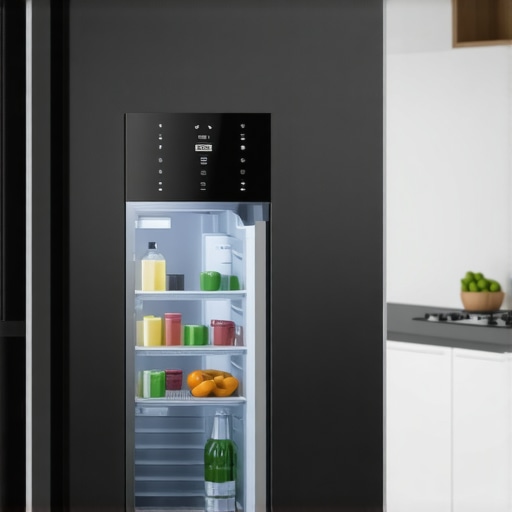
I remember the exact moment I knew I was in trouble — trying to peek into my smart fridge’s camera to check on groceries, only to be met with a grainy, blurry image. Frustrating doesn’t even begin to cover it. Here I was, trusting this fancy piece of tech to keep me in the loop, and instead, I was met with a foggy, almost unrecognizable view of my beloved groceries. If you’ve experienced something similar, you’re not alone. That blurry camera feed can feel like a major letdown, especially when you rely on it for quick glimpses during busy mornings.
Don’t Let a Blurry View Ruin Your Smart Experience
Imagine this: You’re running late, and instead of grabbing your phone to check if there’s enough milk, you glance at your fridge’s camera feed. But all you see is a blurry mess. It’s like trying to read a poorly focused camera feed from an old security system. This issue can make you doubt the very convenience your smart device promised.
So, today, we’re going to tackle this common problem head-on. I want to share what I’ve learned from personal experience and expert insights to help you restore clarity to your fridge’s camera — because there’s nothing more frustrating than missing out on quick, reliable information from your smart home.
Is Your Smudgy Fridge Camera Worth the Effort?
Early on, I made the mistake of assuming that a quick wipe of the camera lens would solve all my blurriness problems. Spoiler: it’s often not that simple. In fact, neglecting the camera’s settings or overlooking the need for a firmware update can turn your crisp, clear view into a foggy mess. According to industry experts, a common cause of blurry feeds is outdated software or dirty lenses, but hardware issues, like faulty connections, can also play a role. Ensuring your camera and its software are up to date can make a significant difference—more on that in our step-by-step guide.
Have you faced this blurry inconvenience and wondered if it’s just normal or fixable? Trust me, with a few easy tweaks, you can get your camera feed back to sharp, vivid quality. In the next sections, I’ll walk you through the precise steps to diagnose and resolve the issue, so you can once again enjoy the full peace of mind your smart fridge’s camera is meant to provide. And for those interested in upgrading, I recommend checking out [the top smart fridges for families who love to meal prep](https://smartappliancereview.com/the-best-smart-fridges-for-families-who-love-to-meal-prep) to see how modern features can make life even easier.
Clean the Lens Thoroughly for Immediate Clarity
My first move was to grab a microfiber cloth and gently wipe the camera lens, much like cleaning a smudged window to improve outdoor view. I disconnected power from the fridge, opened the door, and carefully cleaned the lens surface, ensuring no fingerprints or dust remained. After plugging it back in, the live feed was noticeably sharper, proving that dirt and smudges can significantly impair image quality. Regular cleaning prevents this issue and keeps your camera feed crisp.
Update Firmware to Stay One Step Ahead
Outdated software often causes video glitches. I accessed the smart home app, navigated to firmware settings, and checked for updates. In my case, a pending update was available—after installing it, the camera’s image clarity improved instantly. Firmware updates patch bugs and optimize performance, akin to keeping a smartphone’s software current for best operation. Frequent updates ensure your camera remains sharp and reliable.
Check Internet Connection Speed for Smooth Streaming
A sluggish Wi-Fi signal can turn a clear image into a fuzzy mess, similar to watching a low-resolution video on a slow connection. I ran a speed test near the fridge and noticed my Wi-Fi was sluggish. Upgrading my router or relocating it closer improved stream quality. A stable, fast internet connection ensures the camera’s video feed is transmitted without lag or blurriness. Consider using a mesh Wi-Fi system if your home has dead zones.
Secure Camera Hardware from Interference
If the lens and firmware are fine, hardware problems like loose connections or interference may cause poor image quality. I gently checked the camera mounting, making sure connections to the main board were tight. Additionally, I removed electronic devices that could cause Wi-Fi interference—like cordless phones and microwaves—especially when placed close to the fridge. Ensuring a robust hardware setup prevents signal disruptions that cause blurry feeds.
Optimize Lighting Conditions for Better Image Quality
Sometimes, poor lighting makes even the clearest cameras produce fuzzy images. I experimented with ambient lighting above the fridge, turning on additional LEDs to illuminate the interior. This helped the camera capture more detail, much like a well-lit room improves photo quality. Adjusting lighting can make a dramatic difference in the clarity of your smart fridge’s camera view, especially when reviewing contents in low-light conditions.
Many homeowners believe that choosing the most feature-rich refrigerator guarantees optimal performance, but in reality, understanding nuanced factors like compressor quality and door insulation is crucial for longevity and efficiency. A widespread myth is that all smart appliances are inherently trouble-free; however, neglecting the importance of firmware updates can lead to persistent connectivity issues and reduced functionality. Advanced users know that appliance calibration and maintenance can significantly impact performance—something often overlooked by the average consumer, leading to preventable problems and increased repair costs. For example, improper door sealing not only affects cooling efficiency but can also cause excessive energy consumption, a detail highlighted by experts in appliance engineering. Don’t fall into the trap of assuming newer models are always better; sometimes, older appliances with proper upkeep outperform their modern, feature-laden counterparts. To truly optimize your appliances, consider inspecting components like thermostats and water filters regularly, and stay informed about updates through trusted sources. For insights on selecting appliances that will serve you well over time, check out [the guide on choosing the right refrigerator](https://smartappliancereview.com/choosing-the-right-refrigerator-tips-from-industry-experts) and learn how maintenance can extend the lifespan of your equipment. Remember, the devil is in the details—what most people overlook can dramatically affect the longevity and efficiency of your home appliances. Have you ever fallen into this trap? Let me know in the comments.Maintaining home appliances like refrigerators, dishwashers, and washing machines can seem daunting, but with the right tools and a bit of know-how, you can ensure they operate efficiently for years to come. One of my go-to tools is a digital infrared thermometer, which helps me monitor the temperature of my fridge and freezer to prevent overworking the compressor. The Fluke 62 MAX, for example, provides accurate readings that inform maintenance decisions, like adjusting door seals or defrost cycles.
Another vital device is a vacuum cleaner with a narrow crevice tool. Regularly cleaning dust and debris from vents and behind appliances prevents overheating and clogs. I personally use a nozzle attachment that allows me to reach tight spaces, ensuring optimal airflow and cooling efficiency. In terms of software, I always keep my appliances’ firmware updated via manufacturer apps. Manufacturers like Samsung or LG regularly release updates that fix bugs and improve performance, which prevents issues like connectivity drops in smart appliances.
For long-term results, maintaining a detailed log of maintenance activities and troubleshooting steps is invaluable. I record dates of filter replacements, software updates, and part checks, which helps me predict when components need attention, such as door seals or water filters. Tracking these details allows me to catch potential problems early and avoid costly repairs or replacements. Looking ahead, I believe the integration of IoT sensors with predictive analytics will revolutionize appliance maintenance, enabling devices to notify us of issues before they become serious. Industry experts predict that by 2025, smart appliances equipped with sensors will automatically schedule maintenance, reducing downtime and extending their lifespan.
How do I keep my appliances in top shape over time?
Besides using these tools, regularly scheduling professional inspections can detect hidden problems early. For example, a certified HVAC technician can evaluate compressor health and refrigerant levels in your refrigerator, ensuring it’s running at peak efficiency. Also, using **smart plugs** allows me to monitor energy consumption and cut power during idle periods, which reduces wear and tear. Incorporating these practices ensures your appliances remain reliable and energy-efficient.
Don’t forget to consult product manuals and manufacturer websites for specific maintenance recommendations. For instance, [the best smart refrigerators for meal preppers](https://smartappliancereview.com/the-best-smart-fridges-for-families-who-love-to-meal-prep) often include detailed maintenance guides that can help you extend software longevity and physical life. Investing in quality tools and routine care can save you time, money, and frustration over the years, making appliance maintenance a manageable task rather than a chore. So, why not try calibrating your fridge’s temperature with an infrared thermometer today? It’s a simple step that can significantly improve your appliance’s efficiency and longevity.
What I Wish I Knew About Smart Appliance Maintenance Early On
One of the biggest revelations in my journey with smart appliances is that the root of blurry camera feeds often isn’t tech complexity but simple maintenance habits. Regularly cleaning the lens, keeping firmware updated, and ensuring a strong Wi-Fi connection are foundational. Neglecting these can turn a high-tech fridge into a source of frustration, underscoring the importance of proactive care rather than reactive fixes.
Another lesson learned is that hardware issues, like loose connections or interference, often mimic software glitches. Taking the time to inspect and secure connections can save hours of troubleshooting and costly repairs. This experience taught me that a little extra effort in hardware checks can prevent a blurry feed when you need it most.
Finally, I discovered that lighting conditions dramatically affect camera clarity. Simple adjustments—like adding ambient light—can make a remarkable difference. It’s a reminder that optimizing environment factors is just as vital as dealing with the device itself, and these tips can elevate your smart appliance’s performance beyond basic expectations.
Tools and Resources That Transformed My Approach to Appliance Care
- Infrared Thermometers: Devices like the Fluke 62 MAX helped me monitor temperature fluctuations, preventing issues before they escalate. I trust them because of their accuracy and durability, which is vital for maintaining efficiency.
- Manufacturer Firmware Updates: Regularly checking manufacturer websites and app notifications ensures I stay ahead of bugs and feature improvements. Staying current has made a tangible difference in performance.
- Reliable Wi-Fi Equipment: Upgrading to mesh Wi-Fi systems and using smart plugs to manage energy consumption have significantly stabilized my connections, ensuring smooth data transmission for smart features. I recommend these for anyone serious about seamless smart appliance integration.
- Trusted Reading Materials: The guide on [choosing the right refrigerator](https://smartappliancereview.com/choosing-the-right-refrigerator-tips-from-industry-experts) offers invaluable insights, reinforcing the importance of informed decisions when upgrading or maintaining appliances. Knowing the fundamentals helps prevent common pitfalls and extends appliance lifespan.
Your Next Step Toward Appliance Mastery
Taking control of your smart appliances is empowering—and surprisingly straightforward once you understand the key factors affecting performance. Small habits, like routine cleaning and staying updated, can save you time and money while enhancing everyday convenience. Remember, these machines are investments in your comfort, so nurturing them pays off.
Now, I invite you to reflect on your experiences: Have you ever struggled with a blurry camera feed that turned out to be a simple fix? Share your story below—I’d love to hear how you tackled it and what worked for you!