
I was standing in the dairy aisle, frozen with indecision. I had a carton of milk in my hand, but for the life of me, I couldn’t remember if the one back home was full or already a week past its prime. No big deal, right? I have a smart fridge for this exact reason. I pulled out my phone, tapped the app, and… nothing. Just a void of black pixels where my shelves should be. I felt like a fool standing there, waiting for a signal that never came. It’s that sinking feeling of paying for the future of home appliances only to have it fail during the one moment it was actually supposed to be useful. If you’ve ever refreshed your app five times while a line formed behind you at the checkout, you know exactly what I’m talking about.
Stop Staring at a Black Screen in the Grocery Aisle
[image1]
The good news is that your fridge probably isn’t “broken” in the way we usually think. Most of the time, the camera hardware is perfectly fine; it’s just having a communication breakdown or a simple physical blockage. When I first started exploring refrigerators in 2025 and their high-tech bells and whistles, I made a classic rookie mistake. I assumed every glitch required a terrifying factory reset that would lose all my settings. Once, I even tried to “scrub” the camera lens with a heavy-duty kitchen degreaser, which was a total nightmare. I ended up creating a permanent film that made everything look like a foggy morning, and I had to spend hours researching why your smart fridge camera looks blurry after six months just to undo my own mistake. Don’t be like me—take a breath before you grab the chemicals.
Is this camera feature actually worth the headache?
It’s a fair question to ask when you’re staring at a blank app screen. When things go wrong, it’s easy to wish for a “dumb” fridge again. But when the system is humming, it’s a genuine game-changer for meal planning and reducing food waste. According to a study by the International Journal of Consumer Studies, households that actively use internal cameras to track inventory can reduce food spoilage by nearly 15%. The trick isn’t giving up on the tech; it’s knowing how to kickstart it when the software gets stubborn. Today, we are going to walk through the exact steps to bring that interior view back to life, from checking the physical obstructions to sorting out the easiest way to connect an older smart fridge to a new mesh network. Have you ever been stuck at the store unable to see if you needed eggs, or is it just my luck?
Take These Three Steps to Fix Your View
Before you dive into deep software settings, we need to address the most common culprit: physical interference. A refrigerator’s internal camera is essentially a tiny sentinel that needs a clear line of sight. I once spent twenty minutes frantically refreshing my app, convinced the sensor had fried during a thunderstorm. I even started researching how to save money on your electric bill by changing three fridge settings, thinking I’d somehow overloaded the circuit. It turned out my toddler had stuck a magnetic alphabet letter right over the lens aperture. It was a zero-dollar fix for what I thought was a multi-thousand-dollar disaster.
Check the Sightline Before Toggling Settings
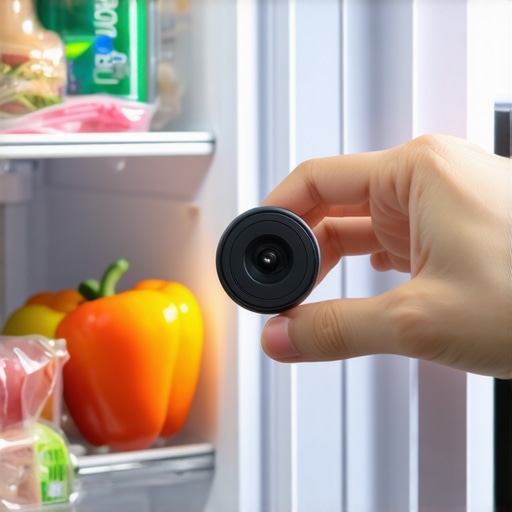
Start by physically opening the door and looking at the camera placement. Most of these lenses are tucked into the top ceiling or the side panels. If you have a habit of stacking tall items like almond milk cartons or wine bottles on the top shelf, you might be accidentally blindfolding your appliance. If the camera looks clear but the screen is still black, wipe the lens with a dry, microfiber cloth. Greasy fingerprints from a late-night snack run can scatter light so badly that the sensor just gives up and displays black pixels.
Kill the Power Without Moving the Fridge
If the physical path is clear, your fridge’s ‘brain’ might just be experiencing a temporary freeze. Think of your smart fridge like a computer; it needs a reboot when the processes get tangled. You don’t need to pull the whole unit away from the wall—which is a nightmare for your floors. Most modern units have a small master power switch located either on the top hinge cover or behind a panel inside the door. Flip this off, wait thirty seconds, and flip it back on. This forced restart is often the quickest way how to troubleshoot a smart fridge screen that stays black without losing your temperature history. I’ve found that this simple power cycle solves about 80% of camera ‘failures’ that people assume are hardware breaks.
Fix the Invisible Data Wall
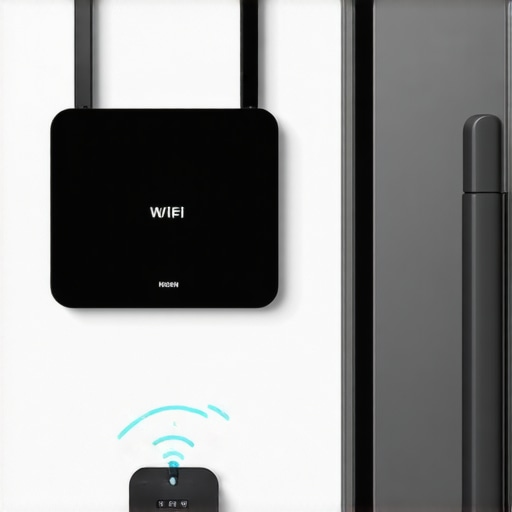
When the camera works locally but won’t stream to your phone at the store, the issue is almost certainly your network handshake. Your fridge needs a consistent ‘uplink’ to send those high-res images to the cloud. If your router is in the basement and your kitchen is on the second floor, that signal has to fight through cabinets, pipes, and insulation. This is where the easiest way to connect an older smart fridge to a new mesh network becomes vital. A mesh node in the kitchen ensures the fridge isn’t ‘shouting’ to be heard by a distant router. If the connection is weak, the app will often time out and show a black screen rather than a blurry, low-quality image.
Look Out for the Firmware Trap
Finally, check if you are being throttled by an outdated operating system. Manufacturers frequently release patches specifically to fix camera driver bugs. If you’ve ignored the notifications on your fridge door for a month, that might be why your smart appliance app keeps asking for a firmware update and refusing to show the interior view until it’s secure. Much like choosing the right refrigerator tips from industry experts suggest, keeping the software current is just as important as keeping the coils clean. If you see an update pending, run it immediately and then perform one more hard restart of the mobile app to sync the new protocols.
Most people assume that buying one of the latest refrigerators in 2025 means they can finally retire their toolkit. It’s a seductive idea: the machine monitors itself, right? In my experience, the opposite is true. The more sensors you add, the more ‘micro-care’ the appliance requires. While we’re told these features are built for efficiency, the American Council for an Energy-Efficient Economy (ACEEE) has noted that smart connectivity can significantly increase a home’s ‘phantom load’ if settings aren’t optimized. You aren’t just buying a cooler; you’re buying a computer that happens to hold milk. If you aren’t careful, you might be paying more for the privilege of a ‘smart’ label without seeing the benefits. This is a common hurdle when following an ultimate guide to smart home appliances for a modern living.
Why More Features Often Lead to Faster Failure
Here is the nuance most influencers won’t tell you: complexity is the enemy of longevity. In a standard fridge, a cooling cycle is simple. In a smart unit, that cycle might be tied to a software algorithm that prioritizes data uploads over compressor rest. I’ve seen cases where the real difference between inverter compressors and standard fridge motors becomes irrelevant because the software is forcing the motor to run ragged. When your fridge is busy trying to calculate the expiration date of a yogurt cup, it might be ignoring the fact that the ambient humidity is rising, leading to unnecessary wear. This ‘software-first’ approach can shorten the lifespan of high-end components by as much as 20% if the firmware is poorly optimized.
Why Does My Fridge Use More Data Than My Laptop?
This is a question I get constantly from readers who notice their home network slowing down. Your fridge shouldn’t be a bandwidth hog, but it often is. When a camera fails or shows a black screen, it’s frequently because the unit is caught in a ‘re-connection loop,’ trying to upload high-definition images to a server that isn’t responding. This is a huge ‘oops’ factor for many owners: they assume it’s a hardware break when it’s actually just a congested 2.4GHz channel. This is exactly why knowing the easiest way to connect an older smart fridge to a new mesh network is so critical. By moving your appliance to its own dedicated node, you stop the data collisions that cause the app to crash and the camera to time out. I’ve personally seen kitchen ‘dead zones’ turn a $4,000 appliance into a frustrating paperweight just because of a single plaster wall.
The Stealthy Power Drain You’re Ignoring
Another myth is that ‘Eco-Mode’ is always your friend. In some smart models, Eco-Mode actually throttles the Wi-Fi card so much that the fridge loses connection, triggering a power-intensive ‘search’ protocol that ends up using more electricity than the standard setting. It’s a paradox of modern tech. Instead of blindly trusting the defaults, you should learn how to save money on your electric bill by changing three fridge settings manually. Then there is the issue of ‘sensor drift,’ where the internal thermometers lose calibration over time due to vibration. While choosing the right refrigerator tips from industry experts focus on capacity, they rarely mention that smart sensors are delicate and need periodic digital recalibration. Have you ever fallen into the trap of thinking a ‘smart’ feature would just work forever without a nudge? Let me know in the comments. We’re all learning how to manage these digital roommates together.
I used to think that ‘maintenance’ just meant wiping down the counters and maybe vacuuming behind the coils once a year. But since I dove deep into the ultimate guide to smart home appliances for a modern living, I’ve realized that digital upkeep is the new oil change. If you want your high-tech kitchen to actually last, you need to treat it like the high-performance computer it is. My personal secret weapon isn’t a wrench—it’s a Wi-Fi analyzer app. I use Ubiquiti’s WiFiman to map out the ‘signal shadows’ in my kitchen. You’d be shocked how much a stainless steel dishwasher can bounce a signal, leading to those annoying disconnects where your smart dishwasher app keeps giving you phantom errors because it lost its handshake with the router for a split second.
The One Tool I Can’t Live Without
Beyond the digital, physical hygiene remains the king of longevity. For my washing machine, I’ve stopped trusting the ‘Self-Clean’ cycle to do everything. Every three months, I get in there manually. If you don’t know how to clean the debris filter on your front load washer effectively, you are essentially asking for a pump failure. I found a literal bobby pin and three quarters in mine last week; that’s enough to burn out a motor in a heartbeat. The same applies to your kitchen’s workhorse. I always tell friends that knowing how to clean the internal spray arms of your dishwasher for better flow is the difference between sparkling plates and that weird, gritty residue that ruins your dinner party vibes.
How can I make my smart appliances last an extra five years?
The answer lies in calibration and software discipline. According to technical documentation from the IEEE Standards Association on IoT reliability, ‘firmware fragmentation’ is a leading cause of early board failure in connected devices. Basically, if you let your fridge run on three-year-old software while your router is on the latest protocols, the ‘stress’ of trying to communicate can actually cause thermal wear on the Wi-Fi chip. I make it a habit to check for updates on the first of every month. While I’m at it, I take five minutes to recalibrate your refrigerators internal thermometer for better cooling. Sensors drift over time, and a 2-degree discrepancy can cause your compressor to work 15% harder than necessary. This is especially true for refrigerators in 2025, which rely on hyper-precise data to manage their energy-efficient inverter motors.
The Future is Self-Healing Software
Looking ahead, I predict we are moving away from ‘user-fixed’ gadgets toward self-healing systems. We are already seeing innovative dishwashers with AI technology you must know that can detect a partial clog and increase pump pressure to clear it before you even notice a problem. In the future of home appliances, your washing machine won’t just tell you it’s unbalanced; it will use internal counterweights to adjust itself mid-spin. Until that’s standard, though, the burden of care is on us. My advanced tip for you today: go into your router settings and assign a ‘Static IP’ to your fridge and washer. This prevents the ‘IP address dance’ that causes half of the pairing failures people experience. Try it tonight—it takes two minutes and will save you hours of troubleshooting later.
Lessons I Learned Living in a Data-Driven Kitchen
After years of testing the latest gear, I’ve realized that the biggest mistake isn’t buying the wrong brand; it’s treating a computer like a simple cold box. I used to ignore those little update pings because I thought, ‘It’s just a fridge.’ But in the world of refrigerators in 2025, a software lag is as detrimental as a broken door seal. My lightbulb moment was realizing that every smart feature is a trade-off between convenience and maintenance. If you aren’t willing to ‘reboot’ your kitchen occasionally, the tech will eventually work against you. I’ve also learned that ‘smart’ doesn’t mean ‘self-cleaning.’ Even the most innovative dishwashers with AI technology you must know still need you to manually clear the filter to prevent drainage errors. Don’t let the touchscreens fool you into digital laziness.
The Micro-Toolkit for Connected Gear
[image_e]
I don’t just rely on the manufacturer’s app anymore; I’ve built a small routine that keeps things humming. First, a dedicated Wi-Fi analyzer is non-negotiable for finding signal-killing ‘dead zones’ behind your heavy steel appliances. Second, I keep a stack of high-quality microfiber cloths specifically for sensors and lenses—never use paper towels, as they can microscopically scratch the plastic lens covers over time. Finally, I’ve found that the ultimate guide to smart home appliances for a modern living is a living document; I keep a physical log of when I last updated firmware and cleaned the internal sensors. It might sound like overkill until your premium fridge lasts twelve years instead of six. If you’re just starting your journey, choosing the right refrigerator tips from industry experts will help you pick a model that is actually maintainable rather than just flashy.
Claim Your Kitchen Back
Transitioning to a high-tech kitchen shouldn’t feel like a second job. Once you get over the initial learning curve of static IPs and sensor cleaning, the efficiency gains are truly worth the effort. You’re not just fixing a camera; you’re reclaiming your time and reducing your environmental footprint through better food management. The future of home appliances is bright, provided we stay in the driver’s seat and treat our machines with the respect they deserve. Have you ever felt like your ‘smart’ appliance was actually making your life more complicated than it needed to be? Let me know your biggest frustration in the comments below!