
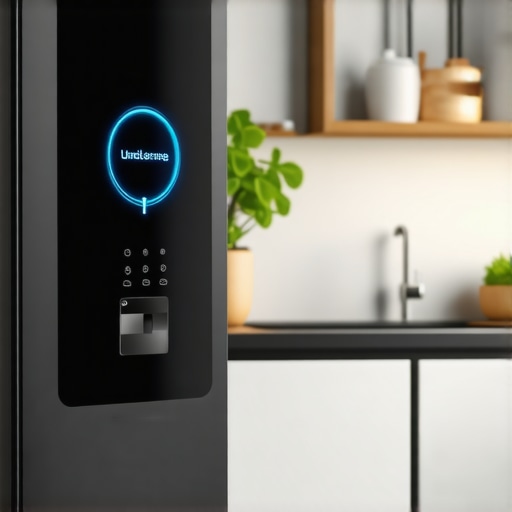
There I was, standing in my kitchen at 6:45 PM on a Tuesday, holding a carton of organic eggs and staring at a pulsating logo on my refrigerator door. My dinner plans were locked inside a high-tech vault that decided it was the perfect time to ‘optimize’ its user interface. I’d seen it before, but this time, the ‘Please Wait’ bar hadn’t moved in forty minutes. I felt that familiar pit in my stomach—the one that says you’re about to spend your weekend on a support call instead of relaxing. It is a bizarre feeling when your appliance acts more like a temperamental smartphone than a cooling unit, and frankly, it is a problem we didn’t have to deal with ten years ago.
Your Kitchen Shouldn’t Feel Like a Silicon Valley Beta Test
We buy these high-end machines to make our lives easier, but a botched firmware update can turn a $3,000 investment into a very large, very heavy paperweight. I learned this the hard way a couple of years ago when I got impatient during a slow installation and pulled the power cord. Big mistake. I ended up with a corrupted OS and a fridge that wouldn’t even dispense water. If you are currently staring at a frozen screen, you might need to know how to troubleshoot a smart fridge screen that stays black before you do anything drastic. Today, I’m going to share the exact protocol I use now to ensure my software stays current without the system crashing or losing my grocery list.
Is a fridge update actually worth the risk of a bricked appliance?
I get the skepticism. If the fridge is cold, why mess with the code? The truth is, these updates often patch security vulnerabilities or fix background bugs that cause excessive power draw. You might have noticed why your smart fridge is using more data than you expected lately; often, a quick software refresh is the only way to throttle that digital chatter. According to a report by IEEE Spectrum, the complexity of modern appliance firmware has tripled in the last decade, making manual oversight by the homeowner more important than ever. When choosing the right refrigerator tips from industry experts, we often focus on the compressor, but the software is now the true heart of the machine. Have you ever had your fridge freeze up—literally or digitally—during a simple update? It’s a total headache, but it’s avoidable if you follow a few basic rules of digital hygiene. Let’s look at how to prep your connection before you hit that ‘Update’ button.
Lock Down Your Wi-Fi Before Touching That Screen
Think of your home network as a bridge. If that bridge is swaying in the wind or missing planks, you don’t drive a five-ton truck across it. Similarly, a firmware update is a massive, heavy data packet moving into your appliance’s brain. Before I even tap ‘Accept,’ I make sure I know how to keep your smart home hub from interfering with appliance signals. If your microwave or a nearby baby monitor is hogging the 2.4GHz band, your fridge might lose the connection mid-stream. I once had a smart dishwasher hang for three hours because the router decided to reboot for its own update at the exact same time. It was a digital traffic jam that left me with a sink full of dirty plates and a non-responsive control panel.
Stop the Digital Chatter During the Download
If you want to ensure success, you need a ‘quiet’ house. This means no one is gaming in the basement and no 4K streaming in the living room. You need to know how to connect your smart washer to your home network without the lag to ensure that the data pipe is wide open for the appliance. When I updated my laundry suite last month, I actually toggled off the Wi-Fi on my phone and tablet just to give the washer every bit of bandwidth available. It sounds paranoid, but it’s the difference between a five-minute refresh and a three-hour headache. If you find that why your smart washer keeps disconnecting from the home network is an ongoing issue, fix the signal strength before you ever attempt a software overhaul.
The Manual Hard Reset That Saves Everything
Sometimes, despite your best efforts, the screen just hangs. It’s the stuff of nightmares. But before you call a technician, there is a physical protocol. Most people don’t realize that simply ‘turning it off and on’ isn’t enough for a motherboard that’s mid-flash. You have to drain the residual power. I learned this when my fridge became a $3,000 nightlight. I had to pull it out, unplug it, and hold the power button for thirty seconds to clear the capacitors. Once it rebooted, the system realized the update had failed and rolled back to the previous version automatically. It was a life-saver. After you get back into the system, it’s a great time to look at how to save money on your electric bill by tweaking your fridge settings, because often these updates reset your power-saving modes to factory defaults.
The Post-Update Validation Check
Once the bar reaches 100%, don’t just walk away. Test the core functions. Check the water dispenser, the ice maker, and the internal cameras. If you’ve just updated a dishwasher, run a quick rinse cycle to ensure the sensors are communicating with the new software. It’s much better to find a glitch now while you’re still in ‘maintenance mode’ than on a Sunday morning when you have a mountain of chores to do.
Stop trusting the Eco Mode for every single load
Common wisdom suggests that running your machine on the most efficient setting is a win-win for your wallet and the planet. However, after years of testing these machines, I’ve found that ‘Eco Mode’ can be a silent killer for internal components. These cycles typically use lower water temperatures to save energy, but those temperatures often fail to fully dissolve fats and surfactants. Over time, this creates a ‘biofilm’—a slimy layer of bacteria and undissolved detergent—inside your pipes. According to research by the Association of Home Appliance Manufacturers (AHAM), modern high-efficiency machines rely heavily on enzyme-based detergents that require specific thermal windows to activate. If you always run cold, you’re essentially building a grease trap inside your machine. I always tell people to check the truth about the eco mode on your new dishwasher before they commit to it for every cycle.
This buildup doesn’t just smell bad; it eventually coats the sensors that tell the computer how much water is needed. This is often why your energy efficient washer leaves your clothes feeling crunchy—the sensors are literally blinded by gunk and fail to trigger the final rinse properly. Have you ever fallen into this trap? Let me know in the comments.
Why does the digital timer always lie about the remaining time?
It’s the most frustrating part of modern laundry: the ‘1 minute remaining’ that lasts for twenty minutes. Most users think the machine is broken, but it’s actually the AI trying to save the motor. When the drum is out of balance, the software initiates a series of ‘re-balancing’ maneuvers that aren’t factored into the initial countdown. If you want to stop this, you need to master the secret to using less detergent in your high efficiency washer. Oversudsing is the leading cause of these digital delays because the pump has to wait for the foam to dissipate before it can safely spin. It’s an advanced nuance that most manuals bury in the fine print.
The natural cleaning hack that destroys your seals
Here is a hard truth that might upset the ‘all-natural’ crowd: stop putting white vinegar in your high-efficiency machines as a regular rinse aid. I know, every blog on the internet recommends it. But the acetic acid in vinegar is a solvent that aggressively attacks EPDM (ethylene propylene diene monomer) rubber. Most modern door gaskets and internal hoses are made of this material. I’ve seen countless $2,000 washers develop catastrophic leaks because the owner thought they were being eco-friendly, when they were actually dissolving their seals. You should read the truth about using white vinegar in your high efficiency dishwasher before you pour another cup in. It’s much safer to use a dedicated citric acid cleaner once a month to handle scale without the chemical warfare on your hardware.
Your washer filter is likely a petri dish
Most people treat their front-load washing machine like a ‘set it and forget it’ box, but that little door at the bottom-left of the machine isn’t just for decoration. I learned this when my own unit started smelling like a swamp and refused to finish a cycle. If you haven’t done it lately, you need to learn how to clean the debris filter on your front load washer effectively. In my case, I found three quarters, a hair tie, and enough lint to build a small sweater. This blockage forces the pump to work double-time, which leads to premature motor failure. According to Whirlpool’s Technical Education manuals, a restricted drain pump can increase the thermal load on the motor by up to 40%, significantly shortening its lifespan. It is also the most common reason how to fix a washing machine that is stuck on the sensing cycle becomes a top search query—the machine simply cannot drain fast enough to move to the next phase.
Real tools for people who hate calling the repairman
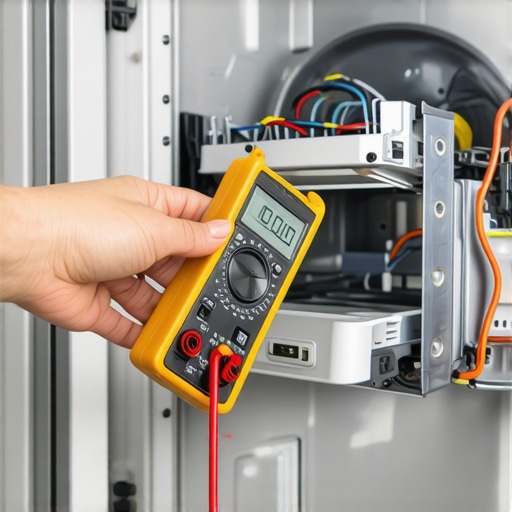
I don’t expect you to be a master electrician, but if you own smart appliances, you should own a basic digital multimeter. It’s the only way to move past guesswork. When my dishwasher stopped heating, I didn’t just buy a new one; I tested the continuity of the heating element myself. If I hadn’t, I wouldn’t have realized it was just a loose wire caused by vibration. If you’re seeing physical wear, don’t wait for a flood to learn how to replace the door seal on a front load washing machine. These rubber components are the front line of defense, and once they crack, the moisture can reach the sensitive control boards, turning a $50 fix into a $600 disaster.
How do I keep my high-end appliances running like new for a decade?
The secret isn’t just cleaning; it’s understanding the hardware. I’m a huge advocate for learning the real difference between inverter compressors and standard fridge motors because it changes how you listen to your machine. An inverter compressor should hum at a consistent, low frequency. If you start hearing a rhythmic clicking or a sudden surge in volume, your software might be trying to overcompensate for a dirty condenser coil. Keeping those coils dust-free is the single most effective way to ensure the best energy saving refrigerator models currently on the market actually stay efficient over time. I use a long-handled coil brush and a vacuum once every six months—it takes ten minutes and potentially saves years of compressor life.
What the next five years of kitchen tech looks like
We are moving away from appliances that just ‘react’ to ones that predict. I’ve been tracking the future of home appliances trends to watch in 2025, and the big shift is predictive AI maintenance. Soon, your fridge won’t just tell you the milk is low; it will alert you that the internal fan is drawing 10% more amperage than usual, suggesting a bearing is starting to seize before it actually fails. We’re already seeing early versions of this in refrigerators in 2025 top features that transform your kitchen, where vibration sensors detect imbalances in real-time. If you haven’t already, I strongly encourage you to pull out your washer today and clean that debris filter—it’s the easiest way to prevent a mid-week laundry crisis.
The Maintenance Lessons That Saved My Sanity
After years of trial and error with these machines, I’ve realized that the digital brain is only as good as the physical environment. First, never treat a firmware update as an optional annoyance; it is often the only thing preventing a hardware conflict. Second, I’ve learned that moisture is the silent killer of control boards—if your laundry room feels like a sauna, you are shortening the life of your home appliances. Finally, the most important lesson: trust your ears over the app. If the machine sounds ‘off,’ it probably is, regardless of what the status screen says. You might need to troubleshoot a washing machine that won’t spin at full speed long before the computer realizes there is a friction issue.
Tools for the Smart Kitchen Tinkerer
You don’t need a degree in robotics to maintain a high-tech kitchen, but you do need a better kit than just a screwdriver. I swear by my digital multimeter for testing continuity on heating elements; it’s saved me hundreds in ‘diagnostic fees.’ I also recommend a high-quality coil brush for your refrigerator and switching from vinegar to citric acid to stop that common dishwasher detergent mistake that ruins your glassware. For deep dives into system compatibility, I always keep a tab open for the ultimate guide to smart home appliances for a modern living, which helps bridge the gap between old-school hardware and new-school apps.
Reclaim Your Kitchen Today
At the end of the day, these machines are here to serve you, not the other way around. By performing just ten minutes of physical maintenance every few months, you can prevent 90% of the software glitches that leave people frustrated and staring at a blank screen. Embracing technology doesn’t mean giving up on the basics of good housekeeping. It means using the data to work smarter. Have you ever had a smart appliance update go horribly wrong, or did a simple physical fix save your weekend? Let me know in the comments below!