
I was standing in my laundry room last Tuesday, staring at a mountain of mud-caked soccer jerseys, when my washing machine decided it needed a “system update” before it would even think about spinning. I didn’t want a software patch; I wanted clean socks. That was the moment I realized my appliances were no longer working for me—I was working for them. We’ve been sold a dream of “seamless connectivity,” but for many of us, it’s turned into a digital headache. If you’ve ever had a fridge refuse to dispense ice because the server was down, you know exactly the kind of madness I’m talking about. Today, I’m going to show you how to cut those digital strings and get back to basics.
Stop Letting Your Wi-Fi Control Your Laundry Routine
There is a special kind of rage that comes with seeing a “searching for network” icon when you just need to start a load of whites. I remember early on, I made the mistake of thinking every smart feature was an upgrade. I spent hours trying to sync my phone just to change the water temperature. It was a mess. Now, I focus on finding the manual overrides. Many people don’t realize that you can often bypass the “smart” sensors that lead to things like a washing machine that is stuck on the sensing cycle by using specific button combinations or simply staying offline. Putting your machine into a manual override mode often forces the logic board to skip the “handshake” with the manufacturer’s server, which is where most lag occurs.
Does bypassing these features actually make life easier?
You might be worried that ignoring the smart tech means you’re losing out on efficiency. It’s a valid concern! We’re told these AI-driven cycles save water and energy. However, in my experience, the “dumb” manual settings are often more reliable. Sometimes the sensors get confused by a small load or the wrong detergent, leading to phantom errors that don’t actually exist. According to research from Consumer Reports, the more complex the electronics, the more points of failure an appliance has. By stripping back to the manual basics, you’re often extending the life of your machine because you aren’t reliant on software that might be discontinued in three years.
The Real Reason Your “Smart” Fridge Is Suddenly Slow
Last year, I noticed my refrigerator’s screen was lagging, and the cooling felt… off. It turns out the background processes were hogging all the resources. If you’ve noticed your smart fridge is using more data than you expected, it’s probably because it’s constantly pinging a server for updates you don’t even need. I found that by disconnecting the unit from the network and changing just a few internal settings, the compressor actually ran more consistently. I felt like a weight had been lifted off my kitchen. Have you ever felt like your “smart” appliance was actually being a bit dim? Let me know in the comments, because I’m convinced we’re all in this together. Now, let’s look at the specific steps to put your machine into “dumb” mode without breaking the warranty.
Cut the Cord Without Cutting the Power
To reclaim your appliance, you first need to perform what I call a Digital Detox. Most smart machines keep trying to find a network like a lost puppy. This constant searching drains processing power and causes those annoying lag spikes. To stop this, go into your settings menu and look for Network Reset or Clear Wi-Fi Credentials. If your machine doesn’t have a screen, there’s usually a specific button combination, like holding Extra Rinse and Delay Start for ten seconds, that clears the memory. Once it’s forgotten your router, don’t give it the password again. It sounds counter-intuitive, but being offline prevents the machine from pausing cycles to wait for a handshake from a server thousands of miles away.
The Secret Handshake for Your Logic Board
Every appliance has a Service Mode or Technician Mode that bypasses the user-facing software. Think of it like the BIOS on a computer. For example, if you’re trying to figure out how to fix a washing machine that stops mid-cycle without an error code, getting into this mode can let you run individual component tests. You can force the drain pump to run or the drum to spin without the smart brain overthinking the load balance. It’s like taking the steering wheel back from an overly cautious student driver. I once spent forty minutes watching a washer hesitate before a spin cycle because it couldn’t decide if the load was balanced. Entering service mode let me force the high-speed spin immediately, saving my afternoon and my sanity.
Manual Maintenance Beats a Software Patch Every Time
We’ve become so reliant on apps telling us when to clean that we’ve forgotten how to listen to the machine itself. A phantom error on your phone isn’t nearly as helpful as a physical inspection. Last month, my dishwasher was leaving everything soaking wet. The app said everything was fine, but it turns out there was a hidden sensor that stops your dishwasher from drying properly because it was covered in a thin layer of lime scale. No amount of software updates would have fixed that. I had a similar headache with my oven during a family dinner. It started burning the edges of every tray while the center stayed raw. The Smart Sense was clearly failing. I had to learn how to recalibrate a smart oven thermostat that burns everything manually. It involved a series of button presses that felt like a secret code, but once I adjusted the offset by 15 degrees, the smart features were irrelevant because the hardware was finally accurate.
Stop Fighting the Sensors
If your dishwasher is acting up, it might just be a hardware mismatch. I’ve seen people struggle with how to fix a smart dishwasher that wont recognize its own detergent pods, only to realize the smart dispenser was just gummed up with old soap. Instead of checking the app for a fix, grab a damp cloth and a toothpick. Similarly, if your freezer is acting funky, focusing on the secret to preventing freezer burn in your smart refrigerator usually comes down to checking your door seals and organizing your bins rather than tweaking an AI cooling algorithm. Real performance comes from the mechanical parts doing their jobs, not the code pretending to do it for them.Let’s dig deeper into one of the most pervasive myths in the modern kitchen: the idea that “less is always more” when it comes to water and energy. We’ve been conditioned to believe that every drop of water saved is a victory for our wallets and the planet. However, in my years of troubleshooting, I’ve found that the obsession with efficiency often comes at a high mechanical cost. When you look at washing machines that save water, the trade-off is often a cycle that lasts three times longer. This isn’t just an inconvenience; it’s additional wear and tear on your motor and bearings. Most people think they are being green, but they are actually shortening the lifespan of a two-thousand-dollar machine to save four cents on a utility bill.
The Water Conservation Myth That Is Ruining Your Clothes
If you’ve ever pulled a shirt out of the wash only to find it feels stiff or has a chalky residue, you’ve seen the dark side of high-efficiency technology. This is why your energy efficient washer leaves your clothes feeling crunchy. Without enough water to properly suspend and rinse away detergent, the soap settles back into the fibers of your clothes. I’ve seen people assume their machine is broken, when the real culprit is simply the “Eco” setting. We are often told these cycles are better, but how to tell if your appliances eco-friendly tag is just marketing is the real skill you need. Many of these tags are designed to meet government regulations, not to provide the best wash for your wardrobe.
Can saving too much water actually ruin your machine?
The short answer is yes. When you consistently run low-temperature, low-water cycles, you create a breeding ground for biofilm. A study published in the International Journal of Hygiene and Environmental Health highlighted that low-temperature washing (below 40°C or 104°F) is often insufficient to kill certain bacteria, which eventually leads to that musty smell we all dread. This is exactly the truth about the eco mode on your new dishwasher as well. If the water doesn’t get hot enough to melt grease, that gunk just relocates to your drain hose.
Don’t Fall for the Detergent Overload Trap
The biggest “oops” factor I see with modern smart appliances is the user’s refusal to adjust their habits. You cannot use old-school detergent amounts in a machine that uses 70% less water. It creates a “suds lock” where the smart sensors get confused and stop the cycle entirely. I always recommend learning the secret to using less detergent in your high efficiency washer. It’s counter-intuitive—you think more soap means cleaner clothes—but in a smart machine, more soap usually means more service calls. Also, be careful with DIY fixes; the truth about using white vinegar in your high efficiency dishwasher is that the acidity can actually degrade the rubber seals over time if overused. Have you ever fallen into this trap of over-cleaning or over-saving? Let me know in the comments, because I’ve definitely been guilty of it myself.When people ask me what the most important ‘smart’ tool in my house is, I don’t point to my phone. I point to my $25 digital multimeter. It’s the ultimate truth-teller in a world of vague error codes. If your oven isn’t heating, you don’t need a software patch; you need to know if the igniter has continuity. I used mine last month to figure out how to tell if your dishwasher heating element is actually broken before I even thought about calling a technician. Being able to test a component yourself is the difference between a $15 part and a $600 ‘service fee.’ If you want to take your DIY game to the next level, you need to hunt down the technical data sheet for your specific model. Most manufacturers hide these inside the kickplate or behind a small plastic panel on the back of the machine. It’s a literal map of the machine’s brain that tells you exactly which pins on the motherboard control which functions.
How do I keep these complex machines running for a decade?
Maintenance isn’t a one-time event; it’s a habit. For my washer, that means I’m constantly checking for physical build-up that the sensors might miss. I’ve learned that knowing how to clean the debris filter on your front load washer effectively is worth more than any app notification. If you ignore that filter, the drain pump is going to burn out, regardless of how ‘smart’ the motor claims to be. I also make it a point to check my fridge gaskets twice a year. If you aren’t sure if yours is leaking air and forcing the motor to work overtime, you should learn how to check if your refrigerator door seal is actually airtight. It takes two minutes and a dollar bill, but it saves your compressor from an early grave.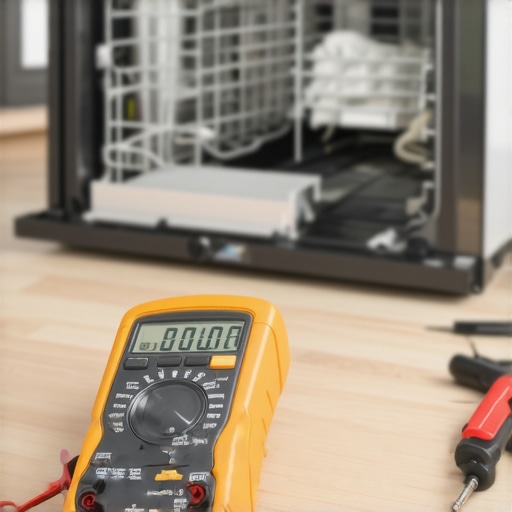 According to the experts at the Repair Association (the group leading the global Right to Repair movement), the biggest threat to appliance longevity isn’t mechanical wear, but the deliberate lack of access to diagnostic software. They argue that as we move further into the decade, the industry will face a reckoning over ‘planned obsolescence.’ I predict a future where we move toward more modular appliances—where you can swap out a failed Wi-Fi chip or a sensor board without replacing the entire logic board. Until that becomes the industry standard, you have to be your own first line of tech support. If your machine is acting up, don’t just reset the router or wait for a firmware update. I want you to go to a site like ManualsLib, find your model’s actual ‘service mode’ instructions, and run a manual component test tonight. It’s the single most empowering thing you can do for your kitchen. You might discover that the common dishwasher error that causes a drain light to flash is just a simple sensor blockage you can clear yourself. Looking ahead, the future of home appliances trends to watch in 2025 suggest we’ll see more user-serviceable parts as consumers demand better value. To stay ahead, make sure you’re keeping the physical parts clean—don’t forget how to prevent mold growth in your washing machines door seal—and let the software take a backseat to good old-fashioned mechanical care. If you can master the hardware, the software won’t be able to hold you hostage.
Hard Truths I Learned While Fighting My Own Kitchen
After years of wrestling with touchscreens that wouldn’t respond and apps that crashed during a spin cycle, I’ve realized that the most “advanced” feature is actually a well-maintained mechanical part. My first lightbulb moment was realizing that software is temporary, but hardware is forever—or at least it lasts a lot longer if you don’t let a buggy update fry the board. I also learned that you shouldn’t be afraid of the “service mode.” It’s not a restricted area; it’s the only place where the machine actually tells you the truth about its health. Most importantly, I’ve found that the best energy saving settings for your smart washing machine aren’t always the ones the AI suggests; sometimes, a shorter, warmer cycle prevents the build-up that leads to a thousand-dollar repair later.
The Survival Kit for the Post-Smart Era
If you want to stop being a slave to your appliances, you need a different kind of toolkit. I never step into my laundry room without my digital multimeter. It’s the only way to know for sure if a heating element is dead or if the sensor is just lying to you. I also highly recommend bookmarking ManualsLib. Having the actual technician’s manual for your specific model is like having the cheat codes for your home. For those who still want the perks of tech without the headache, check out this ultimate guide to smart home appliances for a modern living to see which features are actually worth your time. Finally, keep a spray bottle of distilled white vinegar handy for the exterior, but remember the trick to removing hard water spots from your dishwasher interior involves more than just targeted cleaning that respects the seals. #IMAGE_PLACE_HOLDER_E#
Take the Power Back One Load at a Time
At the end of the day, your home appliances should serve you, not the other way around. It’s easy to feel intimidated by a flashing error code or a “smart” fridge that refuses to talk to your phone, but remember: beneath all that silicon and code, it’s still just a machine designed to move water, air, or heat. When you master the manual basics and learn how to recalibrate your refrigerators internal thermometer for better cooling, you stop being a passive user and start being the one in charge. Don’t let the marketing hype make you feel like you’re “falling behind” just because you want a machine that simply works. Reclaiming your kitchen is a journey, but it’s one that leads to fewer headaches and a lot more peace of mind.
Have you ever had a smart appliance fail in a way that felt completely unnecessary? Let me know in the comments below!