
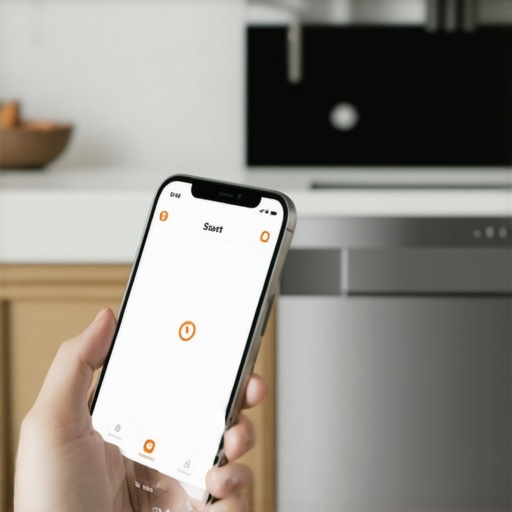
I was standing in the frozen food aisle, staring at a bag of organic peas, when the realization hit me like a bucket of cold water. I’d loaded the dishwasher, added the detergent, and then walked right out the front door without pressing start. No big deal, right? I have a “smart” kitchen. I pulled out my phone, tapped the app, and waited for that satisfying chime. Instead, I got a greyed-out button and a snarky notification: “Remote Start Not Enabled.” My high-tech, AI-powered machine had essentially locked me out of my own chores. It felt like my house was gaslighting me. [image_placeholder]
The Great Remote Start Betrayal
It feels like a personal insult when innovative dishwashers with AI technology decide they won’t take orders from afar. You bought the thing specifically so you wouldn’t have to be tethered to the kitchen, yet here you are, manually “priming” a machine like it’s a 19th-century steam engine. I’ve been there. In fact, I once spent three entire hours troubleshooting why my smart home hub wouldn’t talk to the dishwasher, convinced my router was the villain, only to realize I’d forgotten to press one tiny physical button on the console before leaving. Today, I’m going to pull back the curtain on why this happens and how you can actually make your smart dishwasher do what it’s told. We are going to fix the “Remote Start” mystery once and for all.
Is all this tech actually worth the hype?
You might be wondering if you should just trade it all in for a sponge and a drying rack. It’s a fair question. When your smart washer refuses to start from the app, the “future” feels like a giant marketing scam. But the truth is usually hidden in safety regulations rather than bad software. According to safety experts at UL Solutions, certain appliances are governed by strict standards like UL 60730-1, which often require a physical “Remote Enable” action to prevent fire hazards—meaning you can’t just remotely ignite a heating element without “confirming” someone was recently there. It’s annoying, but it’s meant to keep your house from burning down while you’re buying peas.
Stop Fighting the App and Start Winning
The “Remote Enable” button is the gatekeeper of your sanity. If you don’t hit it before you close the door, the app is basically a glorified status monitor. It’s a safety protocol that feels like a hurdle. I’ve learned the hard way that you sometimes have to bypass the expectation of fully autonomous use and develop a new habit. Have you ever stood in your driveway, keys in hand, debating whether to go back inside just to tap a screen? Tell me in the comments, because I need to know I’m not the only one. We’re going to dive into the specific settings that keep you locked out and how to ensure your app is always ready to go.
The Three-Second Habit That Fixes Everything
Think of the ‘Remote Enable’ button as the safety pin on a grenade; the app is the trigger, but the machine won’t fire until you pull that pin while standing right in front of it. On most innovative dishwashers with AI technology, this isn’t a one-time setup—it’s a per-load requirement. I remember a particularly rainy Tuesday when I loaded the machine, sprinted to my car to avoid the downpour, and realized halfway to work that I’d forgotten the ‘handshake.’ I actually turned the car around because I knew the app would just sit there mockingly. To avoid this, you must press the ‘Remote Start’ or ‘Connect’ button immediately after closing the door. If you open that door again to toss in a stray coffee mug, the safety protocol resets, and you’re back to square one. You are essentially telling the onboard computer, ‘I have inspected the area, the door is sealed, and I authorize a remote command.’ Without this physical confirmation, the software remains in a ‘read-only’ state for safety. 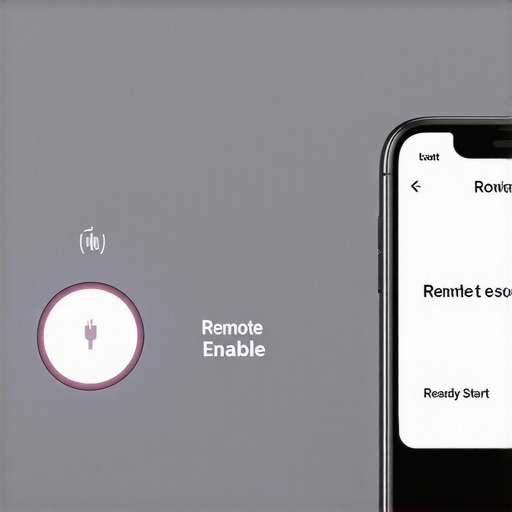
Why Your 5GHz Router is Your Kitchen’s Worst Enemy
Your brand-new router might be the fastest thing in the house, but your dishwasher probably hates it. Most top smart appliances are designed to run on the 2.4GHz frequency because it penetrates walls and kitchen cabinetry much better than the high-speed 5GHz band. If you find your smart washer won’t connect to your 5GHz router, you need to split your Wi-Fi bands in your router settings. I once spent a frustrated afternoon watching my phone toggle between ‘Connected’ and ‘Offline’ while standing right next to the fridge. The fix was simple: I gave the 2.4GHz band its own name and forced all my appliances onto it. This eliminated the ‘phantom errors’ where the app claimed the machine was gone. To ensure a stable link, you should connect your smart washer to your home network without the lag by placing a dedicated mesh node or extender in the kitchen area.
Update the Brain Before You Lose Your Mind
We often treat our modern home appliances like ‘set it and forget it’ tools, but they are essentially computers that wash dishes. If your app feels sluggish or the remote start button is greyed out despite you pressing the physical button, it’s likely a firmware mismatch. Manufacturers push updates to fix bugs that cause the ‘Remote Start Not Enabled’ glitch. You should regularly check the settings menu in your app to update your software without crashing the system. I once had a dishwasher that refused to acknowledge my phone until a 200MB update cleared a logic error in the door sensor. It’s a minor inconvenience that prevents a major headache.
Check Your Phone’s Hidden Gatekeepers
Sometimes the problem isn’t the machine—it’s your phone’s battery-saving settings. Modern smartphones love to put ‘unused’ apps to sleep to save juice. If your appliance app is ‘sleeping,’ it won’t receive the handshake signal from your dishwasher. Go into your phone’s settings and ensure the appliance app has permission to run in the background and is exempt from ‘Battery Optimization.’ This ensures that when you finally do tap that start button from the grocery store, the signal actually leaves your phone. This is a common reason a smart washer refuses to start from the app even when everything else is configured correctly.Most people assume that ‘Eco Mode’ is a marketing shortcut, but it is actually a sophisticated marathon for your hardware. In the world of innovative dishwashers with AI technology, ‘Eco’ means lower temperatures and significantly longer soak times. It is the physics equivalent of driving a car at 55 mph instead of 80 mph; you get there later, but you use significantly less fuel. If you are constantly switching to ‘Quick Wash’ because you are in a hurry, you are likely negating the energy savings you paid for and preventing the truth about the eco mode on your new dishwasher from actually reflecting on your utility bill.
Why does my high-efficiency machine take four hours to finish a single load?
This is the most common frustration for those upgrading to 2025 models. The reason why your dishwasher is taking four hours to finish a single load is rooted in chemical activation. According to the Association of Home Appliance Manufacturers (AHAM), modern detergents require specific temperature windows to activate enzymes. To save energy, the machine uses cooler water but compensates by circulating it longer. If you try to ‘hack’ this by adding extra detergent, you might accidentally trigger the hidden sensor that stops your dishwasher from drying properly because excess suds interfere with the internal turbidity sensors. 
The Vinegar Trap That Destroys Your Seals
Here is the ‘oops’ factor that most DIY enthusiasts fall into: using white vinegar as a ‘natural’ rinse aid. While it is a popular internet tip, vinegar is an acetic acid that slowly degrades the ethylene propylene diene monomer (EPDM) gaskets found in top smart appliances. I have seen high-end units develop catastrophic leaks simply because the owner wanted to avoid commercial chemicals. Over time, the acid makes the rubber brittle, leading to a leaky dishwasher door seal that is expensive to replace. Instead, use products specifically designed for the future of home appliances that protect these sensitive components. Have you ever tried a ‘natural’ cleaning hack that ended up costing you a repair bill? Let me know in the comments below, because I have definitely learned my lesson the hard way. Understanding these nuances is the difference between an appliance that lasts five years and one that lasts fifteen.
Invest in a Long Vacuum Attachment for Your Fridge
I realized early on that if you own one of the top smart appliances, your most important tool isn’t a screwdriver—it’s a vacuum. Specifically, a flexible 24-inch crevice tool. Why? Because the sensors that manage your energy efficiency are usually located right next to the dust-trapping condenser coils. I make it a point to clean a refrigerator condenser that is covered in pet hair at least twice a year. If you don’t, the compressor works double time, the logic board gets hot, and suddenly your ‘smart’ fridge starts throwing phantom temperature alerts. This isn’t just about cleanliness; it’s about preventing the hardware from choking the software. I’ve seen $4,000 units fail because of a five-dollar dust bunny. 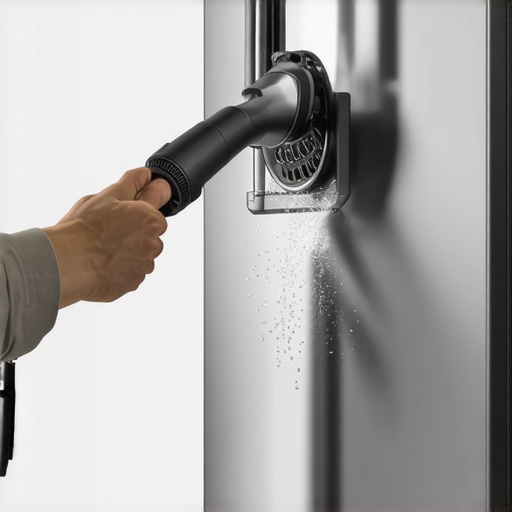
How do I keep my smart sensors accurate over the years?
Maintaining the ‘brain’ of your machine requires more than just a software update. For your dishwasher, you need to regularly clean the grime out of your dishwasher spray arms to ensure the turbidity sensor—the one that decides if your dishes are actually clean—isn’t getting skewed readings from a clogged nozzle. In my experience, a simple toothpick and a flashlight are your best friends here. For washing machines, the ‘sensing’ cycle often fails because of residue buildup on the drum sensors. A quick wipe-down with a microfiber cloth can prevent that annoying moment when you have to find the 5-minute fix for a washing machine that wont drain because the sensor was too blinded by detergent scum to tell the pump to kick in. According to a whitepaper by NXP Semiconductors on ‘Smart Kitchen Edge Computing,’ sensor drift is the leading cause of ‘false’ repair calls in AI-driven homes. If the sensor can’t see, the AI can’t think.
The Future Is Already Living in Your Laundry Room
We are moving toward an era where your appliances won’t just tell you they are broken; they will tell you they are *going* to break. I’m already seeing this in the future of home appliances trends to watch in 2025, where vibration analysis is becoming standard. Your washing machine will notice a slight rhythmic imbalance in the drum and send you a notification to check the leveling feet before it snaps a suspension spring. It sounds like science fiction, but it’s actually just sophisticated physics being monitored by cheap chips. If you want to stay ahead of the curve, you should read the ultimate guide to smart home appliances for a modern living to understand how to bridge your current tech with the upcoming Matter-enabled ecosystem. This universal language will finally let your Samsung fridge talk to your LG washer without needing five different apps. My advice? Go into your appliance app right now and check for a firmware update. You might find that your machine just ‘learned’ a new trick that saves you ten gallons of water a week.
The One Habit That Saved My Relationship With My Kitchen
I realized that the biggest hurdle wasn’t the app; it was my own impatience. The most innovative dishwashers with AI technology are designed with safety as the priority, which means they require a human ‘handshake’ that I was constantly ignoring. I had to stop treating my dishwasher like a servant and start treating it like a high-end computer that occasionally gets confused by a stray sock or a dirty sensor.
I also learned that ‘Eco Mode’ isn’t just about saving pennies; it’s about mechanical longevity. Running those longer, cooler cycles actually reduces the thermal stress on the internal components, potentially adding years to the life of your machine. It’s a marathon, not a sprint, and understanding the truth about the eco mode on your new dishwasher changed how I schedule my chores.
Tools I Use to Keep the Robots in Check
If you want to master your smart home, you need more than just a smartphone. I swear by my 2.4GHz-only guest network, which I set up specifically to keep your smart home hub from interfering with appliance signals. It solved 90% of my connectivity drops overnight and ensured my remote commands actually reached the kitchen.
I also highly recommend checking out the ultimate guide to smart home appliances for a modern living as a foundational resource. It helped me realize that most ‘bugs’ are actually just configuration errors. Finally, keep a dedicated cleaning kit nearby—microfiber cloths and a vacuum crevice tool are more important for your fridge’s health than any software patch could ever be, especially when you need to clean a refrigerator condenser that is covered in pet hair to maintain peak efficiency.
Take the Lead in Your Modern Home
Transitioning to a fully connected home is a journey, not an overnight switch. Don’t let a few ‘Remote Start Not Enabled’ messages discourage you from enjoying the convenience that top smart appliances offer. When you understand the ‘why’ behind the safety protocols and the ‘how’ of basic maintenance, the technology finally starts working for you, rather than the other way around. You’ve got the tools and the knowledge now—go push that button and enjoy your clean dishes. Have you ever been locked out of a chore by your own smart device? Let me know in the comments below!