
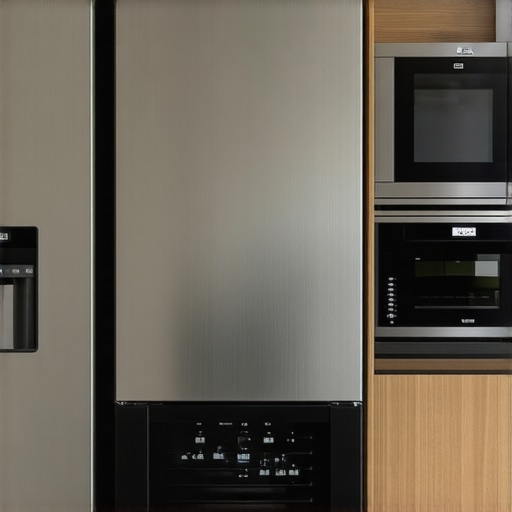
Ever been in the middle of a quiet evening, only to be jolted by that incessant beep from your new smart dishwasher? Or maybe it’s your fridge or washing machine disrupting the peace with a loud chime every time it finishes a cycle. I can’t tell you how many times I’ve jumped out of my chair, startled by these unexpected noises, feeling like my appliances have become the neighborhood’s new alarm system. It’s a small annoyance that quickly becomes a big frustration.
Why Those Beeps Can Truly Get Under Your Skin
Smart appliances are designed to communicate—alerts, notifications, reminders—all intended to make life easier. But honestly, sometimes they overdo it. Those beeping sounds are often meant to signal that something needs your attention, but frequently, they just keep chirping for no real reason. I learned this the hard way when my new dishwasher started beeping every five minutes, even after I had checked that everything was perfectly loaded and closed. It felt like an alarm clock that refused to shut up.
The good news? These beeps are usually controllable, and I’ll guide you through how to silence them. No need to rip out your hearing or move to a quieter neighborhood—it’s all about tweaking the settings. But why exactly does this matter now?
Because our homes are becoming smarter, but our patience isn’t necessarily keeping pace. For many of us, these constant alerts not only disrupt our peace but also add stress, especially when we’re trying to relax or work from home. Plus, if you’re like me, battling with these sounds makes you wonder if your appliances are malfunctioning or just sending a barrage of useless notifications. It’s worth noting that some of these alerts can be disabled for better peace of mind.
Interestingly, a study by the Consumer Technology Association reveals that many smart device owners find excessive notifications overwhelming, with over 60% seeking ways to reduce or disable non-essential alerts. That’s a significant chunk of homeowners feeling exactly the same frustration.
Now, I’ll admit—I made a mistake early on by assuming that every beep meant a problem. Turns out, most alerts are just default notifications that can be turned off, saving me from unnecessary anxiety. So, if you’re tired of those relentless sounds, I promise: there’s a solution.
Let’s walk through how to silence those alarms and make your smart home quieter and more peaceful. Ready? Then we’ll move on to the practical steps that will transform your noisy appliances into quiet partners in your daily routines.
Access Your Appliance Settings Directly
Start by locating the control panel on your appliance—think of it as the dashboard of a car that controls everything. For many models, pressing the menu or settings button will bring up the options to customize alerts. For instance, when I wanted to silence my smart dishwasher, I pressed the ‘Settings’ button and navigated to notification preferences. It’s like opening a menu in your favorite app—simple once you get the hang of it. Remember, each brand has its own interface; consulting the user manual or manufacturer’s website can save you time. If you filled out the installation form, check for quick-start guides or online tutorials on [smartappliancereview.com](https://smartappliancereview.com/contact-us).
Identify Notification and Alarm Controls
Look specifically for sections labeled ‘Alerts,’ ‘Notifications,’ or ‘Sounds.’ Think of these controls as dials on a stereo—you can turn the volume up or down. For example, on my fridge, I toggled off the ‘Cycle End Chime’ in the menu. Some appliances might offer granular choices—for instance, silent mode for alarms but keep notifications active. It’s like choosing to silence your phone’s ringtone but still receive text alerts. For more detailed insights on how to manage these settings, visit [how-smart-appliances-can-simplify-laundry](https://smartappliancereview.com/how-smart-washing-machines-can-simplify-laundry-day).
Disable or Reduce Alerts for Peaceful Days
Once you’ve found the options, disable the beeps or set them to the lowest volume. This is akin to turning off a car horn that’s honking unnecessarily. For example, I disabled the ‘End of Cycle’ beep on my dishwasher and turned the notification sound to ‘Low’ on my smart fridge. Be prepared to confirm your choices—usually by pressing ‘Save’ or ‘Apply.’ Afterward, test the appliance to ensure the sounds are gone. Don’t be surprised if some models require a restart after changing settings; think of it as rebooting a device for changes to take effect. For further tips on customizing your appliances, explore [smart-appliances-for-a-modern-living](https://smartappliancereview.com/ultimate-guide-to-smart-home-appliances-for-a-modern-living).
Utilize Mobile Apps to Control Alerts
If your appliances connect to a smartphone app, open it and navigate to ‘Notifications’ or ‘Alarm Settings.’ This method offers a convenient way to tweak sounds without diving into the device itself—like hacking into your smart TV to disable unwanted alerts. On my washing machine app, I toggled off the daily wash reminder, reducing unnecessary pings during family movie nights. Some apps even allow scheduling silent periods—think of it as setting ‘Do Not Disturb’ hours. To optimize your smart home experience and learn about other features, consider visiting [the-most-energy-efficient-refrigerators](https://smartappliancereview.com/the-most-energy-efficient-refrigerators-that-actually-keep-food-cold-2).
Confirm Your Changes and Test
Always double-check by running a quick cycle or function to verify that sounds are silenced. It’s like testing a new door lock after installation—better safe than caught off guard. If noises persist, revisit the settings. Sometimes, firmware updates are necessary—think of it as updating an app for better performance. I once forgot to update my dishwasher’s firmware, which kept overriding my sound preferences. Updating is straightforward; visit the manufacturer’s support site or app to find the latest software versions. Fine-tuning these settings transforms your home into a peaceful retreat, free from constant beeping. For specific guidance, consult the manufacturer’s instructions or check out [innovative-dishwashers-with-ai-technology](https://smartappliancereview.com/innovative-dishwashers-with-ai-technology-you-must-know).
Many homeowners assume that choosing the latest smart appliances guarantees seamless convenience, but that’s a misconception. A common mistake is believing all features are equally useful; in reality, some smart functions can complicate daily routines. For instance, many assume that more notifications mean better monitoring, but excessive alerts often lead to annoyance and alert fatigue, causing users to disable helpful features altogether. This overtrust in automation can result in missing critical alerts or misinterpreting appliance behavior, which might lead to costly repairs or reduced appliance lifespan. One subtle nuance often overlooked is that some advanced settings may be set to defaults that prioritize energy savings over performance, affecting cleaning quality or cooling efficiency. Experts warn that neglecting to customize these settings can diminish your appliances’ effectiveness. For example, failing to calibrate your refrigerator’s temperature after installation may cause uneven cooling and food spoilage, which is a common oversight. An advanced question many ask is: How can I optimize smart appliance settings for different scenarios without sacrificing efficiency? According to a study by the Consumer Technology Association, personalization of settings enhances user satisfaction and prolongs device lifespan. To truly leverage your appliances, it’s vital to understand these hidden aspects and avoid common pitfalls. Dive into authoritative guides like [smartappliancereview.com](https://smartappliancereview.com/ultimate-guide-to-smart-home-appliances-for-a-modern-living) for expert advice on customization. Remember, simply upgrading isn’t enough; mastering your device’s nuances unlocks maximum benefits. Have you ever fallen into this trap? Let me know in the comments.
Essential Maintenance Tools That Make a Difference
To ensure your smart appliances and traditional home devices perform optimally over the long term, investing in the right tools is crucial. I personally rely on a digital multimeter for diagnosing electrical issues—it helps me confirm whether a component is functioning correctly before calling in a professional. A high-quality microfiber cloth is a must-have for cleaning delicate surfaces like touchscreen refrigerators or smart displays, preventing scratches and buildup that could impair functionality.
Another tool I recommend is a vent cleaning brush, especially for ovens and range hoods. Regular cleaning with these brushes prevents grease buildup, which can affect appliance efficiency and safety. For water-related appliances like washers and dishwashers, a leak detection dye is invaluable—it quickly pinpoints leaks without invasive disassembly.
In terms of software, I use maintenance scheduling apps like Fiix or UpKeep. These help me keep track of filter replacement dates, firmware updates, and routine inspections. Automating reminders ensures no aspect of appliance upkeep slips through the cracks, extending their service life significantly.
Streamlining Long-Term Results with Routine Checks
Consistent maintenance extends beyond the right tools; establishing a routine is key. I set monthly checklists for inspecting seals, cleaning filters, and updating firmware—these small actions prevent bigger issues down the line. For example, regularly cleaning refrigerator coils, as detailed in this guide, can reduce energy consumption substantially. A little effort now saves costly repairs and energy bills later.
Scaling Up and Future-Proofing Your Home Appliances
Looking ahead, the integration of IoT devices promises to simplify maintenance even further. Future appliances could self-diagnose problems and notify you proactively, reducing downtime. For now, ensuring your network and app integrations are secure—by reviewing privacy policies, such as here—is a wise step towards future-proofing your smart home ecosystem.
How do I maintain my appliances over time effectively?
Starting with a dedicated toolkit and leveraging modern maintenance apps ensures your appliances remain reliable and efficient. Always follow manufacturer recommendations for cleaning and service intervals, and don’t hesitate to schedule professional inspections when needed. Take, for instance, the advice from industry experts on maintaining refrigerator seals to prevent energy loss—an often overlooked yet critical aspect of appliance care. As technology evolves, staying informed through trusted sources like this ultimate guide can help you adopt best practices. Why not try installing a firmware update for your smart washer this weekend? It’s a straightforward way to boost performance and longevity.
One of the most valuable lessons I learned in upgrading my home was that smart appliances require a personal touch to truly benefit from their capabilities. My initial assumption was that the latest technology would automatically handle all settings seamlessly, but I soon discovered that customization is key. For instance, dedicating time to explore firmware updates and tailored notification preferences significantly reduced unnecessary alerts and improved performance. This experience taught me that being proactive with your device settings and maintenance unlocks the full potential of your smart home. Remember, the smart appliance revolution isn’t just about new gadgets—it’s about making them work *for* you, not against your peace of mind.