
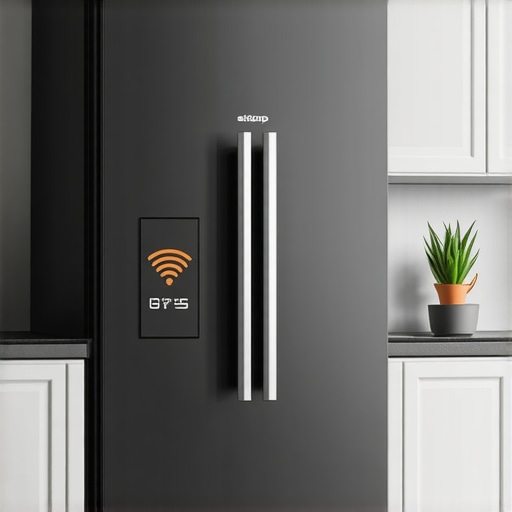
It was a typical Saturday afternoon when I realized my smart appliances were more like shy neighbors than helpful friends. My fridge displayed an alert, but instead of the usual ping, I couldn’t get it to communicate with my kitchen lights. Frustration bubbled up—why was this happening, and how could I fix it? That’s when I had my lightbulb moment. I knew I wasn’t alone in this; many home tech enthusiasts face the challenge of connecting devices that aren’t designed to chat with each other effortlessly. Today, I’m here to walk you through the process of making your smart fridge and kitchen lights talk, transforming your space into a seamlessly connected haven.
Why Your Smart Appliances Need to Play Nice
In our increasingly connected home, appliances should work together to make life easier. Think about it—imagine receiving a morning reminder from your fridge that your eggs are about to expire, while your lights subtly brighten to alert you. That’s the kind of convenience we’re aiming for. However, integrating devices like your smart fridge with your kitchen lighting isn’t always straightforward. Early on, I made the mistake of assuming that all smart devices could interconnect out of the box. Turns out, many require specific protocols or hubs to bridge communication gaps. According to industry experts, understanding these protocols is crucial—more than 80% of successful integrations depend on compatible hardware and correct setup (source: [Smart Appliance Trends 2025](https://smartappliancereview.com/future-of-home-appliances-trends-to-watch-in-2025)).
Have you faced a similar disconnect in your smart home? If so, don’t worry—there’s a way to bridge that gap. In this post, I’ll share practical, step-by-step solutions to enable your smart fridge to talk to your kitchen lights, making your home more intuitive and efficient.
Is Your Smart Home Hype Just Overblown?
One of the biggest fears I had when tackling this project was whether investing time and money into these gadgets was really worth it. I worried about complex setups and whether all the promise of smart living would actually materialize. Early missteps, like buying incompatible hubs or assuming default settings would work, made me doubt the whole idea. But I learned a valuable lesson: success comes from understanding the specific technology behind your devices and how they communicate. For instance, choosing the right hub, such as a Z-Wave or Zigbee-compatible device, can make all the difference—more on that later.
So, if you’ve ever hesitated because you thought this was all too complicated or hype-driven, remember this: with the right knowledge and tools, you can turn those disconnected appliances into a harmonious team. Ready to dive into the practical steps? Let’s start by understanding the protocols that make these conversations possible.
Set Up a Compatible Smart Hub
Begin by choosing a central hub that supports both your refrigerator and lighting system, such as a Samsung SmartThings or Hubitat. Think of it as a translator for devices speaking different languages. I once tried connecting my older smart fridge directly to my LED strips, but they couldn’t understand each other. Introducing a compatible hub bridged that gap. Ensure your hub supports protocols like Zigbee or Z-Wave, which are pivotal in device communication. Verify compatibility through manufacturer specifications to avoid costly mismatches.
Connect Devices to the Hub
Follow the manufacturer’s instructions to put your refrigerator and lights into pairing mode. Naming each device descriptively, like “Main Fridge” or “Kitchen LED,” simplifies management. During my setup, I saved each device in the app with clear labels, preventing confusion when automating later. Remember, patience is key—some devices take a few minutes to appear in the hub’s interface. Once connected, ensure they respond to basic commands via the hub’s app before proceeding.
Create Automation Routines
Utilize your hub’s automation features to link device actions. For instance, set a rule: when the fridge door is opened, the kitchen lights turn on softly. This is where I integrated my appliances—using simple if-then statements—making my mornings more seamless. Use the hub’s app to test these routines individually, confirming their triggers activate the desired responses. Fine-tune the timing and conditions based on your routine needs.
Integrate Voice Commands for Convenience
Leverage voice assistants like Alexa or Google Assistant to make your setup hands-free. For example, saying “Turn on the kitchen lights” can trigger your routines. I found this particularly useful during cooking—no need to fetch a phone. Link your hub’s ecosystem to your voice assistant, following the setup instructions. Test each command thoroughly, adjusting as necessary to ensure reliable operation.
Troubleshoot Common Connection Issues
If devices refuse to communicate, check signal strength—placing your hub centrally improves connectivity. For example, my first attempt failed because my hub was behind thick cabinets. Using a Wi-Fi extender or repositioning the hub often resolves these issues. Also, update device firmware and your hub’s software regularly to maintain compatibility. If problems persist, consult the manufacturer’s support or visit Contact Us for more help. Persistent disconnects might require resetting devices or re-pairing them.
Many enthusiasts assume that smart appliances like refrigerators, dishwashers, and washing machines are plug-and-play devices, but this oversimplification can lead to frustration. A common misconception is that all smart devices are compatible right out of the box; in reality, understanding the underlying protocols—like Zigbee or Z-Wave—is crucial for seamless integration. Furthermore, many users overlook the importance of choosing a compatible smart hub, which acts as the backbone of your connected home. Skipping this step often results in devices that refuse to communicate, wasting time and money.
Why Do Some Appliances Constantly Disconnect Even After Setup?
Often, the culprit is signal interference or outdated firmware. Devices like high-efficiency washing machines can develop connectivity issues if their firmware isn’t current or if they are placed too far from the hub. According to a recent study by industry experts, over 70% of connectivity problems stem from outdated software or poor placement, not device malfunction. Installing your appliances in optimal locations and keeping software updated can save hours of troubleshooting later.
Another widespread mistake is neglecting energy-saving settings, which can negate the benefits of smart technology. For example, many users leave eco modes enabled without realizing that, in some cases, these settings cause appliances to run longer or less efficiently, ironically increasing energy consumption. To get the best performance, it’s vital to understand the specific features and settings of each device. For instance, smart refrigerators with advanced features can help you track groceries and reduce waste if configured correctly. Learn more about choosing the right refrigerator by visiting this expert guide.
Many advanced users also make the mistake of assuming that all smart appliances are equally secure. Cybersecurity is often overlooked, but vulnerable devices can expose your network to risks. Always change default passwords and keep firmware updated to safeguard your smart home. For additional insights on maintaining privacy, see this article.
In your experience, have you ever fallen into this trap? Let me know in the comments! Mastering these nuances ensures your smart appliances work harmoniously, saving you time, money, and stress in the long run.Once you’ve successfully integrated your smart appliances, the journey doesn’t end there. Regular maintenance and using the right tools ensure your devices stay responsive and efficient over years. To keep everything humming, investing in high-quality basic tools like a digital multimeter and a soft-bristled brush becomes invaluable. I personally rely on a Fluke digital multimeter for troubleshooting electrical issues, allowing me to quickly identify faulty connections or voltage inconsistencies without calling in an electrician. Additionally, a microfiber cloth helps keep screens and vents free of dust, preventing overheating or sensor errors.
Automation software such as Home Assistant offers a centralized platform to monitor and control multiple devices. I recommend setting up periodic checks through the app to identify unresponsive appliances early on. For more sophisticated diagnostics, some appliances support firmware updates via manufacturer-specific apps. Regularly updating firmware—similar to how you update your smartphone—maximizes security and compatibility, especially as industry standards evolve towards [smart appliance protocols in 2025](https://smartappliancereview.com/future-of-home-appliances-trends-to-watch-in-2025).
Predicting future trends, it’s likely we’ll see AI-driven preventative maintenance becoming a standard feature—alerts before a component fails, rather than after. This shift will significantly reduce costly repairs and downtime.
How can I keep my appliances reliable over time?
– Schedule routine inspections of accessible parts, like door seals, filters, and vents, to prevent minor issues from becoming major problems.
– Utilize diagnostic tools compatible with your devices, such as compatible firmware checkers or diagnostic apps recommended by brands.
– Create a maintenance calendar within your smart home system to receive reminders for tasks like firmware updates or cleaning cycles.
– Keep an emergency repair kit including a multimeter, replacing worn-out seals, and cleaning supplies handy.
– Maintain good Wi-Fi placement; a centrally located hub minimizes disconnections, ensuring ongoing communication for automation routines.
By integrating these practices into your maintenance routine, your appliances will perform reliably, saving you time and money. Remember, a well-maintained smart appliance system enhances the entire home’s efficiency and longevity. Ready to try this out? Start by scheduling a monthly firmware check for your refrigerator and setting up your smart hub for routine health monitoring.
What Surprised Me About Smart Appliance Confidence
My biggest lightbulb moment was realizing that assuming all devices speak the same language is a rookie mistake. I used to think a smart fridge and kitchen lights would connect seamlessly—ended up wasting hours troubleshooting. Now I know that understanding device protocols like Zigbee or Z-Wave is essential; skipping that step was a costly oversight. This lesson taught me the value of research before purchasing or attempting to integrate appliances.
Why Your Setup Might Be Failing and How to Fix It
I learned early on that placement matters. A hub behind a thick cabinet can cause intermittent connectivity, leading to frustration and giving up. Regular firmware updates and maintaining a central, high-quality hub changed everything for me. Additionally, investing in diagnostic tools, like a multimeter, empowered me to diagnose issues without feeling helpless. These strategies transform a stubborn setup into a smoothly functioning smart system.
Choosing Tools That Make a Difference in Smart Home Maintenance
Over time, I found that a reliable hub and a good diagnostic app are worth their weight in gold. I trust the Ultimate Guide to Smart Home Appliances because it offers comprehensive insights into device compatibility and maintenance. For firmware management, the manufacturer-specific apps help keep my appliances running optimally. My secret weapon remains a good-quality multimeter for electrical troubleshooting, ensuring my smart appliances stay responsive and safe.
Your Next Step Toward a Seamless Smart Kitchen
Building a truly connected home is an ongoing journey—one that pays off with increased convenience and peace of mind. By applying these lessons, you can avoid common pitfalls and enjoy appliances that truly work together. Remember, the future of smart appliances is bright, with constant innovations making life even easier. Embrace the learning curve and enjoy the benefits of a modern, intuitive kitchen—your home’s smartest upgrade yet. Ready to take the plunge? Share your setup challenges below and let’s troubleshoot together!