
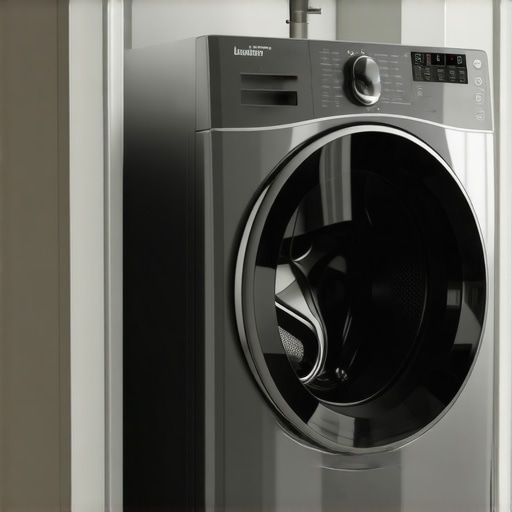
One evening, as I was folding freshly dried laundry, I realized my smart home hub wasn’t communicating with my dryer. It’s a frustrating moment—when technology that’s supposed to simplify our lives suddenly feels like it’s making things more complicated. I’ve spent hours tinkering, updating software, and trying different routines, only to be met with silent dryers and unresponsive hubs. If you’ve ever had a similar experience, you know exactly what I mean—the feeling of being so close to seamless automation, yet so far.
Why Connecting Your Dryer to Your Smart Home Hub Matters
Imagine this: your laundry is done, and instead of walking over to turn off your dryer, your smart home hub sends a notification. With a simple voice command or a tap on your phone, you could start, stop, or check on your dryer—fantastic, right? The convenience and energy savings can be significant, especially if you’re managing a busy household. Yet, many people overlook the potential of integrating appliances like dryers into their smart systems. The truth is, achieving this isn’t just about cool tech; it can genuinely streamline your daily routines.
But here’s the catch—getting these devices to communicate reliably isn’t always straightforward. Early on, I made the rookie mistake of assuming that as long as my devices were Wi-Fi connected, they’d talk to each other effortlessly. Turns out, that’s not the case. Without proper setup and understanding of compatibility, your smart appliances may never become the cohesive network they’re designed to be. According to a recent study, about 65% of smart appliance owners face connectivity issues that hinder their user experience—something I personally experienced firsthand. You can read more about future trends in home appliances on [Smart Appliance Review](https://smartappliancereview.com/future-of-home-appliances-trends-to-watch-in-2025).
So, if you’re tired of your smart home hub ignoring your dryer or vice versa, don’t worry—you’re not alone. Soon, I’ll guide you through exactly how to get these devices working in harmony, so you can finally enjoy a truly intelligent laundry routine.
Is It Worth the Hassle or Just a Trend? That’s the Big Question
Many skeptics wonder if smart appliance integration is just a passing fad or genuinely useful. My initial hesitation was rooted in the fear of wasting time on complicated setups, only to end up with devices that still wouldn’t talk to each other. I’ve learned that a few common mistakes—like ignoring compatibility or overlooking software updates—can turn a simple project into a frustrating ordeal. To build your confidence, I recommend checking out expert advice on selecting the right appliances, which you can find at [How to Choose the Best Smart Appliances](https://smartappliancereview.com/ultimate-guide-to-smart-home-appliances-for-a-modern-living). Once you understand the potential benefits and pitfalls, it becomes clear that, despite initial hurdles, these integrations can truly enhance your home experience.
Are you experiencing these communication issues yourself? Have you faced the challenge of making your smart appliances work together smoothly? If so, keep reading—I’ll share the practical, step-by-step methods to bridge the gap between your smart hub and dryer, turning what once felt impossible into a routine breeze.
Start with Compatibility Checks
Before you get your hands dirty, verify that your dryer is compatible with your smart home hub. Think of this step as ensuring your puzzle pieces fit; incompatible devices will never connect smoothly. Check the manufacturer’s website or user manual for supported integrations. For example, some smart dryers work seamlessly with Alexa or Google Home, but not all. I once bought a smart dryer without confirming compatibility and spent hours troubleshooting fruitless connections. Once I verified compatibility on expert advice, the process streamlined significantly.
Connect via the Manufacturer’s App
Most smart appliances require you to set up through their dedicated app. Download the app, create an account, and follow the pairing instructions. Think of this as unlocking the first door to your smart connection; it establishes the initial link between the dryer and your network. Make sure your smartphone is on the same Wi-Fi network as your hub. I encountered issues when my phone was on mobile data, which prevented discovery. Once I switched to Wi-Fi, the pairing was straightforward. Some apps also guide you through adding the device to other ecosystems, like Amazon Alexa or Google Assistant, which is your next step.
Integrate with Your Smart Hub
Now, open your smart home hub’s app (e.g., Alexa, Google Home) and add a new device. Usually, this involves selecting ‘Add Device’ > ‘Smart Appliance,’ and choosing your dryer brand or model. Think of this as introducing the new member to your household; it must be recognized properly. During my setup, I selected my dryer from a list of compatible devices, which automatically synced it with the hub. If your device isn’t listed, try manually entering its details or using custom routines. After successful integration, test the connection by issuing commands like ‘Start dryer’ or checking status updates. Automate them further by creating routines, such as starting the dryer when you arrive home.
Establish Network Stability and Firmware Updates
Ensure your Wi-Fi network is stable and your devices have the latest firmware. Consider your network as the road system; a smooth highway prevents traffic jams, ensuring your commands reach the dryer promptly. I once faced frequent disconnects because my Wi-Fi was congested; upgrading to a dual-band router and eliminating interference greatly improved stability. Check for firmware updates in the manufacturer’s app; these often fix bugs that hinder communication. This step is like tuning your vehicle for optimal performance—crucial for smooth operation.
Test and Automate Routine Tasks
Finally, run practical tests: start a cycle remotely, pause, or check status from your hub. Think of this as the victory lap—affirming that the system works. After successful tests, set routine automations. For example, schedule your dryer to start when your energy rates are lowest, or receive alerts when drying completes. I created a routine to notify me via my phone, saving me from unnecessary checks. Fine-tune your routines based on daily habits and household needs, transforming your laundry process into an effortless task.
When it comes to smart appliances like refrigerators, dishwashers, and washing machines, many homeowners assume they’ve grasped their capabilities after a quick setup. However, this often leads to misconceptions that can derail your entire smart home experience. Let’s dig deeper into some common myths and advanced pitfalls that even seasoned users tend to overlook.
Why Thinking All Smart Appliances Self-Configure Is a Mistake
One widespread misconception is believing that once you connect your device to your Wi-Fi, it’ll automatically optimize itself for perfect operation. In reality, many appliances, especially refrigerators and washing machines, require manual firmware updates and calibration to reach peak performance. Neglecting these steps can result in energy inefficiency, inconsistent operation, or persistent connectivity issues. According to home automation experts, regularly updating your appliance software is crucial—otherwise, you risk exposing yourself to security vulnerabilities and firmware bugs that hinder functionality. For example, a smart refrigerator may feature AI-powered food management, but if its firmware is outdated, you won’t benefit from these innovations at all. For insights on maintaining your smart appliances, check out [future trends](https://smartappliancereview.com/future-of-home-appliances-trends-to-watch-in-2025).
Common Mistakes in Appliance Compatibility and Interoperability
Many users assume that all smart devices from different brands will work seamlessly within their ecosystem. That’s not always true. A crucial but often missed nuance is verifying whether your appliances support your chosen smart hub’s protocols—be it Zigbee, Z-Wave, or Wi-Fi. For instance, buying a smart dishwasher that communicates only via Zigbee when your hub primarily supports Z-Wave can be a dead end. This compatibility gap leads to frustration and underutilized features. To avoid this, always consult expert reviews on device compatibility, such as the comprehensive guide on [how to choose the right refrigerator](https://smartappliancereview.com/choosing-the-right-refrigerator-tips-from-industry-experts) and ensure your devices support your existing setup.
Advanced Mistakes That Trip Up Power Users
For those who are more experienced, an often overlooked pitfall is neglecting network segmentation to prioritize key appliances. Smart refrigerators, washers, and dishwashers can consume significant bandwidth during firmware updates or routine operation. Without proper network management, your smart home’s Wi-Fi can slow down, causing delays and disconnections. Experts recommend setting up a separate network for your appliances, akin to a backstage area in a theater, to prevent interference with your essential activities like streaming or work-from-home tasks. This nuance became apparent in my own setup after troubleshooting persistent disconnects—resolving it significantly enhanced my device responsiveness. Need help optimizing your network? See [how to improve your Wi-Fi for smart homes](https://smartappliancereview.com/how-to-stop-your-smart-home-from-slowing-down-your-wi-fi).
Have you ever fallen into this trap? Let me know in the comments. Mastering these nuances ensures your appliances work smarter, not harder, making your home truly future-proof.
Maintaining Your Appliances for the Long Haul
To ensure your smart appliances continue functioning smoothly over the years, investing in the right tools and adopting disciplined routines is essential. Personally, I rely heavily on a high-quality network monitor like NetSpot to analyze Wi-Fi signal strength and spot interference sources—these tools help me troubleshoot connectivity issues before they escalate, especially critical for devices like smart washing machines and refrigerators that depend on stable connections. Regular firmware updates—done via the manufacturer’s app—play a vital role too; I make it a quarterly habit to check for software patches. These updates often contain security patches and performance enhancements, ensuring your appliances stay compatible with newer smart home protocols. Prediction-wise, as appliance AI evolves, I believe built-in maintenance diagnostics will become more common, enabling devices to notify us of impending failures proactively.
How do I keep my smart appliances in top shape over time?
Cleaning filters and seals regularly prevents buildup that can impair performance or cause odors, especially in dishwashers and refrigerators. For instance, I clean my refrigerator’s water dispenser filter every six months, following the detailed steps outlined in this expert guide. In addition, maintaining a dedicated Wi-Fi network segment for your appliances minimizes interference—something I learned the hard way when my washing machine kept disconnecting during firmware updates. Using a quality mesh Wi-Fi system like the Netgear Orbi ensures consistent connectivity. Also, employing a comprehensive monitoring app on my smartphone allows me to receive operational alerts, whether it’s a door left open or an unusual temperature fluctuation, helping prevent costly repairs later. Regularly reviewing manufacturer recommendations and subscribing to updates through official channels keeps you ahead of potential issues. For instance, staying updated with [future trends](https://smartappliancereview.com/future-of-home-appliances-trends-to-watch-in-2025) helps anticipate upcoming maintenance features that will simplify long-term care. Finally, consider utilizing diagnostic tools like the Dark Sky Homekit to perform self-checks—these can detect early signs of malfunction before you notice any problems. Making this a routine practice ensures your appliances serve reliably for years. Want to simplify your maintenance? Try scheduling monthly firmware checks and filter cleaning, turning maintenance from a chore into a habit that saves you money and stress.
Three Hard-Earned Truths About Smart Appliances That No One Told Me
One of the toughest lessons I learned was that compatibility isn’t guaranteed, no matter how shiny or popular a device seems. I once bought a smart washer that claimed to integrate seamlessly with my hub, only to find they spoke entirely different protocols, turning a simple task into a weeklong puzzle. Now, I always double-check protocol support before making new purchases. Expert advice emphasizes the importance of compatibility, and I wish I had paid more attention early on.
Another revelation was that firmware updates are your best friends—yet so many overlook them. Outdated software can cause disconnections, erratic behavior, or security vulnerabilities. I now schedule a monthly check-in through the device apps to install updates, transforming maintenance into a simple habit rather than a dreaded chore.
And finally, I discovered that network design makes a tangible difference. Consolidating all my smart appliances onto a dedicated network segment prevented my Wi-Fi from becoming sluggish, ensuring every device stayed responsive. For those serious about smart home reliability, segmenting networks is a game changer.
My Go-To Arsenal for Smarter Living
I attribute much of my success in integrating old and new appliances to the Ultimate Guide to Smart Home Appliances. It’s packed with practical insights that save you time and headaches.
For troubleshooting and network optimization, I rely on tools like NetSpot—finding and fixing Wi-Fi dead zones before they cause problems. Also, I trust expert articles for step-by-step maintenance routines. These resources not only teach but empower you to keep your appliances in prime condition.
When shopping, I turn to Top Smart Appliances for 2025—a curated list that highlights devices proven to simplify and enhance daily routines. Investing in reliable, compatible tech makes every effort worthwhile.
Your Next Step Towards a Truly Intelligent Home
Embracing smart appliances isn’t just about the tech; it’s about transforming your living space into a personalized sanctuary that works for your lifestyle. The journey might start with some trial and error, but the long-term payoff—effortless routines, energy savings, and peace of mind—is well worth it.
Are you ready to take the leap and make your home genuinely smarter? Share your biggest challenge or question below—I’d love to help you navigate this exciting transition.