
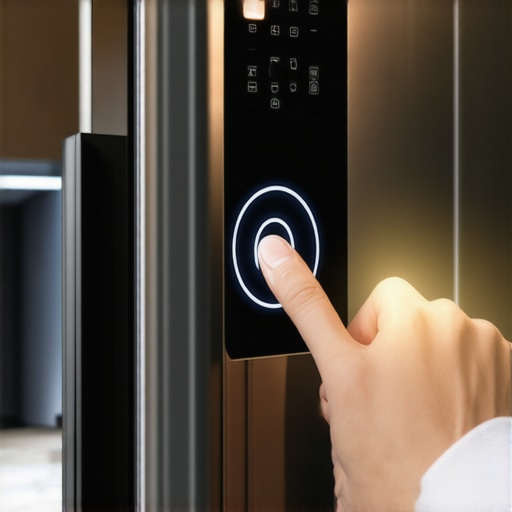
It was 11:30 PM on a Tuesday, and all I wanted was a glass of cold water before bed. I tapped the sleek, glowing screen of my refrigerator, expecting the usual satisfying ‘ding’ and a rush of filtered water. Instead? Nothing. The screen was stuck on a blurry photo of a kale salad I made three years ago. I tapped harder. I swiped. I even tried a gentle ‘percussive maintenance’ tap with my palm. The screen stayed frozen, and worst of all, the ice dispenser had decided to go on strike too. If you’ve ever felt that sinking feeling when your thousand-dollar appliance turns into a very expensive, very quiet brick, you’re not alone.
My Screen Froze and My Milk Almost Spoiled
I’ll be honest, my first instinct wasn’t to look for a manual. I actually grabbed a butter knife, thinking maybe the bezel was pinched and I could pop the panel out to check the wires. That was a huge mistake. Not only did I leave a nasty gouge in the finish, but I later found out that these common errors are exactly what turn a simple software glitch into a permanent hardware repair. It’s frustrating when your smart fridge screen keeps going black or stops responding, but the solution is usually much simpler than a physical repair. Today, I’m going to walk you through the exact process of performing a hard reset on your control panel. We aren’t just talking about turning it off and on again; we’re talking about a clean slate for your fridge’s ‘brain.’ Whether your fridge app refuses to sync or the interface is just lagging like an old computer, this reset is the magic button you’ve been looking for.
Does a Hard Reset Actually Damage the Software?
I get it. You’re worried that by ‘hard resetting’ the system, you’re going to wipe out your warranty or scramble the internal sensors. I had the same fear. However, industry data from groups like Consumer Reports suggests that nearly 20% of smart appliance service calls could be resolved with a simple system reboot rather than a part replacement. Think of it like your smartphone; sometimes the cache just gets cluttered with digital ‘junk’ and needs a fresh start. Have you ever had your fridge screen freeze up right when you needed to check your digital grocery list? It’s the ultimate modern-day annoyance, isn’t it? Drop a comment and tell me if yours just went black or if it got stuck on a specific error code. Before you call a technician and pay a $150 ‘diagnostic fee’ just for them to flip a switch, let’s look at the hidden reset buttons and power cycles that actually work. I’ve spent way too many hours reading technical manuals and talking to repair pros so you don’t have to. We are going to get that screen back to life right now.
Find the Red Switch Hidden in Plain Sight
Before you move three hundred pounds of stainless steel, look for the ‘secret’ toggle. Most modern units have a dedicated reset switch hidden behind a small plastic cover on the top of the right-hand door or inside the upper frame. Flipping this is the digital equivalent of a cold shower for your fridge’s processor. I remember the first time I found mine; it was tucked under a flap I thought was just part of the hinge. Flipping that switch solved a three-day lockout in five seconds. If the screen remains unresponsive even after a toggle, your smart fridge isnt updating its software correctly, and the system is likely caught in a boot-loop. This usually happens when a background download gets interrupted by a flickery Wi-Fi signal.
Kill the Breaker to Save Your Back
If the hidden switch is a no-show or doesn’t do the trick, you need a full power cycle. Avoid the urge to slide the fridge out to reach the wall outlet. I tried that once and ended up with a snapped water line and a miniature lake in my kitchen. Instead, go straight to your home’s electrical breaker panel. Flip the switch labeled ‘Kitchen’ or ‘Refrigerator’ to the off position and leave it there for at least five minutes. This duration is crucial because it allows the capacitors on the control board to fully discharge, clearing any ‘ghost’ errors in the memory. While you wait for the reboot, it is a good time to ensure you aren’t making 5 mistakes that are shortening the life of your smart refrigerator, like overcrowding the top shelf and blocking the internal air vents. 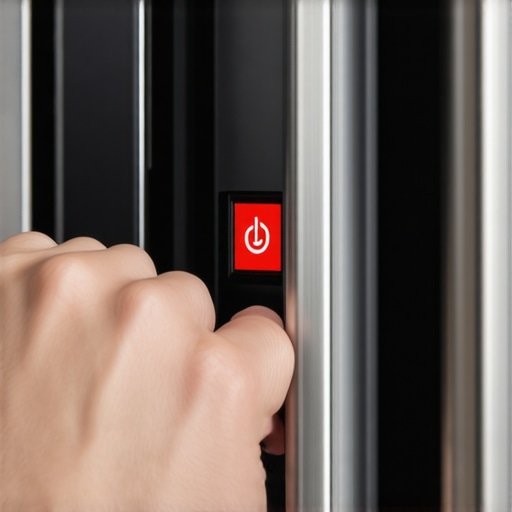
Clear the Digital Gunk and Force an Update
Once the screen flickers back to life, the very first thing you should do is check the ‘Settings’ menu. A lagging interface is often caused by a bloated cache or a failed sync attempt. If your smart fridge app refuses to sync with your grocery list, it might be hammering the internal processor with constant, failed data requests. This ‘digital noise’ eventually causes the entire UI to seize up. Manually trigger a software update to ensure the firmware is current. These updates often contain patches for the exact bugs that cause screen freezes. Many refrigerators in 2025 feature auto-recovery modes, but older smart models require this manual hand-holding. While you are in the menu, take a moment to learn how to set up your smart refrigerator to alert you when the door is ajar, as constant door alerts can sometimes overwhelm older touchscreens. Keeping the software lean and the alerts optimized ensures that the next time you want to see that kale salad photo, the screen actually responds to your touch instead of staring back at you like a blank slate.Let’s dig deeper into why we often break the very things we buy to make our lives easier. Most people believe that ‘more is better’ when it comes to cleaning, but in the world of high-efficiency (HE) appliances, that is a recipe for disaster. The biggest trap? Detergent. We have been conditioned to see bubbles as a sign of cleanliness. In reality, modern sensors in washing machines that save water can get confused by excess suds. This is the ‘Oops’ factor: too much soap creates a film that breeds bacteria and mold, which is exactly the reason your high-efficiency washer smells like old gym socks. If you are pouring in a full cap of soap, you are essentially coating your machine’s internal drum in a sticky residue that will eventually lead to a costly repair visit.
Why Your High-Efficiency Fridge Runs More Often Than Your Old One
You might think a fridge that never stops humming is broken or consuming too much electricity. I used to think the same until I researched the difference between inverter and traditional refrigerator compressors. Unlike older models that use a binary ‘on or off’ approach, modern units use variable-speed motors. According to engineering data from the Association of Home Appliance Manufacturers (AHAM), these inverter compressors are designed to run up to 90% of the time at lower, more efficient speeds. This means why your high-efficiency fridge runs more often than your old one is actually a sign of peak performance, not a looming failure. It maintains a consistent temperature far better than the old ‘blast and stop’ method ever could. One contrarian view I hold is that ‘pre-rinsing’ your dishes is actually hurting your dishwasher’s performance. Most people think they are being helpful, but innovative dishwashers with AI technology use turbidity sensors to measure how much soil is in the water. If you pre-rinse your plates until they are spotless, the sensors detect ‘clean’ water and trigger a shorter, cooler cycle. This results in less sanitation and can even lead to detergent etching your glassware because the enzymes in the soap have no food particles to latch onto. Have you ever fallen into this trap of over-cleaning before the machine even starts? Let me know in the comments if your ‘clean’ dishes still feel gritty or if you have struggled with that weird damp smell. I have realized that the hardest part of owning top smart appliances for a seamless home experience in 2025 is learning to trust the sensors and realizing why your washer doesnt need a whole cup of detergent to get the job done right. Stick to the ‘less is more’ philosophy, and your high-tech kitchen will reward you with years of quiet, efficient service.
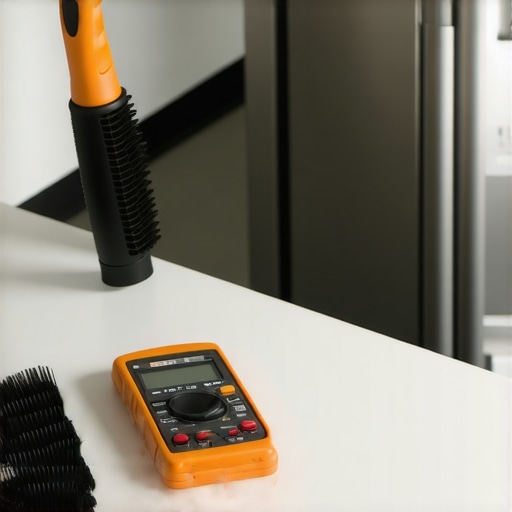
It is one thing to fix a frozen screen; it is another to ensure that your dishwasher and fridge actually survive the next decade. If you think the hard work ends once you have mastered the touch panel, I have some news for you. The real battle for the longevity of your high-tech kitchen happens in the places you cannot see. I personally keep a very specific toolkit in my utility closet that has saved me at least three emergency service calls in the last year alone. You do not need a degree in electrical engineering, but you do need a long-reach flexible coil brush and a basic multimeter. I use that brush every six months to clear the dust from under the unit because, as Samsung’s technical service bulletins frequently note, a dusty condenser coil is the leading cause of premature compressor failure, forcing the motor to work 25% harder than necessary.
The Small Tools That Save Me Thousands
I cannot stress enough how much a $15 coil brush matters. When I first started diving into smart home appliances for a modern living, I ignored the physical maintenance. Then I realized that my ice started tasting funny. If you find yourself in that boat, check out the easiest way to clean an ice maker that makes your water taste like onions. It is usually just a matter of cleaning the internal lines with a vinegar solution, but the tools make it easier. I also keep a digital thermometer handy. I learned how to calibrate your refrigerator thermometer without calling a pro because a two-degree difference can be the gap between crisp lettuce and a frozen mess. If your fridge is struggling, you might also want to look into the hidden settings on your fridge that can save you money on utilities, as many modern units ship in a high-performance mode that you rarely actually need.
How Do I Keep My Smart Appliances Fast Over the Long Haul?
The secret to keeping these machines ‘smart’ is treating them like computers, not just boxes that hold food or water. Beyond the physical cleaning, you have to manage the software bloat. I make it a habit to prune my fridge’s app list every few months. If you are not using the ‘Recipe of the Day’ feature, disable it. This frees up RAM for the critical tasks like temperature monitoring. Regarding your laundry room, keep a sharp ear out for changes in sound. Knowing how to tell if your washer bearings are about to fail can be the difference between a $50 part and a $600 drum replacement. In the next few years, I predict we will see the future of home appliances shift toward ‘self-healing’ software that can automatically re-route power or bypass minor sensor failures without you ever knowing there was a glitch. For now, we are the ones who have to stay vigilant. I want you to go to your fridge right now, pull it out just six inches, and check the dust level on the back or bottom grille. If it is fuzzy, grab your vacuum. That five-minute task could literally add years to your fridge’s life.
What I Finally Realized About Living with Smart Machines
After years of trial and error, I have discovered that the biggest enemy of our modern gadgets is often our own ‘traditional’ habits. It took a few flooded kitchens and frozen screens for me to really understand how these systems work. Here is what I wish I had known from day one:
- Trust the machine’s brain: If you are constantly overriding automatic settings, you are likely fighting the efficiency of the software. For example, learning why your high-efficiency fridge runs more often than your old one helped me stop worrying about the constant hum and let the inverter compressor do its job.
- Soap is not your friend: I cannot repeat this enough—understanding why your washer doesnt need a whole cup of detergent is the most important lesson for any laundry room owner. Excess suds are the leading cause of sensor failure and mold growth.
- Software updates are a form of maintenance: Treat your fridge like a laptop. If the user interface is lagging, check for a firmware patch before you check for a physical defect.
Tools I Actually Keep in My Kitchen Drawer
You do not need a professional-grade workshop to keep your ultimate guide to smart home appliances for a modern living intact. I rely on three specific things: a flexible condenser brush to prevent overheating, a basic multimeter for testing outlets, and a simple bottle of white vinegar. I found that using vinegar is actually the easiest way to clean an ice maker that makes your water taste like onions, and it costs pennies compared to proprietary cleaning solutions. I also recommend staying updated on the future of home appliances through industry news so you know when a glitch is a widespread software bug rather than a hardware failure that requires a technician.
#IMAGE_PLACEHOLDER_E#
Stop Fearing the Tech and Start Mastering It
A frozen screen or a smelly washer can feel like a personal defeat, but these are just small hurdles in the world of high-tech living. By taking five minutes once a month to vacuum a vent or clear a cache, you are protecting a major financial investment. Don’t be afraid to dig into those settings or flip that breaker; you are the master of your home, not the other way around. Embracing smart appliances means moving from being a passive user to an active caretaker. I promise, once you see that screen light up and the ice start flowing again because of a fix YOU performed, it feels pretty great.
Have you ever had to perform a hard reset on your fridge, or did you find an even weirder fix for a frozen screen? Let me know in the comments below!