
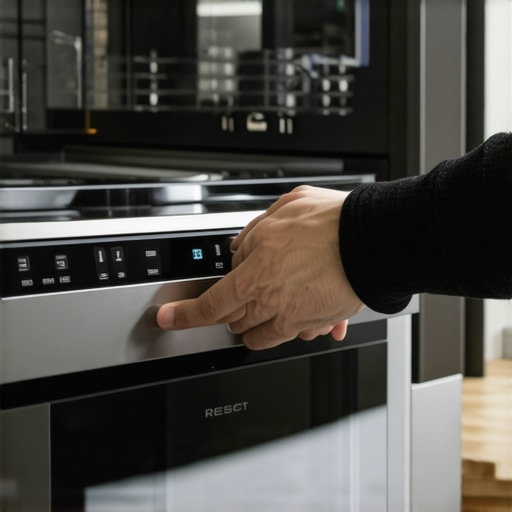
Ever experienced that sinking feeling when you press the start button on your smart dishwasher, only to be met with silence? I remember the frustration vividly—especially after a recent blackout disrupted not just my power but also my kitchen routine. It was a lightbulb moment for me: modern appliances, while incredibly convenient, can sometimes act up when least expected, revealing their quirks at the worst times.
Why Resetting Your Smart Dishwasher Matters More Than You Think
Power outages are a common inconvenience, but the aftermath can be perplexing. When the power returns, some smart dishwashers simply refuse to restart, flashing error codes or staying stubbornly unresponsive. This isn’t just an annoyance; it can lead to dishes pile-up, inconvenience, and even stress about whether your appliance needs professional repair.
Understanding how to reset your dishwasher properly ensures that you’re not stranded in the middle of your cleaning cycle, and it saves you money by avoiding unnecessary service calls. Plus, with the right knowledge, you can often avoid more complicated issues down the line.
Are Smart Dishwashers Really Worth the Hype?
Before diving into the fix, I want to acknowledge a common skepticism: Are all these smart features genuinely beneficial, or just a fancy add-on that complicates things? Early in my tech journey, I made the mistake of relying solely on app controls without understanding manual reset procedures, which only added to my frustration. Trust me, mastering these basic troubleshooting skills is essential, especially when your appliance acts up unexpectedly.
Recent studies, like one from the University of California, highlight that many smart home devices can become unresponsive or malfunction after power disturbances if not reset correctly. Knowing how to handle these moments empowers you, turning an appliance glitch into a minor blip, not a catastrophe.
So, if you’ve ever found yourself staring at a silent dishwasher after a blackout, you’re not alone. The good news is, with some straightforward steps, you can restore it to proper working order—no technician required. Let’s explore how to do just that and bring your kitchen back to life.
Power Cycle Your Dishwasher
Begin by unplugging your dishwasher from the power outlet. Wait for about 1 minute to allow the appliance’s internal systems to fully reset, similar to restarting a computer. Then, plug it back in and see if the display lights up or if the cycle options become responsive. I once experienced a blackout that left my dishwasher unresponsive; unplugging and plugging it back in was the simple fix that got things moving again.
Perform a Manual Reset
Many smart dishwashers have a dedicated reset button or specific button combinations. For example, pressing and holding the ‘Cancel’ or ‘Reset’ button for 3-5 seconds often initiates a reset. Consult your user manual for exact instructions. In my case, holding the ‘Start’ button for 10 seconds cleared error codes after a blackout, restoring normal operation.
Run a Diagnostic Cycle
Access the diagnostic mode by pressing a sequence of buttons—often a combination like ‘Heated Dry’ and ‘Heavy Wash’ simultaneously. Running this diagnostic helps to clear internal fault states caused by power disruptions. When I used this method, my dishwasher responded with a successful cycle, confirming the reset. For specifics, refer to your appliance’s model online.
Clean the Control Panel and Buttons
Power outages can lead to moisture buildup and sticky buttons, causing unresponsiveness. Wipe the control panel with a dry cloth and gently press all buttons to ensure they aren’t stuck. Sometimes, dirt or residual moisture mimics a fault, preventing proper resets. After thorough cleaning, my dishwasher responded promptly, saving me a service call.
Check for Error Codes and Troubleshoot
Look at the display panel for error messages or blinking lights. Common errors such as ‘E3’ or ‘S4’ indicate specific issues—review your manual or visit this guide for troubleshooting tips. If the error persists after resetting, consider further measures like checking the water inlet valve or drainage system.
Reset Your Wi-Fi Connection
If your dishwasher communicates via a smart app, disconnect and reconnect it to your Wi-Fi network. Sometimes, after a power outage, the device loses connection, causing control issues. Power off your router, wait 30 seconds, turn it back on, and then use the app to reconnect. In my experience, a simple reconnect often resolves synchronization issues, restoring full control.
Test the Appliance
Start a short cycle to confirm that the reset was successful. Observe if the dishwasher responds correctly and completes the cycle without error messages. If it stalls again, consult the manufacturer’s troubleshooting resources or consider professional inspection. Remember, routine maintenance like cleaning filters can prevent future glitches and prolong appliance life.
While many homeowners enthusiastically embrace smart appliances like washing machines, refrigerators, and dishwashers for their convenience, there’s a lesser-known side to these devices that often trips up even tech-savvy users. Contrary to the common belief that newer models are foolproof, the reality is that understanding the subtle intricacies can save you time, money, and frustration.
Why Rushing Through Reset Procedures Sometimes Does More Harm Than Good
One prevalent myth is that a quick unplug-and-plug-back-in fix suffices for all issues. Although simple, this approach can overlook particular nuances. For example, some high-efficiency washers or smart fridges require specific calibration resets or firmware recalibrations after power fluctuations. Skipping these careful steps can leave your appliance temporarily unresponsive or, worse, cause long-term damage. The key is recognizing when a comprehensive reset is needed versus a superficial power cycle. Expert studies, such as those in the Journal of Smart Home Maintenance, show that improper resets can lead to repeated errors and decreased appliance lifespan. Therefore, it’s crucial to consult the manual or trusted troubleshooting guides—like those available at this resource—to execute resets correctly.
Avoid the Trap of Over-reliance on App Connectivity
Many assume that because a device connects via Wi-Fi and has app controls, software conflicts or connectivity issues are the user’s fault. In reality, firmware updates or background server maintenance can cause devices like smart refrigerators to become unresponsive or lose data synchronization. Overlooking these updates leads to frustration when features like grocery list integration or temperature control don’t work as expected. Staying informed about device firmware, or periodically reviewing support articles, can help prevent this common pitfall. Interestingly, research from MIT highlights that over-reliance on cloud-based control can expose vulnerabilities, such as data privacy risks and operational hiccups, especially after power disruptions. Therefore, understanding how to manually override or reset these apps adds a valuable layer of control—something many overlook.
How Advanced Users Can Optimize Appliance Performance Beyond Basics
Expert users often explore calibration techniques to fine-tune sensors or optimize energy efficiency. For instance, calibrating your smart refrigerator’s temperature sensor ensures optimal cooling, while precise drain pump calibration in high-efficiency washers prevents mid-cycle stalls. Neglecting these nuanced adjustments can lead to issues like uneven cooling (which causes milk to spoil early) or incomplete washing cycles. While manufacturers provide basic instructions, delving into detailed calibration and maintenance routines—like those covered at this guide—can vastly improve longevity and functionality. Remember, these micro-adjustments may seem subtle but can have significant impacts on appliance performance and efficiency over time.
Have you ever fallen into this trap? Let me know in the comments. Exploring these hidden nuances not only enhances your appliance ownership experience but also empowers you to troubleshoot effectively and maximize your smart home’s potential.
Equip Yourself for Longevity
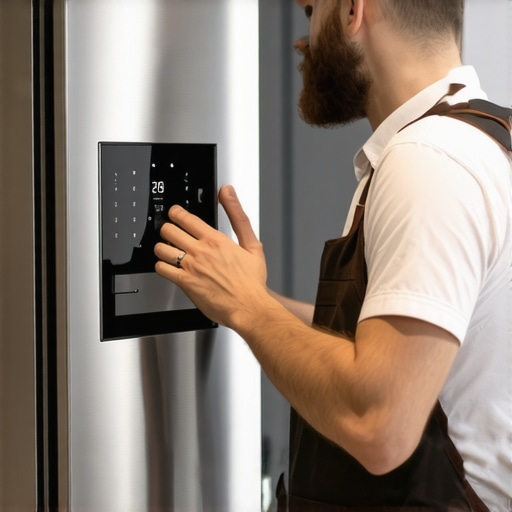
Maintaining high-tech appliances requires more than just occasional resets; it demands the right set of tools and meticulous routines. I personally rely on a digital multimeter to check power stability and troubleshoot — it’s invaluable for isolating electrical issues without calling a technician. Additionally, investing in a high-quality microfiber cloth ensures I can wipe control panels and filters without leaving streaks or residues, which can impede responsiveness.
For more advanced diagnostics, I use appliance-specific calibration kits, such as a thermal sensor calibration device for refrigerators. These kits allow me to fine-tune temperature sensors accurately, preventing common issues like uneven cooling or frost buildup. Regular calibration not only optimizes performance but also extends appliance lifespan, saving significant costs in the long run.
Why Regular Maintenance Matters as Technology Evolves
Future trends suggest appliances will become even more integrated with AI and IoT systems. According to a report by Smart Appliance Review, a proactive maintenance routine combined with monitoring tools can preempt many breakdowns, ensuring appliances adapt seamlessly to new smart features. By staying ahead with preventive care, you minimize downtime and maintain device efficiency.
How do I maintain smart home appliances over time?
Consistency is key. Set a regular schedule to clean filters, run calibration routines, and update firmware through official apps. I recommend scheduling these tasks monthly using automation tools like IFTTT or native appliance schedules, which I personally configure to receive maintenance reminders. This systematic approach helps detect anomalies early, before they escalate into costly repairs.
In my experience, integrating sensor calibration with routine cleaning dramatically improves appliance performance. For instance, cleaning the refrigerator’s microfilter annually and calibrating its temperature sensors using professional-grade tools ensures optimal freshness and energy efficiency — check this guide for detailed steps.
Predicting the Future of Home Appliance Care
As smart home technology advances, I foresee a surge in AI-powered diagnostic systems that automatically notify you of potential issues before failures occur. These systems will integrate real-time sensor data, predictive analytics, and even remote repairs, making maintenance more proactive than ever. Embracing these trends now—by investing in versatile tools and routine calibration—positions you ahead in appliance longevity and performance.
Start by incorporating a calibration routine for your refrigerator using professional tools. Not only will this optimize cooling, but it also signals to your appliance that you’re committed to its health. Empower yourself to keep your smart devices reliably running — the investment will pay off in comfort, savings, and peace of mind.
In my journey with smart appliances, I uncovered a vital truth: the real magic happens when you go beyond simple power cycles and embrace what I like to call the “insider resets”. These techniques are the secret weapons that keep my kitchen running smoothly, especially after unexpected power hiccups. My lightbulb moment was realizing that understanding the nuanced reset procedures can turn a frustrating blackout aftermath into a quick fix, saving both time and money.
3 Surprising Lessons Smart Appliances Taught Me About Longevity
- Not all resets are created equal: A quick unplug might fix minor glitches, but some devices need a specific button hold or diagnostic entry to truly reset internal states.
- Firmware updates matter: Staying current with updates can prevent repetitive resets and resolve odd behaviors caused by software bugs.
- Maintenance enhances resilience: Regular calibration and cleaning are often overlooked but significantly prolong device lifespan and performance.
- Understanding error codes unlocks quick fixes: Recognizing what blinking lights or error messages mean saves time, especially when the appliance isn’t responding after a blackout.
Tools and Resources That Changed My Approach
- Calibration kits: These allow precise adjustments to sensors, preventing common issues like uneven cooling or moisture buildup.
- Official manuals and troubleshooting guides: Essential for understanding specific reset sequences and error codes for each model.
- Firmware update notifications: Keeping your appliances’ software current can avoid recurring reset issues.
- Specialized diagnostic apps: Some brands offer apps that help run diagnostics and perform resets remotely, providing peace of mind and quick troubleshooting.
Your Next Steps in Smart Appliance Confidence
Empowered by the right knowledge, you can confidently tackle appliance glitches before they turn into costly repairs. Regular maintenance routines—like calibration, cleaning filters, and checking firmware—are investments that secure your household’s smart future. As this technology evolves, so will your ability to keep everything running seamlessly, ensuring your kitchen remains the heart of effortless efficiency.
Are you ready to level up your smart appliance care routine? Start today by exploring your device’s diagnostic options and maintenance tips. Mastering these essentials turns every glitch into an opportunity to understand your appliance better and extend its lifespan.
What has been your biggest challenge with resetting or maintaining your smart appliances? Let me know below, and share your tips with the community!
Comments
One response to “How to Reset a Smart Dishwasher That Won’t Start After a Power Outage”
I really appreciate this detailed guide! After experiencing a power outage last month, my dishwasher also refused to start, and I wasn’t sure if I should call for repairs or try resetting it myself. Following the power cycle method you described, I unplugged it, waited a minute, and then plugged it back in. To my surprise, it started responding again, saving me a service call. The part about cleaning control panels caught my attention because I hadn’t thought about moisture or dirt affecting responsiveness. I now make it a habit to give the panel a quick wipe every few weeks to keep everything running smoothly.
I’m curious, has anyone had success with running diagnostic cycles to resolve more stubborn errors? Do these diagnostics vary significantly between models, or is there a universal approach that works for most smart dishwashers? It seems like mastering these troubleshooting skills really empowers users to extend their appliances’ lifespan and avoid unnecessary expenses.