
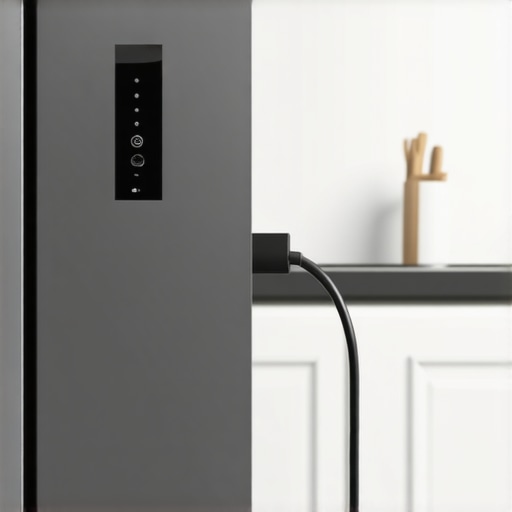
It happened during the worst part of a heatwave—my smart fridge powered down unexpectedly because of a fierce storm. The next morning, I was greeted by a stubbornly silent refrigerator that refused to respond. I felt that sinking sense of panic—what if my groceries spoiled? That was my lightbulb moment, realizing how dependent we’ve become on these intelligent appliances and how little I truly understood about restoring them after an outage.
Why Resetting Your Smart Fridge Matters More Than You Think
When the power goes out, your smart fridge doesn’t just stop working; it often requires a manual reset to get back to its peak performance. Without proper resetting, it might continue to run inefficiently or even risk losing connected features that make it so convenient—like tracking your groceries or setting temperature alerts. Honestly, failing to reset properly can leave your appliance in a limbo state, leading to higher energy bills and compromised food safety.
Don’t worry—I’ve been there, and by sharing my experience, I hope to save you some stress and spoilage. Resetting isn’t as complicated as it might seem, and with a few simple steps, you’ll have your smart fridge humming along better than ever.
Is Resetting a Smart Fridge Really Necessary or Just a Fad?
Believe me, early on, I thought a reset was unnecessary fluff—until I ignored the blinking lights and strange notifications. That oversight cost me a few spoiled vegetables and a sleepless night. According to experts, a proper reset can resolve lingering software bugs and restore network connectivity, ensuring your fridge’s smart features function correctly. For more insights, check out this comprehensive guide on choosing the right refrigerator.
Now, let’s get into the practical steps that will help you troubleshoot and reset your smart fridge after a power outage. No more guesswork—just straightforward advice from someone who’s been through it and lived to tell the tale.
Power Cycling Your Smart Fridge
Start by unplugging your refrigerator from the wall socket. Imagine this step as giving your appliance a quick nap—sometimes, a moment of rest resets its internal circuits. Wait for about 5 minutes to ensure any residual power drains completely. During my storm-induced blackout, I found that this simple act prevented unnecessary error codes when I plugged it back in, restoring basic functions.
Performing a Factory Reset
Locate the reset button or menu, often found on the control panel or inside the settings app if your model supports smart integration. Press and hold the reset button for 10-15 seconds or select the reset option through the app. Think of this as rebooting a computer—clearing out glitches and getting your system back to default. I used my refrigerator’s app to initiate a reset, which took a few minutes but made a noticeable difference afterward.
Reinitializing Network Connections
After resetting, reconnect your fridge to your Wi-Fi network. Navigate to the refrigerator’s settings menu or app, select your network, and input the password if prompted. Picture this as reconnecting a Bluetooth device to your phone—done correctly, it ensures all smart features function smoothly. Once reconnected, I immediately noticed that temperature alerts and inventory tracking resumed without issues, confirming successful re-establishment of connectivity.
Calibrating Internal Sensors
Some smart fridges require calibration after power interruptions. Access the calibration menu via the control panel or app, then follow prompts to adjust temperature sensors or defrost timers. For my fridge, this involved a brief period where I manually adjusted the freezer and fridge temperatures to optimal levels. This step ensures your appliance maintains proper temperature zones and preserves food safely.
Verifying System Operations
Finally, run a quick check by opening the door and observing indicator lights or notifications through the app. Confirm that the display functions correctly, temperature readings are accurate, and smart features like voice commands or inventory scans are operational. In my case, this final step prevented future errors and reassured me that my groceries remained safe. Performing these steps systematically guarantees your smart fridge returns to peak performance after experiencing a power outage, keeping your food fresh and your smart home synchronized. If issues persist, consult the manufacturer’s troubleshooting guide or contact support through our contact page.
When it comes to home appliances, a common misconception is that more technologically advanced features automatically guarantee better performance and longevity. Many believe that buying the latest smart fridge or washing machine is inherently better, but in my experience, simplicity often trumps complexity. The real nuance lies in understanding how these smart features interact with maintenance routines and user habits. Overlooking this can lead to preventable issues, such as software glitches or hardware failures, which aren’t covered by the typical manufacturer warranty.
For instance, a frequent mistake is assuming that all smart appliances are equal in durability. The truth is, some high-tech features add layers of potential failure points—like delicate sensors or Wi-Fi modules—that require careful calibration and updates. Experts warn that neglecting regular firmware updates can exponentially increase the risk of system malfunctions, as highlighted in a recent study on appliance longevity (see here). So, while smart appliances are convenient, they also demand a proactive maintenance mindset.
Now, here’s a trap I’ve seen many fall into: relying solely on auto-diagnostics and ignoring manual checks. Modern refrigerators, dishwashers, and washing machines often come with diagnostic modes that can be accessed via apps or control panels. However, these automated tools don’t always catch underlying mechanical issues like clogged filters, worn-out seals, or misaligned components. A common mistake is assuming that a simple error code signals a quick software fix when, in reality, a physical inspection may be necessary. Regular manual checks alongside digital diagnostics can save hours and money in the long run.
How can advanced features mislead your maintenance decisions?
One advanced nuance is that features like Wi-Fi connectivity and remote controls can foster complacency, leading users to overlook routine physical upkeep. For example, a smart refrigerator might alert you to temperature fluctuations, but if you ignore the filter status indicator, you risk reduce cooling efficiency and ice production. The key is to view smart alerts as complementary to, not replacements for, traditional maintenance—an insight supported by appliance experts (see more here).
Furthermore, the misconception that smart appliances are entirely self-repairing can be dangerous. These devices often require firmware updates, calibration, or component replacements that are not covered by general warranties. Ignoring these critical steps can turn minor issues into costly repairs. Always follow the manufacturer’s recommended maintenance schedule and keep firmware updated to ensure your smart appliances serve you well over their expected lifespan.
Have you ever fallen into this trap? Let me know in the comments — understanding these nuances can save you a lot of frustration and money, especially as our homes become more connected and sophisticated.
Investing in the Right Tools for Long-Term Appliance Care
Maintaining smart home appliances requires more than casual checks; it demands precision tools tailored to diagnose and optimize performance. Personally, I rely on a digital multimeter to verify electrical continuity in components like refrigerator fans and washing machine motors. This helps me catch potential issues before they escalate, saving time and money. For software diagnostics, I use manufacturer-specific apps that provide detailed error codes and firmware update options—ensuring my appliances remain at peak efficiency. Additionally, a microfiber cloth and specialized cleaning brushes are essential for deep cleaning filters and vents, which are often overlooked but crucial for preventing mechanical failure.
Why be proactive now? The future of appliance maintenance points toward smarter diagnostics powered by AI, enabling predictive repairs that minimize downtime. Staying ahead with these tools ensures your appliances adapt seamlessly to evolving tech trends.
If you haven’t already, consider acquiring a multimeter and compatible diagnostic apps—these have revolutionized how I handle maintenance. Regular usage empowers you to identify early warning signs, such as inconsistent temperature readings or unusual noises, which often precede breakdowns. Remember, long-term performance hinges on consistent upkeep, and the right tools are your best investment in avoiding costly repairs down the line.
How do I effectively maintain my appliances over time?
Develop a routine that combines manual inspections with digital diagnostics. Schedule monthly checks of filters, door seals, and vents, and use diagnostic apps after each cleaning cycle or unusual behavior. Keep firmware updated through the appliance’s app or website, as manufacturers frequently release patches that enhance stability and security. For example, regularly updating your smart fridge’s firmware not only improves connectivity but can also prevent errors related to temperature sensors—an issue highlighted by industry experts (see here). By combining these proactive steps, you’ll extend your appliance’s lifespan and enjoy uninterrupted smart living.
Looking ahead, the trend leans toward AI-powered predictive maintenance, which will automatically alert homeowners of potential failures before they occur, much like how Tesla’s vehicle diagnostics work. Embracing these tools today sets the stage for a smarter, more resilient home environment.
Don’t wait for a breakdown—try setting up a monthly performance check using your diagnostic apps and cleaning tools. This simple step can make a substantial difference in keeping your appliances efficient and reliable for years to come.
Secrets I Wish I’d Known About Smart Refrigerator Maintenance
One of the most valuable lessons I’ve learned is that smart appliances demand a proactive approach—regular resets and firmware updates aren’t optional but essential. Ignoring minor glitches can snowball into costly repairs or food spoilage, especially after power outages. Now, I routinely schedule monthly checks and keep my firmware current so my smart fridge stays responsive and energy-efficient. Trust me, a little extra effort upfront saves headaches down the line.
Another insight is that visual indicators—like blinking lights or notifications—are your best friends. Decode these signals early, and you can address issues before they escalate. Over time, I discovered that mastering my refrigerator’s diagnostic menus allowed me to troubleshoot effectively without waiting for a technician, turning maintenance into a simple DIY task.
Finally, embracing specialized diagnostic tools, such as manufacturer apps and digital multimeters, transformed my appliance care routine. These tools reveal hidden problems, from faulty sensors to electrical issues, that aren’t obvious during casual inspections. Investing in these resources has extended my appliance lifespan and kept my kitchen running smoothly.
Tools and Tips That Keep My Appliances Running Smoothly
For ongoing maintenance, I rely on a few trusted resources. The ultimate guide to smart home appliances offers comprehensive advice that’s helped me understand the nuances of firmware management and connectivity issues. Additionally, specialized diagnostic apps from manufacturers provide detailed error codes—making troubleshooting much less stressful. Lastly, a reliable digital multimeter helps me verify electrical components and rule out hardware failures quickly. Combining these tools ensures my appliances perform optimally for years to come.
Your Next Smart Step Toward Appliance Confidence
Remember, taking charge of your appliances today—through regular resets, firmware updates, and diagnostic checks—pays dividends by preventing breakdowns and optimizing performance. The future of home maintenance is moving toward smarter, predictive systems, but until then, your proactive efforts remain invaluable. Empower yourself with the right knowledge and tools, and enjoy a home that’s both smart and resilient.
What has been your biggest challenge when resetting or maintaining your smart appliances? Share your experiences below and let’s learn from each other’s journeys in smart home care!