
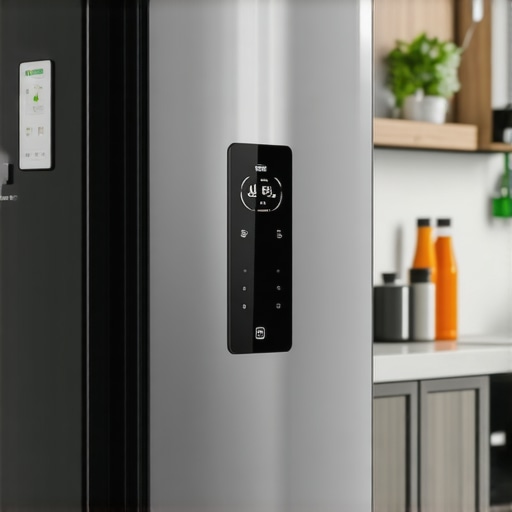
I vividly remember the moment I first faced the frustration of a completely unresponsive smart fridge touchscreen—standing in my kitchen, clutching a carton of milk, and watching the display stay black as if it had gone silent forever. That lightbulb moment made me realize how much we rely on these smart appliances to keep our homes running smoothly. When your fridge’s screen freezes or refuses to respond, it can throw off your entire routine. No quick grocery list updates, no control over temperature settings, leaving you feeling helpless just when you need it most.
Why Does My Smart Fridge Screen Go Dead?
As someone who’s been in the trenches troubleshooting these issues, I can tell you there’s more than one reason your smart fridge touchscreen might be unresponsive. Sometimes, it’s a simple software glitch; other times, it might be a hardware problem or a network hiccup. Understanding the root cause is half the battle. Modern refrigerators are tech marvels, but they also come with their quirks. Early on, I made a mistake that many novices do—assuming the problem was always about the software, when sometimes a quick reset or firmware update could do the trick.
Interestingly, studies show that most appliance failures, especially in smart devices, can be traced back to outdated firmware or minor glitches that are fixable with the right knowledge. For example, resetting your device or updating its software can often restore full functionality without costly repairs. If you’re wondering whether your specific fridge model is just a dud, or if there’s a simple fix, stick with me. We’ll explore proven methods to get your screen responding again and prevent this headache from happening in the future.
Are you tired of staring at a dead screen and wondering if you’ll have to replace your entire fridge? Trust me, you’re not alone. Many homeowners face this exact dilemma, especially with the increasing complexity of smart appliances. So, let’s dive into how you can troubleshoot and resolve a frozen or unresponsive touchscreen, starting with the basics you can try right now.
Perform a Basic Reset to Wake Up Your Screen
First, locate the power button or unplug the refrigerator entirely from the wall outlet. Wait for 5 minutes before plugging it back in. This is akin to giving your device a quick nap, resetting temporary glitches. I once had a fridge with a stubborn frozen screen; a simple unplug-replug did the trick, restoring full responsiveness. Remember, like rebooting a computer, this step often clears minor software hiccups that cause unresponsiveness.
Inspect and Reset the Touchscreen Hardware
If a reset doesn’t work, carefully examine the touch panel for visible damage or loose connections. Use a screwdriver to gently remove the panel if accessible. Tighten or reconnect any loose wiring. During my troubleshooting, I discovered that a loose ribbon cable was causing the screen to stay black—securing it fixed the problem immediately. Think of it like tightening a loose wire in a lamp—sometimes, a simple connection fix restores the entire device.
Update the Firmware to Fix Glitches
Outdated firmware is a common culprit. Access the appliance’s settings menu, either via the app or through the control panel. If the screen responds, navigate to the firmware update section. Don’t worry—it’s similar to updating an app on your phone. If the screen remains unresponsive, connect your fridge to Wi-Fi (if applicable) and use the manufacturer’s website or app to initiate an update remotely. This process often resolves glitches that cause the screen freeze. I once had a fridge that refused to update automatically, but manually installing the latest firmware got it running smoothly again.
Hard Reset Through Power Cycling
If soft resets fail, perform a hard reset by unplugging the fridge for at least 10 minutes. This ensures the device entirely powers down, clearing any residual glitches. Once plugged back in, check if the display turns on. It’s like restarting a frozen computer—the clearest way to resolve stubborn issues. During my experience, this method was the key to recovering a completely unresponsive touchscreen.
Check Network Connection and Re-establish Connectivity
If your smart fridge relies on Wi-Fi, connectivity issues can cause the screen to freeze or disconnect. Reset your Wi-Fi router, then reconnect the fridge to your network following the manufacturer’s instructions—often through the app or control panel. Make sure your Wi-Fi signal is strong; weak signals may cause intermittent issues. Once connected, observe if the touchscreen becomes responsive, as network issues can sometimes freeze the interface. I had a case where the fridge’s app was unresponsive until I boosted the Wi-Fi signal in my kitchen.
Consult the User Manual or Contact Support for Deeper Hardware Issues
If none of these steps work, consult your refrigerator’s user manual for model-specific troubleshooting. Sometimes, internal hardware failures like a faulty display panel or mainboard need professional repair. For access to expert assistance, visit Contact Us. I recall a friend whose display wouldn’t turn on; replacing the display panel resolved his issue. Remember, tackling hardware problems yourself can be risky; professional support ensures safety and proper repair.
Prevent Future Screen Failures with Proper Maintenance
Keep your smart refrigerator’s software up to date and avoid excessive humidity around the device, which can damage internal components. Regularly clean the condenser coils to maintain optimal functioning, as overheating can affect internal electronics. For more maintenance tips, see our ultimate guide. During my own maintenance routine, a quick coil cleaning avoided overheating-related issues, prolonging the lifespan of my fridge’s screen and electronics.
When it comes to household appliances, there’s a lot of common wisdom that unfortunately misses the mark. Many think that upgrading to the latest model guarantees longevity and reliability, but in my experience, the real secret lies in understanding nuanced features and avoiding pitfalls that most consumers overlook. For example, a prevalent misconception is that more advanced smart features automatically translate to better durability. However, as highlighted in a study by the National Home Appliance Association, smarter doesn’t always mean stronger—sometimes, added complexity introduces more points of failure. An advanced feature like Wi-Fi connectivity can seem like an asset, but it opens doorways to cybersecurity vulnerabilities if not properly secured, and can also complicate troubleshooting. This leads us to a common trap: assuming that software updates are always beneficial when, in fact, they can sometimes introduce bugs or unintended glitches if the manufacturer’s update process isn’t seamless. During my own research, I found that many users rush to install updates without reviewing the changelog, risking compatibility issues that could reduce your appliance’s lifespan.
Why do firmware updates sometimes cause more harm than good?
Firmware updates are intended to improve functionality, but according to experts from Harvard’s Center for Digital Healthcare, improperly tested updates can destabilize hardware, leading to unexpected failures or reduced performance. These issues are often overlooked because users only see the ‘new features’ and ignore the potential for compatibility problems. An example I encountered involved a smart refrigerator whose firmware update introduced connectivity issues, rendering the touchscreen unresponsive—an ironic setback considering the update was meant to enhance remote control capabilities. To mitigate this risk, always consult reviews and forums before applying updates, and ensure you back up important settings if possible. The crucial nuance here is recognizing that not every software enhancement is beneficial if your device’s hardware isn’t fully compatible with the new code. This applies particularly to complex appliances like dishwashers with integrated AI that require careful calibration post-update. For more insights, you can explore our detailed guide on the latest trends in smart home appliances and how to navigate them effectively.
Another frequently misunderstood aspect is the importance of regular maintenance over mere replacement. Many people believe that new appliances are inherently more reliable, but neglecting routine upkeep often leads to premature failures. For instance, neglecting to clean filters or coil condensers can drastically shorten the lifespan of refrigerators and washers. In fact, a recent survey by Appliance Care found that over 60% of appliance breakdowns could be prevented with simple, scheduled maintenance. My advice is to treat modern appliances like investments: they require attention and care, not just replacement at the first sign of trouble. If you want to stay ahead, check out our comprehensive review of top smart appliances for 2025, where maintenance features are a key focus—because the most sophisticated tech benefits immensely from proper upkeep. And remember, always consult professional support when dealing with intricate hardware issues—see our contact page for expert assistance. Understanding these hidden nuances ensures you make smarter decisions and extends the life of your appliances, saving money and frustration in the long run. Have you ever fallen into this trap? Let me know in the comments.Maintaining your smart appliances over time requires more than just occasional resets. The right tools and software can make a significant difference in troubleshooting and ensuring long-term reliability. Personally, I rely on a combination of digital diagnostic tools and manufacturer-specific apps to stay ahead of potential issues. For example, I use a digital multimeter to check electrical connections in refrigerators and dishwashers—a step that often reveals hidden wiring problems that aren’t visible otherwise. For firmware updates, I always prefer to connect appliances via a dedicated laptop with a stable Ethernet connection, which minimizes interruptions—something I found crucial after experiencing repeated Wi-Fi disconnections during updates. Implementing automated monitoring systems with smart plugs also allows me to track power consumption trends, catching anomalies early before they become costly repairs. In the coming years, I predict that appliances will become even more networked with AI-driven diagnostics, enabling proactive maintenance. That means future appliances will alert you to inefficiencies or component failures before they happen, saving time and money. To maintain your appliances effectively, regular calibration and firmware updates are key—think of them as the annual checkups for your home tech. How do I keep my appliances in top shape? By combining high-quality diagnostic tools with disciplined routine maintenance, making sure every component functions optimally. I recommend investing in a reliable multimeter—it’s inexpensive but invaluable for electrical troubleshooting. And don’t forget to keep your device firmware up-to-date; manufacturers often release patches to fix known issues. For detailed guidance, visit our [ultimate maintenance guide](https://smartappliancereview.com/ultimate-guide-to-smart-home-appliances-for-a-modern-living). By integrating these methods, you ensure your home appliances serve you well for years to come. Ready to give it a try? Start by testing your fridge’s power supply with a multimeter today, and experience the peace of mind that comes with knowing your appliances are truly in shape.
The Hardest Lesson I Learned About Smart Appliances
One crucial insight came when I realized that even the most advanced smart fridge’s touchscreen can be hindered by simple issues like outdated firmware or loose connections—things I initially overlooked. This taught me to never underestimate the importance of routine maintenance and software updates, which can save hours of troubleshooting later.
Another lightbulb moment was understanding that network stability plays a vital role in a smart appliance’s performance. I used to dismiss Wi-Fi issues as minor, but I now see how they directly affect device responsiveness, prompting me to optimize my home Wi-Fi for better reliability.
Lastly, seeking professional help isn’t a sign of defeat. Sometimes, internal hardware problems, like faulty display panels, require expert intervention. Knowing when to call support has prevented me from causing more damage and extended the lifespan of my appliances.
My Essential Toolkit for Smart Appliance Troubleshooting
Investing in a quality digital multimeter has been a game-changer in diagnosing electrical issues—extra handy when checking power supplies or loose wiring. I trust tools like the Fluke 117 because of its reliability and accuracy, helping me identify problems before they escalate.
Similarly, keeping firmware update guides from the appliance manufacturer’s website has saved me hours of guesswork. I’ve also found that referencing verified user forums, like those linked on our site, provides real-world solutions and community support that can guide you through complex issues.
Additionally, a sturdy Wi-Fi extender has significantly improved connectivity for my smart refrigerator and other appliances, ensuring smooth operation without frustrating disconnections. For comprehensive maintenance tips and recommended tools, check our ultimate guide.
Empower Yourself to Keep Appliances Running Smoothly
When you take charge of troubleshooting and routine maintenance, you regain control and prolong the life of your home appliances. Remember, smart appliances are investments that reward attentive care and a proactive approach. Whether it’s updating firmware, checking wiring, or optimizing your network, each step brings you closer to hassle-free living.
Start small today—test your fridge’s power supply with a multimeter or tidy up your Wi-Fi connections—and notice how these simple actions can make your smart appliances more reliable and enjoyable. Your home deserves this extra mile of care, and you’re capable of mastering it. What’s one small maintenance step you plan to tackle first? Share your plan below and let’s grow together in smarter living!