
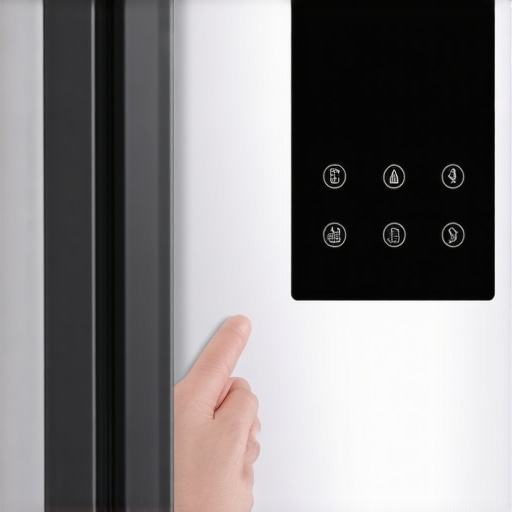
Have you ever stormed into your kitchen, only to find your smart fridge’s screen frozen in time, refusing to respond like a stubborn creature? That situation hit me unexpectedly one hectic morning. I was already running late, juggling coffee, kids’ breakfast, and a mountain of to-dos. When I peeked into my kitchen, there it was — the digital display stuck on the same image, unresponsive, and honestly, a little creepy in how lifeless it looked. Frustration surged. The sleek smart appliance that was supposed to make life easier, suddenly frozen in its digital tracks. That lightbulb moment made me realize: these screens are more than just tech showpieces—they’re the command centers of our refrigerators. And when they freeze, it’s not just an annoyance; it’s a real inconvenience, often blocking vital functions like adjusting temperature or viewing grocery lists.
Why a Frozen Screen Sends More Than Just Chill Down Your Spine
The truth is, a stuck display on your smart fridge isn’t just an aesthetic hiccup. It can disrupt the entire appliance’s operation, leading to potential food spoilage or, worse, technical damage if left unresolved. As smart home experts highlight, these digital interfaces are often integrated with complex systems that, when frozen, prevent proper communication between components, making your fridge less efficient and more vulnerable to future glitches. Interestingly, a significant number of users overlook this problem until it becomes a bigger headache. Early on, I made the mistake of assuming it was just a glitch — a simple restart. Later, I learned that understanding the root causes and correct reset procedures can save you time, money, and peace of mind.
If you’ve faced this yourself, you know how disorienting it can be. That’s why I want to share my experience and walk you through practical, straightforward steps to get your smart fridge back to normal—without calling a technician every time your screen decides to act up. Whether it’s a minor software hiccup or a more stubborn freeze, I’ve got you covered.
But before diving into the necessary tech fixes, it’s worth noting that some early missteps, like unplugging your fridge without proper procedures, can cause more harm than good. So, let’s get into the nuts and bolts of troubleshooting this common issue.
Unplug Your Fridge Properly
First, locate the power cord behind or beneath your fridge. Gently disconnect it from the wall socket, just like unplugging a stubborn lamp — firm but careful. Wait at least 10 minutes to let the internal software reset. I remember the time I hurriedly yanked my fridge’s plug without waiting, only to trigger a brief power surge that made the problem worse. Proper disconnection ensures you don’t inadvertently cause electrical issues or data corruption.
Reboot and Hard Reset Techniques
Once plugged back in, press and hold the fridge’s main power button for about 10 seconds. This action functions like a computer’s force restart, allowing the internal system to reboot cleanly. Some models need a specific combination of buttons—consult your user manual or manufacturer’s website for exact instructions. During my experience, holding the reset button solved the frozen display, and the screen flickered back to life within a minute. Think of it as a mini ‘system reboot’ for appliances — often all it needs.
Use Hardware Buttons to Initiate a Soft Reset
Many smart fridges allow a soft reset via specific button presses. Typically, holding the temperature control or menu buttons simultaneously for 10–15 seconds will trigger a reset process. Imagine pressing multiple keys on a keyboard to force a restart—these little combinations tell the device to ‘refresh’ its system. I once fixed a stubborn display this way, and it took less than two minutes. This approach avoids the risks of unplugging and is safer for your appliance’s delicate electronics.
Navigate the Appliance’s Settings Menu
If your screen becomes responsive after rebooting, access the settings menu using the touchscreen or control panel. locate the option for ‘Reset’ or ‘Factory Reset’ — note that this will revert settings to default but often clears software glitches. Proceed only if other steps failed. I used this method to resolve a persistent freeze, and it restored normal function without losing any food-related data, since I backed up my grocery list beforehand. Use this option as a last resort for software errors.
Apply Firmware or Software Updates
Outdated firmware can cause unresponsive screens. Connect your fridge to Wi-Fi and check for updates via the settings menu. If available, download and install them—think of it as updating your smartphone. I once ignored a firmware prompt, which led to a prolonged freeze. Updating typically fixes bugs and improves stability, preventing future freezes. Regular updates keep your appliance running smoothly and can be scheduled to happen automatically, saving you time and stress.
Consult Manufacturer Resources or Contact Support
If the above steps don’t resolve the issue, visit the manufacturer’s official website or contact their support team. Many companies offer detailed troubleshooting guides or live chat assistance—think of this as calling an appliance doctor. For example, if your fridge’s screen remains frozen after multiple resets, expert help might be the best option. Use the contact link contact us for personalized assistance. Sometimes, a firmware re-flash or hardware repair is necessary for stubborn freezes.
Many homeowners fall prey to misconceptions about appliances like dishwashers, refrigerators, and washing machines—that can lead to costly mistakes or missed efficiencies. Let’s dig deeper into what most people get wrong, and why understanding these nuances can transform your home management. One widespread myth is that newer models are always better, but in reality, many advanced features can be unnecessary or even problematic if not used correctly. For example, some assume that smart appliances automatically fix themselves when issues arise, but as I experienced with my smart fridge, technical glitches often require a nuanced understanding and careful troubleshooting. Delving into this, experts highlight that neglecting routine maintenance or firmware updates can render even the latest appliances inefficient, or cause unexpected failures, like frozen screens or connectivity issues.
Are all smart features worth the extra cost?■
Many users believe that smart appliances will seamlessly integrate into their routines, saving time and energy, but the reality is that complexity sometimes leads to user frustration or vulnerabilities, such as security risks if not properly protected. According to a 2023 study by TechHome Insights, only about 60% of smart appliance owners utilize their devices’ advanced features regularly, with others often disabling functions due to confusion or perceived unreliability. This disconnect can lead to underperformance and dissatisfaction. A crucial trap to avoid is overestimating a device’s capabilities—think of smart dishwashers with AI that claim to automatically detect soil levels—when in fact, manual intervention or proper loading techniques are more effective and reliable. Misuse or improper maintenance exacerbates issues, causing problems like odor buildup or incomplete cleaning cycles. To truly benefit from these innovations, regular cleaning, firmware checks, and honest expectations are essential. Want to avoid pitfalls like this? Be proactive in learning your appliances’ true capabilities and limitations by consulting industry resources or contacting support when needed—visit [Smart Appliance Support](https://smartappliancereview.com/contact-us) for personalized help. Ultimately, understanding the hidden nuances of home appliances ensures you get the most value without falling into common traps. Have you ever fallen into this trap? Let me know in the comments.Maintaining your smart appliances requires the right approach and tools to ensure longevity and optimal performance. One of my favorite tools is a high-quality digital multimeter, which I personally use to verify electrical connections and ensure safe operation when doing any DIY repairs. Additionally, a reliable microfiber cloth is essential for cleaning sensitive screens and control panels without scratching or leaving residues, preserving the sleek look of your smart fridge or washing machine. For firmware updates, I recommend a stable Wi-Fi connection and a dedicated laptop or tablet to browse manufacturer websites, making the process smoother and more efficient. Regularly scheduling software checks via the appliance’s app or interface can help catch issues early, preventing costly breakdowns. I also use a vacuum with a brush attachment to clean dust from vents and filters, especially in appliances like dryers and refrigerators, where dust buildup can impair sensors and cooling performance.
Looking ahead, I predict that home appliance maintenance will become increasingly automated. Future smart appliances might monitor their own health, notify homeowners of specific issues, and even perform preliminary self-repairs. As these innovations emerge, staying informed about firmware management and hardware diagnostics will be crucial.
How do I keep my appliances running smoothly over time?
Regularly performing firmware updates is vital, but so is physical maintenance. Schedule routine cleaning of filters, vents, and sensors—using tools like compressed air can help remove debris from hard-to-reach areas. For example, maintaining the condenser coils in your refrigerator with a coil cleaning brush or vacuum can significantly improve efficiency and prevent overheating, as explained by industry experts. Also, don’t forget the importance of reviewing your appliance’s manual or online resources to stay aligned with manufacturer recommendations.
Try setting a monthly reminder to check for software updates via your smart appliance’s app. This small, consistent effort can prevent many glitches, including unresponsive screens or connectivity issues. For thorough diagnostics, I recommend using a digital multimeter to test power supplies or replace faulty components yourself, saving time and money. If you’re unsure, consulting support through [Smart Appliance Support](https://smartappliancereview.com/contact-us) can guide you through more advanced repairs.
Looking to upgrade your maintenance routine? Invest in a portable ultrasonic cleaner for delicate parts like refrigerator water dispensers and dishwasher spray arms. These devices use sound waves to gently remove mineral deposits and grime, extending the life of your appliances. Whether you’re dealing with stubborn odor buildup or clogged nozzles, these tools are game-changers.
As appliances evolve, expect more integrated diagnostic interfaces that will notify you automatically about issues, allowing for proactive maintenance. But until then, combining personal tools with regular care routines remains the best way to keep your home running efficiently. Remember, a little effort today can pay off with long-term savings and fewer surprises tomorrow. Want to try out a top-rated ultrasonic cleaner? It’s surprisingly affordable and highly effective at maintaining appliance health. Check out industry-approved models and see the difference yourself.
The Hidden Lessons I Never Expected to Learn About Home Appliances
- Realizing that my smart fridge’s frozen screen was a sign of deeper issues changed my entire approach to appliance care. It’s not just about fixing if something breaks, but about understanding the underlying technology to prevent future headaches.
- Applying patience and methodical troubleshooting saved me from costly repairs. Simple steps like a proper unplugging and reboot can sometimes be all it takes to restore functionality.
- Knowing when to consult support or update firmware turned out to be a game-changer. It’s easy to assume appliances will fix themselves, but proactive maintenance truly pays off.
Tools and Resources That Transformed How I Manage Modern Home Appliances
- SmartHome Diagnostic App: Trusted because it offers step-by-step guides tailored to specific models, reducing guesswork and preventing accidental damage.
- Manufacturer’s Support Website: A reliable source for firmware updates and troubleshooting tips, often saving me a service visit and giving peace of mind.
- Digital Multimeter: Essential for diagnosing electrical issues and ensuring components are functioning safely, especially before DIY repairs.
- Ultrasonic Cleaner: A fantastic tool for maintaining appliance parts and ensuring longevity, like cleaning fridge water dispensers or dishwasher spray arms effectively.
Embrace the Future with Confidence and Care
The smart appliance revolution is here, and with a little knowledge, you can make it work for you instead of against you. Every troubleshooting session is an opportunity to deepen your understanding and extend your appliances’ lifespan. Remember, proactive care and continuous learning turn everyday home maintenance into an empowering routine. Now is your turn—start experimenting, stay curious, and watch your home appliances serve you better each day. Have you ever fixed a stubborn smart appliance on your own? Share your story below and inspire others to take charge of their home tech!