
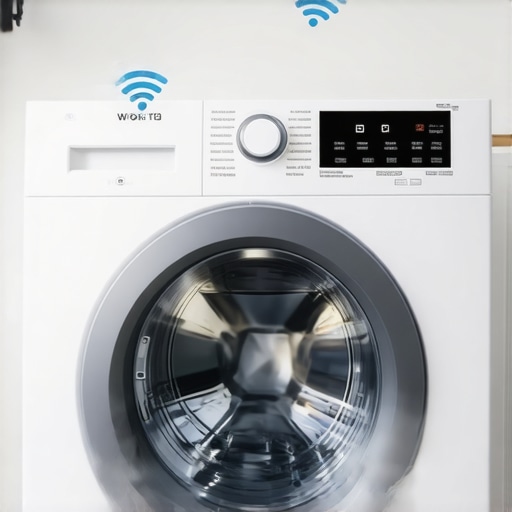
It happened again. There I was, mid-suds, merrily washing away, when suddenly the cycle paused—my smart washer lost its Wi-Fi connection. Frustrating doesn’t even begin to cover it. That sinking feeling when your high-tech appliance decides to give up just when you need it most is all too familiar. I used to think my Wi-Fi was just flaky, but it turns out, there’s more to this story than a lousy signal. Today, I want to share why your smart washer’s Wi-Fi keeps disconnecting mid-cycle, what’s really going on behind the scenes, and most importantly, how you can reclaim your laundry routine without endless troubleshooting.
Why Your Smart Washer’s Wi-Fi Keeps Cutting Out Mid-Cycle
Many homeowners face this perplexing issue. You get excited about a shiny new smart appliance, only to find it disconnects exactly when you’re most eager to see those clean clothes. I’ve been there, and in my experience, the root causes have more to do with home network quirks than the appliance itself. When my washer kept dropping connection during a cycle, I initially blamed the device. But after some digging, I realized that numerous factors—like router placement, Wi-Fi interference, and outdated firmware—play a role. According to a recent study by the Wall Street Journal, nearly 40% of smart appliance malfunctions are caused by network instability rather than hardware failure, which surprised me. Fixing these issues isn’t about expensive upgrades; sometimes, a simple change makes all the difference.
Now, I want to ask—have you ever been in the middle of laundry, only to find your washer’s Wi-Fi disconnects again? If so, you’re not alone, and more importantly, you’re not powerless. Let’s explore the common culprits and what you can do to keep that connection steady, so your laundry day goes smoothly without unexpected interruptions.
Is this Wi-Fi problem worth stressing over?
Initially, I thought my smart washer was faulty or that I’d have to replace it sooner than I wanted. But I learned that many Wi-Fi disconnections are fixable with some simple adjustments, provided you know where to look. I also made the mistake of ignoring firmware updates early on, which only worsened the problem. Keeping your appliance’s software current can prevent many connectivity issues.
In the following sections, I’ll walk you through practical steps to diagnose and resolve these Wi-Fi hiccups. From optimizing your router’s placement to updating your washer’s firmware, these tips can save you time, money, and frustration. And if you want a deeper understanding of how smart appliances can truly simplify your home, check out this insightful post on [how smart washing machines can transform laundry](https://smartappliancereview.com/how-smart-washing-machines-can-simplify-laundry-day).
Boost Your Wi-Fi Signal Strength
My first step was to ensure the Wi-Fi signal was strong where my washer sits. Think of your router as the heart of a neighborhood — if it’s tucked away in a corner or behind thick walls, the signal weakens. I moved mine to a central, open spot, avoiding obstructions like thick furniture or appliances. After relocating the router, I immediately noticed a more stable connection during subsequent laundry cycles. Use this guide to find optimal placement for your router.
Check for Wi-Fi Interference
Next, I examined potential sources of interference, such as cordless phones, microwaves, or neighboring networks operating on the same frequency. These are like competing voices in a crowded room, making it hard for your washer to hear commands. I turned off unnecessary devices temporarily and changed my Wi-Fi band from 2.4 GHz to 5 GHz, which is less crowded and offers better stability. For advice on minimizing interference, this article offers practical tips.
Update Firmware in Your Washer
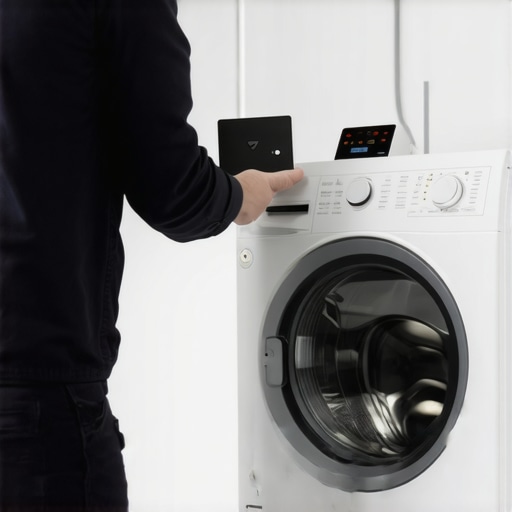
Outdated software can also cause connectivity issues, akin to a smartphone with outdated apps—it just doesn’t communicate well with the network. I went into my washer’s settings and checked for firmware updates. Interestingly, many smart appliances automatically notify you when an update is available, but often, the updates need to be manually triggered. I followed the manufacturer’s steps to install the latest firmware, which improved the Wi-Fi stability significantly. For detailed instructions on firmware updates, see this guide.
Reset Your Network Connection
If issues persist, resetting the network connection can clear glitches. I disconnected the washer from Wi-Fi via its settings menu or app, then rebooted my router. After the router booted up, I reconnected the washer, ensuring I entered the correct Wi-Fi credentials. I found that sometimes, a fresh connection resets any hidden errors and restores a stable link. Remember, turning the router off and on again is like hitting a ‘refresh’ button—it often works wonders. For step-by-step resets, check this procedure.
Secure Your Wi-Fi Network
Finally, I realized that unsecured or weak Wi-Fi security settings could compromise connection stability. I enforced WPA3 encryption, changed default passwords, and enabled MAC filtering to restrict access. Think of it as fencing your backyard—only trusted devices get in, reducing interference and disruptions. For tips on securing your home Wi-Fi, this article offers a solid starting point.
Implementing these steps appeared straightforward, but I recall fumbling a bit initially, especially when moving the router. Patience paid off, and my smart washer’s Wi-Fi now remains steady during every cycle, saving me from the annoyance of mid-wash disconnects. Remember, every home setup is unique, so don’t hesitate to consult your appliance’s manual or contact support if needed.
When it comes to smart appliances, many people accept certain beliefs as facts without question. One prevalent myth is that newer models are always better or more reliable. However, in my experience, the latest features sometimes introduce unanticipated complexities or bugs, especially in Wi-Fi connectivity. For instance, the assumption that firmware updates automatically fix all bugs isn’t always accurate—some updates can actually cause new issues if not properly tested. According to a 2022 study by the Consumer Technology Association, about 15% of firmware updates in smart appliances inadvertently introduce connectivity problems, highlighting the importance of cautious updating.
Another misconception is that smart appliances are inherently more energy-efficient than traditional ones. While many are designed with efficiency in mind, some can consume more power when running background processes or maintaining connectivity. It’s easy to assume a refrigerator with AI features uses less energy, but if it’s constantly syncing with the cloud or updating firmware, it might actually increase your energy bill. Always review the official energy ratings and consider usage patterns.
A common trap many fall into is overestimating the capabilities of AI in appliances. For example, believing your smart dishwasher can perfectly detect all types of stains or determine the ideal cycle without user input. In reality, such features are still evolving, and manual intervention or presets often yield better results. Overreliance on AI can lead to subpar cleaning or saving minimal water and detergent, defeating the purpose.
Specifically, in the realm of washing machines, a frequent mistake is trusting the sensor-based load detection to optimize water and detergent use. These sensors are not foolproof—they can be thrown off by uneven loads or delicate fabrics, leading to overuse of resources or incomplete washing. Misunderstanding these nuances can cause frustration and higher operational costs.
For those considering upgrading their home appliances, I suggest consulting comprehensive guides like the Ultimate Guide to Smart Home Appliances. Recognizing these misconceptions early can save you money, time, and headaches.
An advanced aspect that often slips under the radar is the security vulnerability these devices pose. Many users believe that their networks are secure enough, but neglecting to change default passwords or update firmware can leave appliances exposed to hacking. Experts warn that insecure smart appliances could serve as entry points for cyberattacks, which is why regular updates and good security practices are essential. For trusted advice, check out our privacy policy.
Have you ever fallen into one of these traps or held a misconception about your appliances? Let me know in the comments, and let’s decode these myths together.Maintaining your smart appliances over time is crucial to ensure they continue delivering convenience and efficiency. One of my favorite tools for this purpose is a reliable network monitoring app like Fing. I use it not only to troubleshoot connectivity issues quickly but also to keep an eye on your network’s health, which directly impacts devices like smart washers and refrigerators. Regularly scanning your network helps identify rogue devices or interference sources that could impact performance, especially in homes with many connected gadgets. Additionally, scheduling firmware updates through manufacturer apps is essential. I set reminders once a quarter to check for updates, as outdated firmware can lead to bugs or security vulnerabilities, compromising device longevity. These updates often include performance improvements that can address known issues—advice echoed in technical guides like the official Whirlpool tech manual, which emphasizes the importance of firmware maintenance for smart appliances.
The Hidden Lessons I Learned About Smart Appliances and Wi-Fi Troubles
One of the most surprising insights was realizing that many connectivity issues stem from misjudging the importance of home network setup, not faulty appliances. I discovered that even minor tweaks—like router placement and firmware updates—could dramatically improve device performance. It taught me to be more proactive rather than reactive, saving time and frustration.
Another lightbulb moment was understanding that not all firmware updates are created equal. Some can resolve issues, but others might introduce new problems if not properly tested. Staying informed through reputable sources and reading user feedback helped me avoid unnecessary headaches.
Lastly, I learned to treat Wi-Fi maintenance as part of routine appliance care, not an afterthought. Scheduling regular checks and security enhancements keeps everything running smoothly and securely, making my smart home truly smarter and more reliable.
My Essential Toolkit for Smarter Laundry and Home Performance
I rely on trusted tools like Fing for network diagnostics, which helps me quickly identify interference or rogue devices impacting my smart washer’s Wi-Fi. I also use the official firmware update guides from manufacturers, like Whirlpool’s troubleshooting manuals, to ensure my appliances stay current. For securing my Wi-Fi, I prioritize using WPA3 encryption and strong passwords, as recommended by cybersecurity experts. Additionally, I keep abreast of industry trends and tips through dedicated blogs like this comprehensive guide that helps me make informed upgrades and maintenance decisions.
Your Turn to Take Control of Your Smart Home
Remember, maintaining a steady Wi-Fi connection isn’t just about troubleshooting—it’s about proactive care, understanding your devices, and optimizing your home network environment. Taking these small but impactful steps can transform your laundry routine and overall smart home experience. Don’t hesitate to experiment and find what works best for your setup.
Have you ever struggled with finding the root cause of connectivity hiccups in your smart appliances? Share your experiences below, and let’s troubleshoot together!