
I was standing in the backyard, tongs in one hand and my phone in the other, confidently telling my neighbor that the future is here because my roast was being monitored by a high-tech sensor. Five minutes later, the dreaded notification appeared: Device Disconnected. I sprinted back to the kitchen, nearly tripping over the cat, only to find my expensive smart oven had decided to ghost my router again. It’s a special kind of rage when you spend more on an appliance for its intelligence only for it to act dumber than a toaster from 1985. We’ve all been there, and frankly, I was ready to go back to a manual dial and a prayer.
Why Your Kitchen Is Secretly Killing Your Wi-Fi Signal
The truth is, kitchens are basically the Bermuda Triangle for internet signals. I spent weeks blaming my ISP before I realized the problem was coming from inside the house. When I first started setting up my ultimate smart home, I didn’t account for the fact that my oven is literally a giant metal box designed to contain heat—which, incidentally, also makes it great at blocking radio waves. It’s a lot like why your smart washer keeps disconnecting; these machines are built for durability, not for signal transparency.
Does My Oven Really Need to Be Online Anyway?
You might be asking if the convenience is actually worth the troubleshooting. I used to think I’d just manual it from now on, but then I missed the precision of remote preheating. According to technical data from the Wi-Fi Alliance, common kitchen barriers like ceramic tile and stainless steel can degrade wireless signals by up to 50% compared to an open-plan space. I made the classic mistake of placing my router in the living room, two walls and a refrigerator away from the oven. If you’ve ever had to keep your smart home hub from interfering with other devices, you know how delicate that balance is. Today, I’m going to show you exactly how to bridge that gap so you never have to do the kitchen dash again. Have you ever found yourself staring at a blank app screen while your dinner is potentially burning? Let me know if your oven is giving you the silent treatment too.
Stop Hiding Your Router in the Living Room
Most people place their router where it looks neat, usually tucked behind a television or inside a wooden cabinet. This is a death sentence for kitchen connectivity. Think of your Wi-Fi signal like a flashlight beam; every wall it passes through makes the light dimmer, and every metal appliance—like your dishwasher or refrigerator—is essentially a mirror that reflects the light away. If your signal has to pass through the fridge to get to the oven, it simply won’t arrive with enough strength to maintain a handshake. You need to follow the steps in this guide on how to connect your smart oven to your home network without the frustration by identifying the path of least resistance. I once spent two hours screaming at a smart fridge because I thought the router was close enough, only to realize that moving the router just three feet to the left—outside of the pantry—caused the signal bars to jump from one to four. It really is that sensitive.
Switch to the 2.4GHz Band Immediately
Your router likely broadcasts on two frequencies: 5GHz and 2.4GHz. While 5GHz is faster for streaming movies, it has the range of a paper airplane in a thunderstorm. It cannot penetrate walls or metal well. Most smart appliances, much like knowing how to fix a smart washer that wont pair with your home bluetooth, rely on the 2.4GHz band because it travels further and handles obstacles better. I once spent an entire afternoon frustrated because my phone was on the 5GHz network while trying to find an oven that only lived on the 2.4GHz street. They were effectively in different dimensions. Manually set your phone to the 2.4GHz band during the initial setup phase to ensure the devices can actually see each other.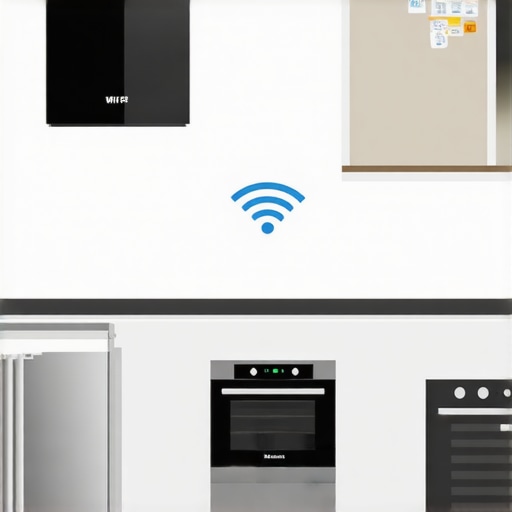
Move to a Mesh System for Large Homes
If your kitchen is far from your main living area, a single router just won’t cut it. This is where a mesh network becomes a lifesaver. Unlike a traditional repeater that just screams the original signal louder and sloppier, a mesh system creates a seamless web of coverage. This is often the easiest way to connect an older smart fridge to a new mesh network or any other stubborn kitchen tech. I installed a node right on top of my kitchen cabinets, and it was a total game-changer. The oven now thinks the router is two feet away instead of forty, providing a rock-solid connection even when the microwave is running.
Keep Your Appliance Software Fresh
Sometimes the hardware is perfectly fine, but the internal software is glitchy. Manufacturers push out updates to fix the very bugs you are experiencing. Learning how to update your smart fridge software without crashing the system is a skill that translates directly to your smart oven. If your app says an update is available, do not ignore it. I once had a smart dishwasher that refused to stay connected until a firmware patch specifically addressed a sleep-mode bug that was killing the Wi-Fi card. Keeping everything updated ensures your kitchen ecosystem stays stable.
The Last Resort Hardware Reset
If you have tried every settings tweak and the app is still spinning, it is time for a hard reset. This is not just turning it off and on; it is clearing the cache of the appliance’s network card. Look for the specific button combination in your user manual to reset the network settings specifically. If all else fails, you might need to know how to bypass the smart features on your appliance for manual use until a professional can take a look at the internal antenna. I had to do this with my washing machine after a power surge, and while I missed the phone notifications, the machine still cleaned my clothes perfectly well while I waited for the part to arrive.Let’s dig deeper into why your high-tech gear isn’t always your best friend. Everyone says that buying the top smart appliances for a seamless home experience in 2025 is a guarantee of a stress-free life, but in my experience, the more ‘intelligent’ the machine, the more it demands from the user. We have been conditioned to believe that ‘High Efficiency’ automatically equals ‘cleaner results,’ but that is a dangerous assumption. Most homeowners are actually sabotaging their machines by using too much soap, leading to a nasty buildup. You need to master the secret to using less detergent in your high efficiency washer if you want to avoid a mechanical breakdown within the first three years.
Stop Pouring Money Down the Drain with Too Much Detergent
The biggest ‘oops’ factor I see in modern kitchens is the misuse of detergent pods. Many people assume they are a one-size-fits-all solution, but I’ve seen dozens of cases where users need to learn how to fix a smart dishwasher that wont recognize its own detergent pods because the sensor is confused by the lack of pre-wash suds. A study by the American Council for an Energy-Efficient Economy (ACEEE) highlights that while sensors improve efficiency, they also increase the ‘complexity tax,’ where slight variables like water hardness can drastically alter a machine’s performance compared to an old-school mechanical timer. If your sensors are misreading the load, your dishwasher might end up taking four hours to finish a single load just because it is trying to compensate for a smudge on a lens. 
The Ugly Truth About Your Eco-Mode Setting
I’m going to say something controversial: your Eco-mode might be doing more harm than good. While we all want to save the planet, the truth about the eco mode on your new dishwasher is that it often uses lower water temperatures that aren’t sufficient to fully dissolve fats and grease. Over time, this leads to ‘gunk’ that clogs the internal pipes. Before you trust that green leaf icon blindly, you should know how to tell if your appliances eco friendly tag is just marketing or if it actually provides a hygienic clean. I always recommend running a ‘Heavy’ or ‘Sanitize’ cycle once a week just to clear the internal plumbing of your smart ecosystem.
Why does my smart appliance take twice as long as the timer says?
It is the question I get asked most often by advanced users who actually monitor their apps. It usually isn’t a glitch; it is the machine’s AI reacting to real-world conditions. There is a specific logic behind why your washing machine takes much longer than the timer says, often related to an imbalanced load or the water taking too long to heat up to the sensor’s required threshold. Have you ever fallen into the trap of thinking a shorter cycle was better only to find your dishes still wet? Let me know in the comments if your smart tech is actually making your chores longer.If you want to cut through the noise and actually get back to that promised efficiency, you need a physical toolkit, not just an app. I realized this after my third ‘sensor error’ turned out to be a simple piece of lint.
The One Tool I Never Clean Without
You can have the ultimate smart home setup, but it is worthless if your hardware is suffocating under dust. I personally swear by a long-reach flexible condenser coil brush and a narrow vacuum attachment. Most people do not realize that spotting a failing refrigerator compressor before it dies often starts with just checking if the coils can breathe. I make it a point to pull my fridge out every six months—it is a workout, sure, but it is cheaper than a huge repair bill. According to the Association of Home Appliance Manufacturers (AHAM), dirty coils can increase energy consumption by as much as 30%, which completely negates any ‘Eco-mode’ savings you think you are getting.
How do I maintain my kitchen tech for the long haul?
Maintenance in the digital age is a hybrid job. You have to keep the software light and the hardware heavy. For your laundry room, smart washing machines can simplify laundry day, but only if you are regularly clearing the debris filter. I use a dedicated digital hygrometer to monitor the humidity around my appliances; if it is too high, the circuit boards are at risk of premature corrosion. This is especially true for those with stackable washer dryer sets tucked into tight closets where airflow is a myth.
Don’t Wait for the Compressor to Scream
If you notice your milk is a little warmer than usual, do not just turn the dial down. You need to recalibrate your refrigerators internal thermometer using a separate, calibrated probe. I have found that internal sensors can drift by as much as four degrees over two years. While you are back there, you should also check if your refrigerator door seal is actually airtight using the classic dollar bill test. If the bill slides out easily, your smart fridge is working overtime to cool the whole neighborhood. #IMAGE_PLACE_HOLDER_D#
The Future is Self-Healing Kitchens
Looking ahead, the future of home appliances is moving toward predictive maintenance. We are already seeing early versions where the fridge tells the manufacturer a part is vibrating out of spec before it actually breaks. I predict that by 2027, your dishwasher will not just tell you it is leaking; it will automatically shut off the water valve and schedule a technician. Until then, we are the first line of defense. I challenge you to pull your fridge out this weekend and vacuum those coils—you will be amazed at the layer of fur hiding back there.
Hard Truths About Living with a Digital Kitchen
After years of tinkering with Wi-Fi-enabled ovens and app-controlled washers, I’ve realized that the “smart” label is often a double-edged sword. One of the most surprising things I found was why your smart fridge is using more data than you expected—often it is just pinging servers for updates you do not even need. The biggest lesson I learned is that you should never let the technology automate your common sense; you still need to be the brain of the operation when the sensors start acting up.
The Gear That Actually Keeps My Appliances Alive
I rely on a few specific items to bridge the gap between high-tech and high-performance. First, I always keep a manual probe handy to recalibrate your refrigerators internal thermometer when the digital display starts to drift. You would be shocked how often a simple recalibration fixes cooling issues that seem like major hardware failures. I also recommend checking your fridge settings to save money, as factory defaults are rarely optimized for actual home use. For the laundry room, I have found that smart washing machines can simplify laundry day, but only if you use their scheduling features to avoid peak energy hours.
#IMAGE_PLACEHOLDER_FINAL#
Mastering the Modern Machine
We are entering an era where our homes are becoming proactive rather than reactive. As we look toward the future of home appliances, the goal is to create a seamless environment where tech serves our lifestyle rather than demanding our constant attention. Don’t be intimidated by the learning curve; once you master the basics of maintenance and connectivity, these smart appliances truly do give you back your time. Start with one small tweak this weekend and watch your household efficiency skyrocket. Have you ever had a smart appliance glitch that made you want to go back to the 1950s? Let me know in the comments below!