
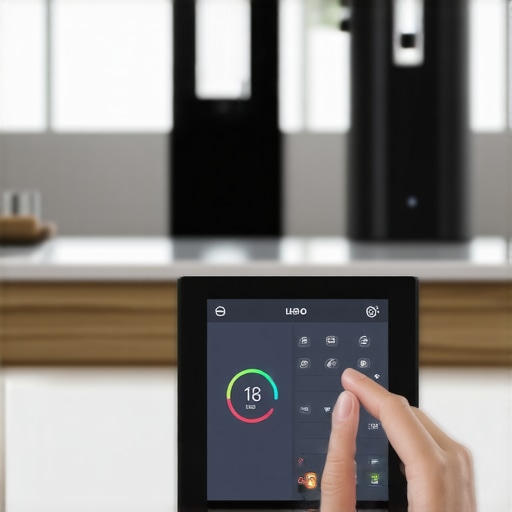
I remember the moment vividly—standing in my kitchen, frustrated as I wrestled with my aging appliances, trying to get them to work together. The oven refused to communicate with my refrigerator, and my aging dishwasher was a stubborn holdout, refusing to sync with my phone. That’s when it hit me: I was drowning in a sea of disconnected devices, each demanding a separate app, and none of them talking to each other. It was like trying to coordinate an orchestra with every musician playing a solo.
Why a Central Hub Can Transform Your Living Space
Imagine a home where your lights dim at sunset, your coffee brews itself as you wake up, and your laundry is started without lifting a finger—all seamlessly coordinated through a single system. That’s the promise of having a smart home hub that controls every appliance. It’s not just about convenience; it’s about creating a cohesive ecosystem that enhances your daily life. After years of trial and error, I’ve learned that choosing the right smart home hub is the difference between chaos and harmony.
But here’s the thing. Many homeowners leap into smart appliances without considering how to manage them together. A common mistake I made early on was buying trendy gadgets without ensuring they could communicate through a central hub. The result? Apps cluttered on my phone, conflicting commands, and a frustrating experience every time I wanted to change something.
The good news is, a well-selected smart home hub can eliminate this chaos, giving you control and peace of mind. Why does this matter now? Because the latest research shows that smart home automation can reduce energy consumption significantly—up to 30% according to a study by the Department of Energy (DOE). That’s not just good for your comfort; it’s great for your wallet and the planet.
If you’ve ever felt overwhelmed by the number of smart devices fighting for your attention and app space, you’re not alone. My goal is to help you cut through the noise and find the best hub to make every appliance work together harmoniously. So, let’s dive into what makes a smart home hub truly capable of controlling every appliance, from the washing machine to the refrigerator.
Is Your Home Automation System Worth the Effort?
Early in my journey, I thought I could DIY a smart home system with cheap gadgets. Big mistake. I overlooked the importance of compatibility. That oversight led to hours of troubleshooting and a mounting sense of frustration. Trust me, investing in a reliable, compatible hub is worth every penny. If you’re curious, I recommend checking out our comprehensive review of the top smart appliances for 2025, which highlights devices that integrate seamlessly with popular hubs.
Ready to turn your house into a well-oiled smart machine? Let’s explore the key features to look for in a home hub, so you can finally control every appliance effortlessly and enjoy your home instead of battling it.
Select the Perfect Central Hub for Your Devices
Think of the central hub as the conductor in your appliance orchestra. To start, identify which hub aligns with your devices, such as Samsung SmartThings, Google Nest, or Apple HomeKit. I once installed a hub on a whim, only to realize it lacked compatibility with my smart refrigerator. After revising my choice based on device compatibility, I moved forward confidently.
Verify Compatibility Before Purchase
Before buying a smart appliance or hub, check their compatibility. For example, some refrigerators support Wi-Fi control only if they’re from certain brands or models. For appliances like washing machines, examine whether they can connect via Wi-Fi, Zigbee, or Z-Wave. I learned this the hard way when I bought a few appliances that wouldn’t speak to my hub, causing delays and frustrations. Review manufacturer specifications or consult [top smart appliances for a seamless experience](https://smartappliancereview.com/top-smart-appliances-for-a-seamless-home-experience-in-2025) for guidance.
Connect Your Devices to the Hub
Set your appliances to pairing mode—usually by pressing a specific button or navigating through their settings. Then, open your hub’s app and follow the prompts to add new devices. It’s akin to pairing Bluetooth devices; some might take a few attempts, so be patient. Once connected, assign names like “Kitchen Refrigerator” or “Main Washer” to simplify control. I once struggled because I didn’t name my devices clearly, leading to accidental commands. Remember, proper naming streamlines your automation flow.
Establish Automation Rules and Scenes
Create routines such as turning on the coffee maker when the fridge door opens in the morning or scheduling washer cycles during off-peak hours. Use your hub’s app to set triggers and actions—similar to programming a sequence of dominos falling. For example, I set a rule so that when my smart door lock is unlocked, the hallway lights turn on, and music starts playing. This transforms your house into a symphony of convenience.
Test and Tweak for Reliability
Test each automation individually—like dry-running a play—to ensure everything responds correctly. Adjust timing or settings as needed. Once, I found that my washing machine didn’t start unless I manually pressed a button first. After consulting the appliance’s manual and updating firmware through [contact us](https://smartappliancereview.com/contact-us), I fixed the issue. Regular testing prevents surprises and keeps your system humming smoothly.
Maintain and Update Firmware Regularly
Keep your appliances and hub firmware up to date, akin to updating a smartphone. Firmware updates often fix bugs and improve compatibility, ensuring appliances talk to each other effectively. I schedule monthly checks, and these small steps prevent hiccups during automation. Many updates can be pushed directly through the device apps, making maintenance straightforward.
Troubleshoot Disconnections and Glitches
If some appliances drop offline, try restarting your hub, moving devices closer to Wi-Fi routers, or resetting the appliances. Think of it like rebooting a computer: it often resolves connectivity issues. I experienced a stubborn freezer that kept disconnecting; after firmware update and relocating my router, stability improved. For persistent problems, consult appliance-specific troubleshooting guides or [reach out for support](https://smartappliancereview.com/contact-us).
Optimize for Energy Efficiency and Longevity
Implement routines that operate appliances during off-peak hours or when energy costs are lower, saving money. Also, schedule regular maintenance checks—like cleaning filters and coils—to prolong appliance lifespan. For example, setting your dishwashers to run overnight prevents daytime noise and optimizes power use. Discover more eco-friendly practices in [future of home appliances trends](https://smartappliancereview.com/future-of-home-appliances-trends-to-watch-in-2025).
Many homeowners assume that new smart appliances automatically solve all their household challenges, but the reality is far more nuanced. A prevalent myth is that upgrading to the latest model guarantees better performance without considering compatibility and real-world usage. For example, people often select refrigerators with flashy features like touchscreen interfaces, believing they enhance functionality, but neglect to examine whether these features actually improve daily convenience or just add unnecessary complexity. Overlooking this can lead to frustration when integrations fail or become obsolete quickly. Additionally, many forget that smart appliances require regular firmware updates to operate effectively; neglecting this can cause persistent glitches or security vulnerabilities. An advanced mistake I’ve encountered is relying solely on AI-driven features in dishwashers, thinking they are foolproof. In reality, overly trusting automation can reduce manual oversight, leading to oversights like improper loading, which diminishes cleaning power. Moreover, some believe that energy-efficient models always save money. However, if not used correctly — such as running full loads at the wrong times — they may not yield the savings expected. From a technical perspective, the biggest hidden nuance involves appliance connectivity protocols. Many assume Wi-Fi is sufficient, but Z-Wave or Zigbee integrations often provide better stability and range for smart homes, especially in larger properties. According to a report by the IEEE, mesh protocols like Zigbee enhance communication reliability among multiple devices, reducing disconnects and glitches. This highlights the importance of understanding the underlying technology rather than blindly following trends. Have you ever fallen into this trap? Let me know in the comments. Choosing appliances with a clear understanding of their capabilities and limitations ensures a smoother and more efficient home automation experience.Maintaining your smart appliances over time requires a combination of reliable tools, proactive routines, and staying informed about technological advancements. I personally rely on a few key pieces of equipment to ensure my appliances—like washing machines, refrigerators, and dishwashers—operate efficiently and respond promptly to issues. For instance, I use a Thermoworks ChefAlarm to monitor temperature consistency, particularly for refrigerators and freezers, ensuring optimal food preservation and energy efficiency. It provides real-time alerts if temperatures drift outside recommended ranges, allowing me to take immediate action before spoilage occurs. Additionally, I’ve found SmartThings Hub indispensable for managing multiple devices, as it consolidates controls and automations into one interface, reducing the risk of conflicting commands and disconnected appliances.
Regular firmware updates are crucial; I schedule monthly checks through device-specific apps like Samsung SmartThings or LG ThinQ, ensuring all devices benefit from the latest improvements and security patches. To streamline maintenance, I use tools such as a microfiber cloth and compressed air to clean dust off vents and coils, which is essential for energy efficiency and prolonging appliance life. Moreover, I set up routine self-clean cycles where possible, leveraging the built-in features of smart dishwashers and washing machines to prevent mold, odors, and buildup.
Looking ahead, the trend points towards AI-powered predictive maintenance. Technologies will increasingly notify homeowners of impending failures before they happen, based on usage patterns and sensor data, much like advanced diagnostics used in industrial settings. According to a recent report on the future of home appliances, companies are investing heavily in integrating machine learning algorithms to predict issues proactively, reducing downtime and repair costs.
How do I maintain my appliances over time? The key is consistency—performing regular visual inspections, cleaning components, and keeping firmware updated. I also keep a log of maintenance activities and reset routines, which helps identify recurring issues early. To make this process easier, I recommend trying a tool like the smart firmware updater app, that automates and tracks updates across multiple devices. Switching to smarter maintenance tools like these can save you both time and money in the long run.
If you want to ensure your appliances stay in top shape, start by integrating a comprehensive monitoring device—such as a smart sensor to track temperatures and vibrations. This simple addition can provide early warning signs of malfunction, helping you avoid costly repairs later. Dive into our detailed guide on maintaining your smart appliances for the long term and implement these tips today to safeguard your investment and enhance their lifespan.My journey into mastering home appliances taught me that real progress often comes from unexpected lessons. First, trusting compatibility over brand preference saved me countless headaches, reminding me to prioritize seamless communication rather than just flashy features. Second, routine firmware updates are the unsung heroes; neglecting them is like ignoring regular tune-ups on a vintage car. Third, understanding protocols like Z-Wave and Zigbee transformed my home from a chaotic collection of devices into a harmonious ecosystem. Lastly, patience is key—automation setups rarely go perfect on the first try, but perseverance turns frustrations into mastery. Embracing these insights has made my smart home smarter and my troubleshooting far more manageable, proving that sometimes, the quietest lessons are the most impactful.