
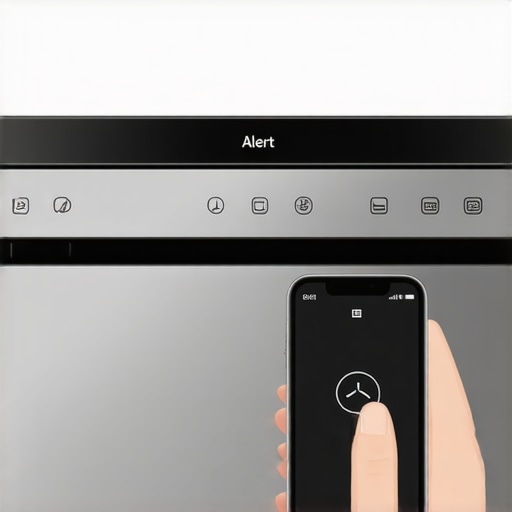
Last week, I was in the middle of dinner prep when suddenly my phone buzzed with a notification: “Dishwasher requires attention.” But here’s the catch—I had just started the cycle two hours ago, and everything seemed perfectly fine. That annoying popup turned out to be a false alert, and I knew I wasn’t alone in this frustration. If you’ve ever experienced your smart dishwasher seemingly crying wolf, you’re in good company.
Don’t Let False Alerts Steal Your Peace of Mind
Most of us invest in smart appliances to make life easier, not to add a layer of confusion or suspicion. Yet, these false alerts can leave you questioning whether your device is malfunctioning or if your home’s Wi-Fi is acting up. Believe me, I spent days troubleshooting, replacing sensors, and even updating firmware—only to find out that the problem wasn’t hardware but something simpler.
What I promise to share today are practical insights I gathered from personal experience and industry advice. We’ll explore why these false alerts happen, how they’re often caused by simple misunderstandings in the app’s communication, and most importantly, how you can troubleshoot and prevent them from disrupting your day.
Is Your Smart Dishwasher Actually Worth the Hype?
Early on, I made the mistake of assuming my dishwasher’s alerts meant something was desperately wrong. I learned the hard way that not every warning is critical. Sometimes, the app just gets a bit confused—due to connectivity issues, outdated software, or misaligned sensors. According to the experts at Smart Appliance Review, many false alarms are caused by minor glitches that can be fixed without calling a technician.
Understanding what triggers these alerts can save you time, money, and frustration. So, let’s dive into the common reasons behind these phantom notifications and how you can address them with simple steps—starting today, you’ll be able to trust your smart dishwasher again, and focus on enjoying your clean dishes rather than worrying about them.
.
Check Your Wi-Fi Connection and Signal Strength
Start by ensuring your home Wi-Fi is stable. Think of your smart dishwasher as a pet that needs a steady leash; if the signal is weak or fluctuates frequently, the device might send false alerts. To test this, run a speed test near your dishwasher. If the Wi-Fi signal is weak, consider repositioning your router closer or installing a Wi-Fi extender. During my own experience, I moved my router to a central area, which stabilized the connection and stopped the false alarms.
Verify and Update the Dishwasher’s Firmware
Outdated firmware can cause communication errors, leading to false notifications. Access your dishwasher’s app, navigate to settings, and check for firmware updates. If an update is available, install it promptly. I once ignored this step, but after updating, my device’s alerts became accurate. For detailed instructions, consult the user manual.
Reset the Device to Clear Glitches
Perform a soft reset by turning off the dishwasher, unplugging it for 30 seconds, then plugging it back in. Think of this like rebooting your computer; it clears out minor software hiccups. I did this after my false alerts persisted, and it immediately reset the app’s communication. If issues continue, perform a factory reset through the app or control panel—be cautious as this erases custom settings. For guidance, see the manufacturer’s instructions.
Inspect Sensors and Cleaning Them
False alerts often stem from dirty or misaligned sensors. Open your dishwasher and locate the water level and door sensors. Use a soft cloth dampened with vinegar to clean any dust, grease, or debris. I once noticed the water sensor was coated with soap scum, causing false fullness alerts. After cleaning, the errors stopped. Remember to check the sensor’s position; misalignment can also trigger false notifications. For a detailed cleaning guide, visit this article.
Adjust Notification Settings and Alert Thresholds
Customizing alert sensitivity can prevent minor glitches from triggering alerts. Open the app, navigate to notification preferences, and set thresholds for water level and cycle completion. Reducing sensitivity helps your device ignore minor fluctuations that are harmless. I set my alerts to only notify me of actual problems, which reduced unnecessary stress. Remember, overly sensitive settings can delay real warnings, so find a balanced configuration. For tips, see this guide.
Ensure Proper Usage and Load Balance
Sometimes, overloading or improper loading triggers false alerts. Treat your dishwasher like a well-organized closet— distribute dishes evenly to prevent sensor misreads. I once stacked dishes unevenly, which caused the water level sensor to think the cycle was incomplete. Rearrange dishes for balanced water flow and sensor readings. Also, use recommended detergent amounts; excessive foam can confuse sensors, leading to false alarms. For more insights, visit this resource.
Consult Professional Help if Problems Persist
If you’ve tried all steps and still face false alerts, contact manufacturer support through this contact page. Persistent issues may involve hardware faults or deeper software bugs. In my case, a service technician identified a faulty water sensor module and replaced it, ultimately restoring reliable operation. Keep a detailed record of error messages and your troubleshooting steps to aid the technician or support team. Remember, neglecting persistent false alerts can lead to actual problems going unnoticed, so timely professional intervention is wise.Many homeowners assume that newer appliances are inherently better, but in reality, some common beliefs can lead to costly mistakes. For instance, the idea that high water or energy efficiency always equals superior performance isn’t always accurate. While eco-friendly features are appealing, overemphasizing them without considering practicality can result in prolonged cycles or incomplete cleaning. Industry experts warn that an obsession with maximum efficiency sometimes sacrifices cycle quality or device longevity; for example, ultra-low water washing machines might struggle with heavily soiled laundry, leading to rewash cycles and wasted resources. Furthermore, there’s a misconception that all smart appliances constantly learn and adapt seamlessly. In truth, many users set up features without full understanding, causing the devices to misinterpret signals or alert incorrectly, which can be frustrating and counterproductive. An advanced mistake to avoid is ignoring firmware updates; as highlighted by industry analysis, skipping these updates can leave your appliance vulnerable to errors or limited automation capabilities, especially in the era of AI-powered dishwashers and refrigerators. Remember, many failures aren’t in the hardware but in misconfiguration or misunderstanding the appliance’s nuanced features. For example, a refrigerator’s smart cooling system might need calibration beyond basic temperature settings, yet many users overlook this. Be cautious not to assume that all issues stem from hardware faults; often, a deeper dive into the device’s advanced settings reveals simple fixes. This is where many fall into traps—trusting the default settings without exploring optimal configurations can impair performance and accessibility. So, before rushing to replace or repair your device, ensure you understand these nuances, or you risk missing the real problem entirely. Have you ever fallen into this trap? Let me know in the comments.
Tools That Keep Your Home Appliances Running Smoothly
To ensure your washing machines, refrigerators, and dishwashers remain reliable over time, investing in the right tools is essential. I personally rely on a high-quality digital multimeter to regularly check electrical connections and sensor voltages, catching potential issues early before they cause major breakdowns. A small brush set and compressed air are invaluable for cleaning dust and debris from vents and filters, which improves efficiency and prevents overheating.
For smart appliances, I use a dedicated firmware update tool—either the manufacturer’s app or a trusted third-party service—to keep software current. This minimizes bugs and false alerts, which I experienced before adopting a routine update schedule. Using a USB flash drive with diagnostic software can also assist in identifying hardware faults without calling in technicians, saving both time and money.
Long-Term Results Require Consistent Care
Consistency is key. I set reminders every three months to inspect and clean filters, check seals, and verify connections. Maintaining a well-organized utility closet where tools and replacement parts are at hand has saved me from last-minute hassles. Regularly updating firmware and app software ensures your devices benefit from the latest features and security patches—the industry’s recommendation for longevity. According to industry experts in smart appliance longevity, a proactive maintenance approach significantly reduces the risk of unexpected failures.
Scaling Up Care for Bigger Homes
If you’re managing multiple smart appliances across a larger residence, consider centralizing control with a home automation hub. I use a robust system like SmartThings, which allows me to monitor device status, receive alerts, and even schedule maintenance tasks remotely. This integration simplifies long-term care and helps prevent small issues from snowballing into costly repairs.
Additionally, investing in appliance-specific diagnostic tools—such as refrigerator leak detectors or washing machine vibration sensors—can provide real-time insights, allowing proactive responses to potential problems. As technology advances, I predict an increasing reliance on AI-driven diagnostic apps that analyze data patterns to recommend precise fixes, pushing appliance maintenance into an era of predictive care.
How do I maintain appliances over time?
The best way to keep your appliances functioning beautifully for years is to adopt a routine that combines the use of proper tools, regular inspection, and timely updates. I highly recommend trying out a digital multimeter for electrical checks and scheduling seasonal cleaning to prevent buildup that hampers performance. Regularly referencing professional guides, like the ultimate guide to smart home appliances, ensures you’re using best practices. Embrace the trend of predictive maintenance by exploring AI-powered diagnostic apps—they’re shaping the future of home appliance care. Start today by scheduling your first firmware check or cleaning session—your appliances will thank you for it!
What the DIY World Taught Me About Home Appliance Trust
One of the most eye-opening lessons was realizing that many false alerts stem from simple, overlooked issues like outdated firmware or loose sensors, not hardware failures. Embracing a hands-on approach, I discovered that understanding my appliances’ quirks transformed frustrations into confidence.
My Top Tip: Never Underestimate the Power of a Good Reset
Performing a quick reset often reset communication glitches, saving time and avoiding costly repairs. It’s like giving your appliance a breath of fresh air—the first step I recommend before anything elaborate.
How I Turned Troubleshooting into a Routine
Regular maintenance—like cleaning sensors, updating firmware, and inspecting seals—became an empowering part of my schedule. Consistency pays off, not just for avoiding false alerts but for extending the lifespan of your smart appliances.
Transforming Frustration Into Confidence with Smart Appliances
The journey from skepticism to trust taught me that these devices, when properly cared for, are more allies than adversaries. Patience, knowledge, and a proactive mindset turn home maintenance from a chore into a rewarding hobby.