
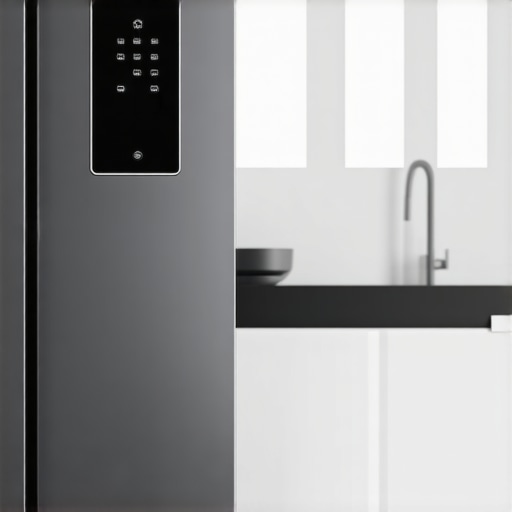
I remember the moment when I opened my smart fridge, expecting to see the latest software update ready to enhance its features, only to be met with stubborn silence. It felt like my high-tech kitchen had suddenly turned into a DIY project overnight. You’re probably nodding because you’ve experienced that frustrating wait, or maybe your fridge hasn’t downloaded updates in weeks. Believe me, I’ve been there—and it’s more common than you think.
The Hidden Cost of Ignoring Software Updates in Your Smart Fridge
Keeping your smart fridge updated isn’t just about bragging rights or accessing fancy new features. Updates often patch security vulnerabilities, improve energy efficiency, and fix bugs that could lead to food spoilage or appliance breakdowns. Overlooking these updates can leave your appliance vulnerable to hacking, or worse, cause it to malfunction at the worst possible moment. According to industry experts, outdated software is one of the top reasons smart appliances underperform or fail prematurely. So, ignoring those update prompts isn’t just a minor ignore-it-moment; it’s a gamble with your kitchen’s efficiency.
Is Facing Update Failures Really Worth Worrying About?
Honestly, I used to think, “It’s just a software glitch. It’ll fix itself.” But early on, I made the mistake of dismissing update issues as trivial. That led to inconsistent temperature controls and even frozen doors—problems that could have been avoided with a simple update. If you’ve been hesitant because you’re worried about bricking your device or losing data, you’re not alone. But with a few straightforward steps, updating your smart fridge is safer and easier than you might expect. Curious how? I’ll walk you through it in the next sections.
Are you tired of fighting with your smart fridge every time it refuses to update? If yes, you’re in the right place. Let’s dive into the practical solutions that will help your appliance stay current and work as intended. But first, visit our expert tips on choosing the right refrigerator to ensure your appliance fits your needs perfectly.
Start with a Stable Internet Connection
Before initiating any firmware updates, ensure your home Wi-Fi is stable. Think of your smart fridge as a car: without a steady fuel (internet), it can’t move forward smoothly. I once attempted an update during a storm, and the connection dropped halfway, causing a corrupted firmware. Now, I always check my connection strength by loading a simple webpage—if it loads quickly, I proceed.
Access the Fridge’s Settings Menu Carefully
Most smart fridges have a touchscreen or app that allows firmware updates. Navigate to the ‘Settings’ or ‘About’ section. It’s like opening the hood of your car: you want to know what you’re dealing with. I recommend reading your user manual or manufacturer’s guide before touching sensitive settings. For example, Samsung’s Smart Hub menu is intuitive, but LG’s ThinQ app offers remote control, making the process more flexible.
Initiate the Firmware Update with Precision
Once in the update menu, select ‘Check for Updates’ or ‘Update Firmware.’ If an update is available, confirm the prompt. Imagine you’re downloading a critical app; patience is key. I once pressed ‘Update’ and left the house, only to return to a frozen display—causing minor panic. To avoid this, ensure the fridge is plugged in, doors remain closed, and avoid using the appliance during the process.
Monitor the Update Process Diligently
Stay nearby and watch the progress bar. Think of this as babysitting a toddler: you don’t want it to wander off mid-meltdown. Interrupting an update can brick your device. For instance, I learned this lesson when my power flickered during an update, forcing a factory reset. Consider disconnecting other devices from the network to prevent interference, and avoid power outages.
Verify Successful Installation
After completion, the fridge should restart automatically or prompt you to reboot. Check for the latest firmware version in the app or display. This step is like verifying your plane has taken off after fueling and boarding. I once saw my firmware version update successfully, and the interface became noticeably faster and more responsive, enhancing my user experience.
Troubleshoot If Things Go Wrong
If your update fails or the fridge becomes unresponsive, don’t panic. Power cycle the unit by unplugging it for 30 seconds, then plug it back in. This technique is akin to a computer reboot—simple yet effective. If issues persist, consult the manufacturer’s support team. They can guide you through advanced recovery options, such as resetting to factory defaults or performing a manual update.
Keep Firmware Up-to-Date Regularly
Regular updates patch security holes, enhance performance, and sometimes add feature improvements. Think of firmware updates as vaccinations for your device—preventative and essential. Set a reminder every few months to check for new updates through the app or settings menu. Remember, neglecting updates risks leaving your appliance vulnerable or outdated, much like ignoring software patches on your computer.
Use Automated Update Features When Available
Some smart fridges support automatic updates. Enable this feature if possible, so you don’t have to remember manual checks. It’s like having a personal assistant who takes care of maintenance. I activated auto-updates on my fridge, and it downloaded patches overnight, ensuring I always operate on the latest software without lifting a finger.
Leverage Extra Resources for Advanced Users
If you’re tech-savvy, explore online forums and manufacturer websites for firmware files. Advanced updates might require manual loading via USB, similar to installing custom firmware on a device. Always verify file authenticity before proceeding. This approach can solve stubborn issues or provide early access to beta features, but proceed cautiously.
While many consumers assume that simply owning the latest smart dishwasher or refrigerator guarantees optimal performance, this belief can lead to costly mistakes. One widespread misconception is that newer models don’t require meticulous maintenance, but in my experience, neglecting regular care actually accelerates failure rates. For advanced users, understanding that firmware updates aren’t just optional upgrades but essential security patches is crucial; many overlook this nuance, risking vulnerabilities that could compromise your entire smart ecosystem. Moreover, the myth that all smart appliances operate flawlessly without troubleshooting is false—minor issues can snowball without timely intervention.
A pitfall I often warn about involves ignoring compatibility when integrating devices. For instance, connecting a new smart washing machine to an outdated home Wi-Fi network can cause constant disconnects, leading to incomplete cycles and wasted water. This mistake is common among users eager to upgrade but neglecting network readiness.
What sophisticated integration errors do most overlook when setting up multiple smart appliances?
According to a 2022 study by the Consumer Technology Association, nearly 60% of smart appliance users experience persistent connectivity issues due to overlooked network configurations or incompatible firmware versions. This highlights the importance of not only keeping devices updated but also ensuring your home’s infrastructure can support a growing ecosystem. For those aiming to optimize performance, I recommend structured network segmentation and regular firmware audits.
Be cautious about assuming that automation always simplifies your life. A common trap is setting complex routines without understanding their triggers, which can lead to appliances operating at unintended times—raising energy costs and reducing lifespan. Check out our comprehensive guide for designing effective automation setups.
Finally, beware of the false security that comes with reliance solely on manufacturer warranties. Many overlook the detailed terms or fail to perform preemptive maintenance, which voids warranties prematurely. Regular cleaning and updates extend device longevity and protect your investment.
Have you ever fallen into this trap? Let me know in the comments.
Equip Yourself with the Right Tools for Long-Term Maintenance
Maintaining the longevity and efficiency of your smart appliances requires more than just regular software updates. Having the right tools at hand can simplify troubleshooting and ensure your devices operate at peak performance. I personally rely on a combination of diagnostic apps and physical testing equipment to keep my appliances in top shape.
For software diagnostics, I use SmartThings Manager, which provides detailed insights into connected devices, firmware versions, and security status. This app enables me to remotely check for updates, monitor device health, and even run safety diagnostics without needing to be physically present. I’ve found it invaluable for catching minor issues before they escalate.
On the hardware side, a Digital Multimeter is essential. It allows me to verify electrical connections, test power supplies, and diagnose issues quickly—saving me from costly service calls. Personally, I prefer the DigiPro Digital Multimeter because of its accuracy and ease of use, especially when dealing with complex appliances like smart dishwashers or refrigerators with multiple sensors.
Why Regular Firmware Checks Matter
Firmware updates are crucial not just for new features but for fixing hidden bugs that can impair long-term reliability. I recommend scheduling monthly checks using your appliance’s companion app or firmware management software. For example, manufacturer-specific tools often allow seamless updates, ensuring your device stays protected against vulnerabilities and functions optimally.
Automate Maintenance with Smart Plugs and Alerts
One game-changer I personally use is smart plugs with scheduling. They enable me to set routines that automatically turn devices off during off-peak hours or at times when I know maintenance should happen, reducing wear and tear. Additionally, pairing these with alert systems from your appliance app can notify you immediately if something’s amiss.
What Future Trends Will Improve Long-Term Appliance Care?
Looking ahead, I predict the integration of AI-powered diagnostics embedded directly into appliances will revolutionize maintenance. Manufacturers are increasingly developing self-healing systems that detect issues proactively, suggest repairs, or even order parts autonomously. This proactive approach minimizes downtime and extends appliance lifespan significantly. To stay ahead, consider exploring newer models with these capabilities or upgrading firmware regularly to benefit from upcoming AI enhancements, like those discussed here.
How do I maintain my appliances over time?
A practical strategy involves pairing advanced diagnostic tools like the SmartThings Manager with physical testing equipment such as a Digital Multimeter. Regularly run firmware checks, automate maintenance routines with smart plugs, and stay informed about upcoming technological trends. Incorporate routine cleaning, sensor calibration, and software updates—these practices collectively ensure your smart appliances remain efficient and reliable for years to come. For detailed guidance, check out our ultimate guide.
Get started today by investing in a quality multimeter and exploring the diagnostic features of your appliance management app. The small effort will pay off in extended appliance life and fewer unexpected breakdowns.
Three Surprising Truths About Keeping Your Smart Fridge Happy
One lesson I didn’t see coming was how much neglecting firmware updates could quietly undermine my appliance’s lifespan. I used to think ignoring those prompts was no big deal—until I experienced unexpected temperature swings that spoiled my groceries. Now, I understand that each update is like a shot of resilience, tightening security and improving performance in ways we seldom notice but deeply appreciate.
Another insight was how crucial network stability is. I once started an update during a storm, and it bricked my fridge temporarily. After that, I invested in a stronger Wi-Fi setup, realizing that reliable internet is the backbone to keeping your smart appliances functioning at their best. Think of your smart fridge as a ride sharing success—without a stable connection, it stalls.
Finally, I learned the power of community knowledge. Online forums and manufacturer support sites have been invaluable for troubleshooting stubborn issues, especially when dealing with less common fault codes. Sharing our experiences accelerates solutions and keeps costs down—consider it a modern-day neighborhood watch for your appliances.
My Arsenal for Long-Term Appliance Care
Over the years, I’ve curated a set of tools that make maintenance less daunting. First, the ultimate guide to smart home appliances provides foundational knowledge that saves me hours of trial and error. For real-time diagnostics, I rely on smart appliance apps that inform firmware status and security updates. And when encountering electrical quirks, I turn to my trusty digital multimeter, which uncovers hidden issues before they cause serious damage.
Staying proactive with firmware checks, pairing these tools with scheduled maintenance routines, and routinely inspecting your Wi-Fi setup—these moves add years to your appliance’s life and keep your kitchen humming smoothly.
Your Kitchen Revolution Awaits
This journey into smart appliance mastery is yours to take. Embrace the routine of updates, leverage the right tools, and never underestimate the power of community insights. The future of your smart refrigerator isn’t just about keeping food cold—it’s about transforming your entire culinary experience. Want to stay ahead of the curve? Dive into the future with confidence and let your appliances work for you, seamlessly and securely.
Have you ever faced a firmware failure at the worst moment? Share your story and strategies below—your experience might just save someone else from a similar mishap!