
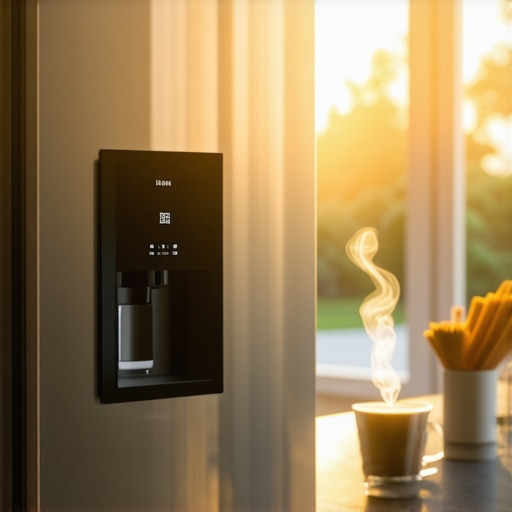
I stood there, coffee mug in hand, staring at a void where my family calendar should have been. It was 6:15 AM. My expensive, state-of-the-art refrigerator looked more like a monolith from a sci-fi movie than a helpful kitchen assistant. This wasn’t the first time. For three days straight, the screen stayed pitch black until I tapped it aggressively—or worse, unplugged the whole thing. I felt like I had been sold a futuristic dream that was turning into a morning headache. If you have been searching for answers while your eggs get cold, you are not alone. We are going to figure out why your screen is ghosting you and how to stop the cycle of frustration. [image_placeholder_1]
My Morning Battle with a Dark Kitchen Screen
When I first brought home my sleek new appliance, I spent hours customizing every widget and notification. I thought I was living in the future. But when the screen started blacking out every single morning, I panicked. My first instinct was the wrong one: I assumed the hardware was dead. I actually spent an hour on hold with customer service, ready to demand a refund, only to realize I had accidentally enabled a “Deep Sleep” mode during a late-night setting spree. It was embarrassing, but it taught me that simple mistakes often lead to the biggest scares. Understanding the difference between a real failure and a software quirk is half the battle.
Is a Smart Fridge Screen Just a Gimmick That Breaks?
I get it. You are probably wondering if these touchscreens are actually worth the hype or if they are just another expensive point of failure. According to tech experts at CNET, many smart appliance “failures” are actually software-handshake issues rather than hardware meltdowns. It is often just a case of the fridge trying to update its firmware at the wrong time or losing its grip on the local network. Sometimes, you just need to know how to properly reset the system to get things back on track. Have you ever walked into your kitchen and felt like your fridge was judging you with its cold, dark stare? Let me know in the comments if your screen has ever gone dark at the worst possible moment. We are about to dive into the specific culprits—from power-save glitches to the dreaded update cycles—and get that display glowing again before your next cup of coffee.
Start With the Physical Reset That Everyone Forgets
Before you start shopping for a new appliance or calling a technician, look for the master switch. Most homeowners don’t even know it exists. I once spent forty minutes pulling out my heavy unit, nearly scratching my hardwood floors, only to find a tiny toggle sitting right on top of the door frame hidden under a plastic cap. Flipping that switch is like hitting the ‘Ctrl+Alt+Del’ on a frozen PC. It forces the screen controller to reboot without cutting power to the cooling system. If the hardware is healthy, the logo should pop up within seconds.
Kill the Energy Saving Demon in Your Settings
Energy modes are the silent killers of a bright kitchen display. I remember a Tuesday morning where I was certain the backlight had burnt out. It turns out, I had accidentally enabled a ‘Night Owl’ mode that dimmed the screen to 5% brightness during the early hours. Check your display settings for any ‘Eco,’ ‘Sabbath,’ or ‘Energy Saver’ modes. These are designed to keep the home efficient, but they often make the fridge look dead to a sleepy observer. Understanding how to reset your smart fridge after a power outage is also vital because a sudden power surge can sometimes reset your customized brightness levels back to a factory ‘dark’ default.
Fixing the Digital Handshake Between Your App and Fridge
Firmware is the brain of your kitchen, and sometimes that brain gets stuck in a loop. If your fridge missed an update because your Wi-Fi flickered at 3:00 AM, the screen might hang in a limbo state, unable to boot the user interface. Think of it like a smartphone stuck on a loading screen. You often need to manually trigger the sync to get things moving again. I usually open the mobile app on my phone, look for the section on how to update the firmware on your smart kitchen appliances, and force it to re-verify the connection. One time, my fridge actually refused to show my digital grocery list until I updated the app on my phone first. The ‘handshake’ between the two devices had timed out, leaving the fridge screen in a black-hole loop.
Scrub Away the Ghost Touches
If your screen is on but completely frozen, you are likely dealing with ‘ghost touches.’ I’ve found that why your smart fridge touchscreen is unresponsive often comes down to a build-up of static or a thin, invisible layer of kitchen grease from cooking nearby. Use a clean microfiber cloth—never a soaking wet sponge—to buff the screen. If the system thinks a button is being constantly pressed by a smudge of oil, it will ignore all other inputs, effectively locking you out. If you’ve cleaned the surface and it still won’t budge, you might hear the system making a high-pitched whistling noise, which can indicate the processor is struggling to handle the conflicting input signals.
Check the Invisible Bridge to Your Router
Finally, if you see a ‘Connection Lost’ icon or a spinning wheel, the problem isn’t the fridge hardware; it’s the invisible bridge between your kitchen and your router. Smart appliances are notoriously finicky about signal strength. If your fridge keeps dropping the signal, the screen might stay dark simply because it has no data to display from the web. Ensuring a stable connection is the final piece of the puzzle to keep your kitchen command center glowing.Most people assume that ‘Eco Mode’ is a magic button for lower utility bills. However, in my experience, running these settings 100% of the time is a recipe for a service call. The truth about eco mode on modern dishwashers and washing machines is that it often uses lower temperatures that fail to fully dissolve grease and detergent. Over time, this leads to a buildup known as ‘biofilm’ which can clog sensors and eventually cause the control panel to misbehave or stay dark. Expert reports from the Association of Home Appliance Manufacturers suggest that while energy use drops, the mechanical stress from longer, lukewarm cycles can lead to premature gasket failure and internal sludge. Then there is the ‘Oops’ factor regarding detergent. We have been conditioned to think more bubbles mean more clean. If you see white streaks on your dark clothes, it is not a mechanical failure; it is an overdose. Modern HE machines use so little water that excess soap creates a ‘suds lock’ that confuses the machine’s brain, leading to those annoying app notifications that make no sense. Have you ever fallen into this trap of over-pouring the soap just to be ‘safe’? Let me know in the comments below. 
Why Does Your Advanced Control Panel Lag More Every Year?
It is the nuance nobody tells you at the showroom: smart appliances are essentially computers strapped to compressors. Unlike your old ‘dumb’ fridge, these units have processors that struggle as the software gets heavier with every update. If you find your modern refrigerator doesn’t last as long as your grandma’s, it is often because the digital components age faster than the steel. To keep the interface snappy, I recommend doing a full ‘cache clear’ by power cycling the unit once a quarter. This prevents the ‘ghosting’ issues we discussed earlier and keeps the ‘handshake’ with your top smart appliances seamless. By treating your kitchen as a network of computers rather than just boxes of cold air, you can extend their lifespan by years.
I have realized that maintaining a high-tech kitchen is less about being a plumber and more about being a part-time sysadmin. To bridge the gap between a broken appliance and a brilliant home, I keep a specific Digital First Aid Kit in my utility drawer. This isn’t just about a screwdriver; it is about having a dedicated non-conductive microfiber cloth and a bottle of screen-safe contact cleaner to prevent the ghost touches I mentioned earlier. If you are serious about scaling your home tech, learning how to sync your laundry room with your smart home hub is a game changer, but only if the hardware underneath is actually healthy and well-maintained.
Keep Your High-Tech Gear From Burning Out
I also swear by using the best smart plugs for monitoring appliance energy use for my older, non-smart units. These plugs act as an external brain, telling me when a motor is drawing too much current—often a sign that a compressor is on its last legs or a belt is about to snap. According to technical bulletins from the IEEE Standards Association, a significant portion of smart lag in appliances is actually caused by packet fragmentation at the network layer. This means your fridge isn’t necessarily slow; it is just shouting into a noisy Wi-Fi room. Ensuring your home network is optimized is just as important as cleaning the coils on the back of the unit.
How do I maintain my smart kitchen command center over time?
The secret isn’t a single big repair; it is the 15-minute quarterly audit. I start by checking the mechanical filters because a computer-controlled machine will overcompensate for a clog by running the pump harder, eventually frying the delicate circuit board. I always take the time to clean the hidden filter in your high-end dishwasher to ensure the AI-driven sensors aren’t getting false readings from debris. Then, I move to the laundry room to ensure odor-free laundry in a high-efficiency machine, which usually involves a simple gasket wipe-down that takes thirty seconds but saves a $300 service call for sensor failure later.
The Future of Predictive Repairs in 2025
Looking ahead, we are moving toward a world of predictive maintenance where our machines help us fix them. The future of home appliances in 2025 suggests that machines will soon use vibration analysis to tell us when a bearing is failing weeks before it actually breaks. We won’t be guessing anymore; we will be acting on data. 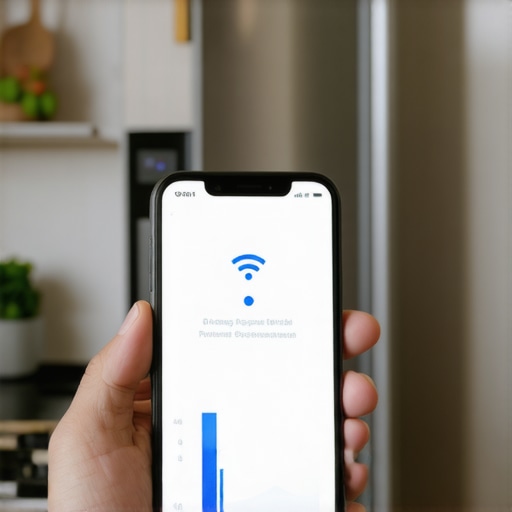 I want you to try one specific thing tonight: download a free Wi-Fi analyzer app and stand right where your fridge or washer is. If that signal is in the red, your appliance is struggling every second it is on. Moving your router just a few inches could be the best maintenance you ever perform for your smart kitchen’s longevity.
Lessons from the Kitchen Tech Trenches
After months of trial and error with my own setup, I have come to realize that the ‘set it and forget it’ mentality is a myth for high-end gear. First, never assume a dark screen is a dead screen. Most of the time, it is just a background process that got hung up or a sensor misinterpreting your presence. Secondly, be skeptical of your app notifications; I have learned why your smart appliance app gives you wrong notifications, and it is usually a data sync error rather than a mechanical failure. Finally, understand that why modern refrigerators dont last as long as your grandmas often comes down to the fragility of these very screens we love—treat them with the same care you would a high-end tablet.
My Personal Tech Maintenance Toolkit
I keep a small digital go-bag for my appliances that has saved me hundreds in service fees. It includes a dedicated mesh Wi-Fi node placed within fifteen feet of the kitchen to prevent packet loss. I also rely on the ultimate guide to smart home appliances for a modern living to stay updated on which firmware versions are stable versus which ones are buggy. For hardware protection, I use high-quality surge protectors specifically designed for the sensitive circuit boards found in top smart appliances for a seamless home experience in 2025. Keeping these tools handy means I am never surprised when a screen decides to take a nap.
Reclaiming Your Smart Kitchen Command Center
Don’t let a temporary glitch sour your experience with modern convenience. When they work, these systems provide incredible value, from inventory tracking to family coordination. By staying proactive and looking toward refrigerators in 2025 top features that transform your kitchen, you can ensure your home remains a source of comfort rather than a source of stress. Keep exploring the future of home appliances trends to watch in 2025 to stay ahead of the curve. #IMAGE_PLACEHOLDER_FINAL# Have you ever experienced a ‘ghost in the machine’ where your smart refrigerator screen turned on in the middle of the night for no reason? Let me know your weirdest tech stories in the comments below!