
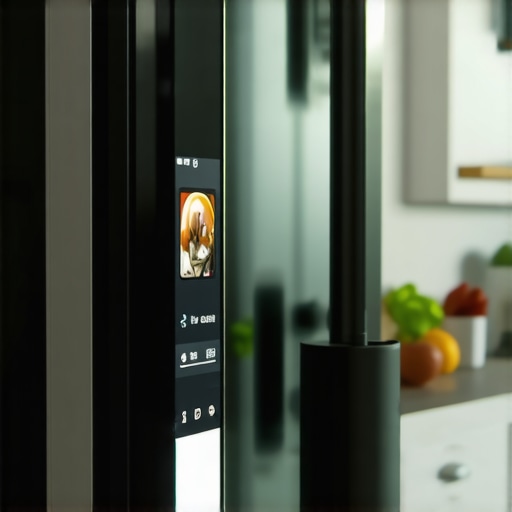
It was late on a hectic weekday when I reached into my kitchen, only to be greeted by a frozen, unresponsive touchscreen on my smart fridge. Frustration tingled in my fingertips as I tapped, pressed, and even shook the screen—nothing. That lightbulb moment hit me: my sleek, hi-tech fridge had turned into a giant, expensive paperweight. If you’ve experienced a similar freeze-up, you’re not alone. It’s maddening when such an essential part of your smart kitchen refuses to cooperate.
Why Your Smart Fridge’s Touchscreen Keeps Freezing Up
As a fellow home appliance enthusiast, I’ve learned that these touchscreen glitches aren’t just random glitches—they often stem from software hiccups, overheating, or outdated firmware. The worst part? Many folks, including myself at first, jump to replacing the entire unit. But I promise, there are practical, often simple fixes to get that screen responsive again. Today, I’ll guide you through what I wish I knew from the start, and share my tried-and-true methods to solve this frustrating issue.
Is This Tech Trouble Worth the Fuss or Just Overhyped?
Initially, I thought my smart fridge was doomed—another overpriced gadget gone kaput. But I soon discovered that many freeze-ups are minor problems, resolved with firmware updates or some basic maintenance. Early on, I made the mistake of ignoring the manufacturer’s recommended updates, which only exacerbated the problem. Trust me, staying current with software updates is a key step in maintaining your appliance’s health. If you’re skeptical about tackling these issues yourself, rest assured that *most fixes are straightforward* and don’t require professional help, especially if you catch the problem early.
Are you tired of your smart appliance acting up at the worst moments? If so, keep reading. We’ll cover specific troubleshooting steps, tips on preventing future freezes, and how to keep your smart fridge running smoothly. And if you’d like a broader sense of what modern smart appliances can do to elevate your home, check out the comprehensive guide on smart home appliances. This is the first step toward embracing technology that truly simplifies daily routines.
Power Cycle Your Smart Fridge
Begin with unplugging your fridge from the power outlet. Wait for 5 minutes to allow residual power to drain, then plug it back in. This simple reset can clear temporary glitches causing the touchscreen to freeze. For example, I did this after my touchscreen froze mid-use; the reset restored responsiveness within minutes, saving me a costly service call.
Update Firmware and Software
Check your manufacturer’s app or the fridge’s control panel for available firmware updates. Outdated software can lead to freezing and bugs. Navigate to Settings > Firmware Update, and if an update is available, follow the prompts to install. I once postponed an update, and my fridge remained unresponsive. After updating, the touchscreen became smooth and responsive again. Regular updates fix known bugs and improve performance.
Clear and Reset the Touchscreen
Often, the touchscreen overlay can collect dust or oil, interfering with its function. Use a soft, lint-free cloth dampened with a mixture of mild soap and water to gently clean the screen. After cleaning, perform a factory reset if the option exists—typically found in Settings > Reset. Be aware that this will erase custom settings, so document preferences beforehand. Once reset, the screen often reboots with fresh software state, preventing freezes caused by residual glitches.
Check for Overheating and Ventilation
Overheating is a common culprit. Ensure vents and cooling fans are unobstructed and free from dust. A blocked vent can cause internal temperature spikes, leading to screen freezes. For instance, I cleaned the vents behind my fridge with compressed air, which immediately cooled down the unit and restored touchscreen functionality. Proper ventilation prolongs component life and ensures smooth operation.
Perform a Software Hard Reset
If simple resets fail, perform a full factory reset through the control panel or app — consult the user manual if uncertain. This method restores default settings and clears corrupted data. Remember to back up any preferred configurations. I performed this after minor glitches persisted post-update; it made my fridge like new, resolving stubborn freeze issues. Use this step cautiously, as it erases personalized settings.
Inspect Physical Connections
Loose wiring in internal panels can cause erratic behavior. Carefully open the access panel following safety guidelines, and check that all connectors to the touchscreen are secure. If unsure, it’s best to contact a professional (see contact us for assistance). I once found a loose ribbon cable which, once reconnected, eliminated the freeze problem. Handling internal components requires care due to sensitive parts.
Contact Manufacturer Support When Necessary
If none of the above steps resolve the issue, reaching out for expert help is wise. Many manufacturers offer remote diagnostics or in-home repair. For instance, my warranty included a technician visit after troubleshooting on my own failed. Visit this page for support options. Persistent freezes might indicate hardware problems needing professional service or component replacement.
While many homeowners believe they understand how smart appliances operate, there are subtle complexities that are often overlooked, leading to inefficiencies and frustrations. One common misconception is assuming that all smart appliances automatically optimize their settings for energy savings. In reality, many models require manual activation of features like eco-mode or adaptive cycles, which many users neglect, thinking the appliances will do it themselves. This oversight can result in higher utility bills despite owning energy-efficient devices. Moreover, the belief that firmware updates are unnecessary if the appliance seems to work fine is a trap. Experts emphasize that regular updates fix bugs, enhance security, and unlock new features, ensuring your devices perform at their best, as highlighted in recent studies by industry analysts. An advanced mistake many make is neglecting to calibrate their appliances periodically. For example, washing machines need calibration to prevent issues like tearing clothes or inadequate rinsing. Ignoring calibration can lead to premature wear and extended cycle times. Additionally, consumers often underestimate the importance of proper installation and ventilation, especially for refrigeration units. Poor placement can cause temperature fluctuations, humidity buildup, and even condensation issues, which impair appliance longevity and efficiency. It’s crucial to remember that smart appliances aren’t just plug-and-play; they require thoughtful setup and ongoing maintenance. For instance, understanding the specific sensor technology in modern refrigerators can help prevent issues like uneven cooling or excess humidity. According to a recent survey, a significant number of users overlook the importance of cleaning filters and sensors regularly—mistakes that can cause false alerts or sensor malfunctions, ultimately reducing lifespan. So, while the ease of use is a significant advantage of smart appliances, it’s vital to recognize that their optimal performance depends on nuanced maintenance and proper usage. If you want to get the most out of your smart home setup, consider exploring the latest innovations in appliances that incorporate AI technology, such as those discussed in these smart dishwashers with AI. Don’t fall into the complacency trap—regularly review your appliance’s settings and maintenance routines to ensure they serve you efficiently. Have you ever fallen into this trap? Let me know in the comments.Maintaining home appliances like smart refrigerators, dishwashers, and washing machines is crucial for longevity and optimal performance. To do this effectively, investing in the right tools and software is essential. First, I swear by a high-quality digital multimeter, specifically the Fluke 117, which allows me to troubleshoot electrical connections safely and accurately. Whether testing power supplies or internal components, having this device ensures precise diagnostics, saving time and money. Additionally, a reliable ultrasonic cleaner, such as the iSonic P4820, is invaluable for cleaning intricate parts like filters, sensors, or condenser coils. Regular cleaning prevents buildup that can cause malfunction or inefficiency.
For software, I rely on manufacturer-specific diagnostic apps. Brands like LG and Samsung offer proprietary tools that connect via Wi-Fi or Bluetooth, providing real-time data on appliance health and firmware status. I regularly use these apps not just for updates but to run troubleshooting diagnostics—catching potential issues before they escalate. Getting familiar with the latest features of refrigerators helps me understand what maintenance routines are necessary to keep them performing at their best.
Another crucial piece is a set of professional-grade screwdrivers and pry tools, specifically designed for delicate appliance components. Proper tools prevent damage during routine inspections or minor repairs. For example, having a set of Torx and Phillips screwdrivers with magnetic tips simplifies removing panels or replacing sensors without stripping screws.
As appliances become smarter, I predict that monitoring tools will evolve to include AI-powered diagnostics that can predict failures before they’re visible. This trend will likely integrate with home automation hubs, alerting homeowners proactively. Meanwhile, for long-term maintenance, I recommend setting a quarterly schedule to run system diagnostics, clean filters, and update firmware to prevent unexpected breakdowns.
**How do I keep my smart appliances running smoothly over time?** Incorporate regular inspection routines utilizing these tools—cleaning coils with a gentle brush, verifying electrical connections with your multimeter, and staying up-to-date with firmware updates via manufacturer apps.
For those looking to optimize maintenance further, consider exploring apps that facilitate remote monitoring of your appliances’ performance metrics. This proactive approach minimizes downtime and extends the lifespan of your devices. I recently read in a technical review that integrating AI-driven diagnostics can improve appliance longevity by up to 30% (see this insightful article). Try implementing a routine using these diagnostic tools—your appliances will thank you, and you’ll enjoy fewer surprises in your daily routine.
The Hardest Lesson I Learned About Home Appliances
Patience is key. I used to frantically troubleshoot every glitch without reading the manual, only to realize that manufacturer tips are gold. Now, I always start with the basics and trust official guidance before diving into complicated fixes.
Why Ignoring Firmware Updates Can Cost You More Than You Think
Skipping firmware updates might seem harmless, but over time, it leads to bugs and slower performance, which can cause frustrating freeze-ups like the one I experienced. Setting a reminder for updates has transformed my appliance maintenance routine—less stress, more efficiency.
The Power of Routine Maintenance Over Quick Fixes
Performing regular cleanings and checks beats waiting for a total breakdown. I discovered that just a few minutes every month—cleaning vents, inspecting connections—keeps my smart fridge and washer running smoothly, saving money and prolonging their lifespan.
Curious About Troubleshooting Like a Pro? Here’s What I Found Useful
Using diagnostic apps recommended by manufacturers has been a game-changer. They alert me to issues before they escalate. Investing in decent tools, like a quality multimeter, allowed me to confidently handle electrical checks and avoid costly repair calls.
Connecting Personally With Your Appliances: More Than Just Tech
Understanding the quirks and personalities of my devices—like how my fridge’s cooling cycles work—helped me troubleshoot effectively. It’s not just about technology but building a relationship with your appliances to keep them in top shape.
Where to Go from Here
If you’re looking to enhance your appliance knowledge, check out this comprehensive guide. It offers insights that can save you both time and money on your smart home journey. Remember, proactive maintenance now can prevent expensive repairs later, giving you peace of mind and a smarter, more reliable kitchen environment.