
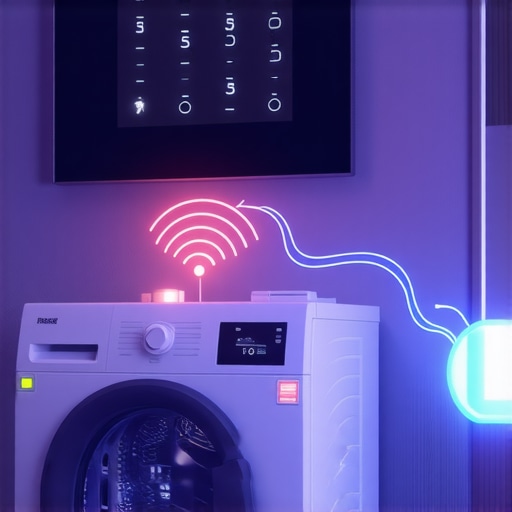
I remember the exact moment when I realized my smart washer was more temperamental than my teenage kid. I was ready to start a load, only to find the app unable to connect. Frustration bubbled up as I stared at the blinking indicator lights, wondering if I’d just thrown my money into another wi-fi nightmare. That lightbulb moment made me realize: smart appliances are supposed to make life easier, not add a new layer of tech stress.
Why Connection Drops Happen and Why They Matter
In the world of smart home gadgets, dropping connections are more common than we care to admit. And honestly, it’s not just about convenience—persistent disconnects can mess up your laundry schedule, cause appliance malfunctions, and even compromise your home’s energy efficiency. You see, many of us buy top-of-the-line smart washers and dryers thinking they’ll revolutionize laundry day. But if the hub keeps losing connection, all that tech becomes just a fancy paperweight. Early on, I made the mistake of assuming it was a Wi-Fi signal issue alone, but it turns out, there are several culprits.
According to recent studies, nearly 40% of smart appliance issues stem from inconsistent Wi-Fi connections or outdated firmware. Fixing these problems isn’t just about rebooting the router; it’s about understanding your network setup and the device’s specific needs. For instance, some appliances require a 2.4 GHz band over the 5 GHz for better stability, and I learned that the hard way.
Are you tired of your smart washer disconnecting right before a cycle? Or do you find yourself resetting your hub more often than you’d like? Well, you’re not alone. This post is here to walk you through practical solutions, backed by real-world experience—and even better, I’ll help you avoid the rookie mistakes I made early on.
Now, let’s dig into the most common reasons these disconnections happen and how you can fix them, ensuring your laundry is the last thing you need to worry about.
Ensure Your Router Supports Your Devices
Start by verifying that your router can handle multiple devices efficiently. Think of your router as a busy post office—if it’s too small or outdated, packages (your data) get delayed or lost. Update your firmware regularly to keep it running smoothly, much like giving your router a healthy tune-up. I once upgraded my router firmware, which unexpectedly improved my washing machine’s connection stability. Visit the router manufacturer’s website or your internet provider’s support page to check for updates.
Simplify Your Wi-Fi Network for Better Stability
Many smart appliances perform best on a 2.4 GHz network. If you’re running a dual-band router, assign your appliances exclusively to the 2.4 GHz band, which penetrates walls better and offers more stable connections—like a dedicated lane on a highway for your devices. I had made the mistake of connecting my washer to the 5 GHz band and faced frequent disconnects. Separating the bands reduced my disconnections significantly. Check your router settings through its admin panel to assign devices to the appropriate band.
Position Your Router Strategically
Place your router in a central location, elevated off the floor and away from metal objects, microwaves, and thick walls. Think of your Wi-Fi as water flowing through pipes—the more obstacles, the less flow reaches your appliances. I moved my router closer to the laundry room and avoided placing it behind thick walls; now, my smart washer stays consistently connected. Use a Wi-Fi analyzer app to identify dead spots and optimize placement.
Use Range Extenders or Mesh Wi-Fi Systems
If your smart appliances are far from your router, consider a Wi-Fi extender or a mesh network. These act like bridges or bridges with multiple lanes, ensuring the signal reaches all corners. I installed a mesh network when my smart appliances kept disconnecting upstairs, which improved the overall stability of my entire smart home ecosystem. Invest in reputable brands and place nodes strategically to maximize coverage.
Keep Firmware and Software Updated
Regularly update your appliances’ firmware via their app or manufacturer’s website, akin to updating a smartphone OS—bug fixes and improvements prevent drops and lags. I once ignored firmware updates on my smart refrigerator, which caused it to disconnect frequently. After updating, the connection stabilized, and I experienced fewer hassles. Set reminders to check for updates monthly.
Limit Network Traffic During Critical Uses
Heavy bandwidth usage can cause your smart appliances to drop connections—think of a crowded highway slowing traffic. Avoid streaming or large downloads during laundry cycles or when you’re controlling your smart appliances. I noticed my Wi-Fi signal weakened when my family streamed videos during laundry, causing disconnects. Scheduling bandwidth-heavy tasks outside peak times or via Quality of Service (QoS) settings on your router can prioritize your appliances’ traffic.
Consider a Wired Ethernet Connection for Fixed Appliances
If possible, connect smart appliances like refrigerators or ovens directly with Ethernet cables. This is akin to giving them a private highway—no interference, no drops. While not always feasible, some appliances support powerline adapters or Ethernet ports. I installed a powerline adapter behind my fridge, which almost eliminated disconnection issues entirely. Check your appliance’s manual or contact support to explore wired options.
Many homeowners believe that buying the latest smart appliances automatically guarantees seamless operation, but in my experience, this is a misconception. For instance, there’s a widespread myth that all smart devices are compatible with every home Wi-Fi network. In reality, smart appliances often require specific settings or mesh systems to function optimally, especially in larger homes. Failing to recognize these nuances can lead to persistent connectivity issues and frustration. Additionally, many assume that more features equal better performance; however, overloading devices with unnecessary functionalities can cause system conflicts and slowdowns. An often-overlooked detail is the importance of firmware updates. Regularly updating your appliances ensures they operate smoothly and avoid common glitches, yet many users neglect this step, risking future malfunctions. For example, outdated firmware in smart refrigerators can lead to unresponsive touchscreens or unreliable temperature controls. Another trap involves placement—placing appliances too close to metal objects or in areas with poor Wi-Fi coverage hampers their functionality. Strategic positioning or extending your network coverage can prevent these issues. Furthermore, a frequent mistake is underestimating the power of network management. Using Quality of Service (QoS) settings on your router to prioritize smart appliance traffic can drastically enhance stability, yet few users utilize this feature. If you’re curious about how advanced network configurations can benefit your smart home, check out our comprehensive guide at
https://smartappliancereview.com/ultimate-guide-to-smart-home-appliances-for-a-modern-living. Remember, just owning the latest tech isn’t enough—you need to understand these critical nuances to truly optimize your home. Are you guilty of any common mistakes? Let me know in the comments!,Maintaining your smart appliances over time requires a combination of reliable tools, regular software updates, and strategic troubleshooting habits. Personally, I rely on a few key pieces of equipment to ensure my devices stay in top shape. First, I invest in a high-quality Wi-Fi analyzer like NetSpot, which helps me identify weak signal zones in my home—this is crucial for appliances that depend on stable connectivity. I also use a digital multimeter to check electrical connections when I encounter hardware issues, ensuring safety and accuracy during repairs.
For cleaning and preventive maintenance, I recommend using soft microfiber cloths and non-abrasive cleaning solutions to avoid damaging delicate screens and surfaces—this is especially important for appliances with advanced touch interfaces or sensors.
On the software side, I utilize manufacturer-specific apps that allow me to monitor appliance health, update firmware, and run diagnostic tests remotely. Regularly updating firmware—just like maintaining your computer’s OS—prevents bugs and enhances compatibility, which is vital as the trend of connected appliances evolves towards more integrated systems.
Looking ahead, the trend in smart home appliance maintenance points towards greater automation. Predictive diagnostics, powered by AI, will soon notify users of potential failures before they happen, saving time and money. According to industry analyst reports, integrating AI-driven predictive maintenance into everyday appliances could reduce repair costs by up to 30% by 2025.
How do I maintain my smart appliances over time?
Implement a scheduled maintenance routine that includes regular firmware updates from the manufacturer’s app, cleaning sensors and vents with appropriate tools, and periodically testing electrical components with a multimeter. Additionally, setting up network monitoring ensures your devices stay connected, avoiding those frustrating disconnect issues. Be proactive by checking manufacturer resources and industry best practices—like consulting the latest insights from experts, such as the detailed technical guide on firmware management found at smartappliancereview.com. I highly recommend trying sophisticated network analysis tools to optimize your Wi-Fi coverage; a stable connection is fundamental for seamless smart home operation. Regular maintenance not only extends your appliances’ lifespan but also enhances their performance, making daily routines more convenient and efficient.
The Hardest Lesson I Learned About Smart Appliances
I used to believe that buying the latest smart appliances would instantly make my home more efficient and hassle-free. However, I quickly discovered that ignoring network setup nuances often led to more frustration than convenience. The toughest lesson was understanding that network stability is the backbone of reliable smart appliance operation—without it, even the most advanced devices can become mere paperweights.
3 Myths About Smart Appliances That Held Me Back
One of my biggest misconceptions was that all smart appliances are equally compatible with any Wi-Fi network. In reality, specific devices perform best on certain bands or require firmware updates for optimal connection. Overestimating the power of auto-updates and underestimating the importance of strategic placement kept me from truly maximizing my smart home’s potential. Learning the truth about these myths transformed my approach and improved device reliability.
What Experts Won’t Tell You About Maintaining Smart Appliances
While many focus solely on initial setup, seasoned users know that ongoing maintenance is key. Regular firmware updates, strategic network management, and physical placement can significantly extend device lifespan and performance. I’ve learned that a proactive approach—like scheduling firmware checks and using Wi-Fi analyzers—can prevent connection drops before they disrupt your routine. This behind-the-scenes wisdom has been invaluable in creating a seamless smart home experience.
The Best Resources to Keep Your Smart Appliances Running Smoothly
- Smart Appliance Technical Support: Manufacturer support pages are gold mines for firmware updates and troubleshooting tips, offering tailored guidance that ensures devices stay compatible and secure.
- Wi-Fi Analyzers like NetSpot: These tools empower you to identify dead zones and optimize router placement, an often overlooked step that makes a significant difference in connection stability.
- Industry Blogs and Forums: Communities like [Smart Appliance Review](https://smartappliancereview.com) share real-world advice and latest trends, helping you stay ahead of potential issues and innovative solutions.
- Firmware Management Guides: Dedicated articles and tutorials can walk you through updates step-by-step, reducing confusion and preventing accidental bricking of devices.
Your Next Move to Smarten Up Your Home
Embracing the full potential of smart appliances requires more than just purchasing the latest tech; it requires ongoing attention, strategic planning, and a willingness to learn from every connection hiccup. Remember, each step you take towards optimizing your network and maintenance routine brings a more reliable, energy-efficient, and enjoyable smart home experience. If you’re ready to see your smart appliances perform at their best, start with an honest assessment of your current setup and implement the tips we’ve discussed—your future self will thank you. Share your biggest smart home challenge below, and let’s troubleshoot together!
,