
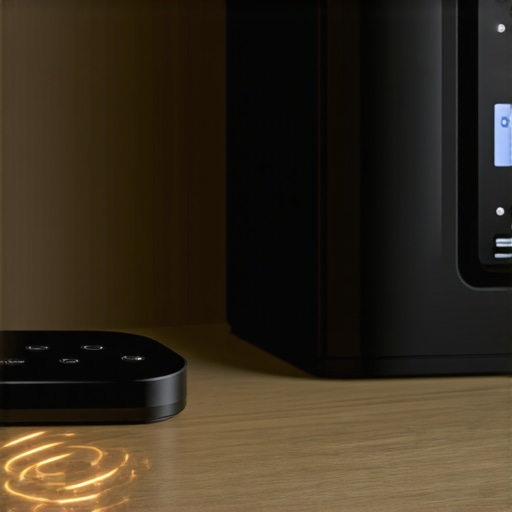
I stood there, staring at my phone screen while the “connecting” circle mocked me. My dishwasher wouldn’t start, my smart fridge was claiming it had no internet, and even my washing machine seemed to be on strike. I’d spent a small fortune on the “home of the future,” yet I couldn’t even get a load of whites going without a network error. The culprit? My shiny new smart home hub was sitting directly on top of the microwave, essentially screaming over every other signal in the kitchen. It was a digital shouting match, and my appliances were losing. [image_placeholder_1]
Move Your Hub Away from the Microwave
When I first started building my setup, I made the classic mistake of thinking central placement meant the kitchen counter. I figured if the hub could see the appliances, it would work better. I was dead wrong. Most smart hubs and appliances operate on the 2.4GHz frequency, which is exactly where your microwave and even some older cordless phones live. According to research from the IEEE, the 2.4GHz band is notoriously crowded, making it prone to significant interference from household electronics. If your hub is too close to a heavy hitter like a refrigerator or a microwave, the electromagnetic noise drowns out the thin signal your washer is trying to send. I’ve learned the hard way that connecting your smart washer to your home network without the lag isn’t just about signal strength; it’s about signal quality. I once spent three hours rebooting my router only to realize that my hub was just physically too close to the metal casing of my fridge. Metal is a signal killer. Today, I’m going to walk you through how to map out your kitchen so your tech actually plays nice together.
Is a Smart Home Actually Worth the Trouble?
I know what you’re thinking. “Why am I doing this? Why can’t I just press a physical button?” It’s a fair question. When you’re dealing with a smart washer that keeps disconnecting, the frustration is real. But once you get the interference under control, the convenience of preheating your oven from the grocery store or getting a notification that the laundry is done while you’re in the backyard is a game changer. We just need to stop the cross-talk first.
The Metal Shield Effect and Your Fridge
Have you ever noticed your phone signal drops the second you walk behind a big appliance? Your refrigerator is basically a giant box of metal and insulation—a “Faraday cage” of sorts for your Wi-Fi. If your hub is tucked behind the fridge or sitting right next to it, the signals have to bounce around like a pinball machine to reach anything else. This is a primary reason why your smart fridge might be using more data than you expected; it’s constantly retrying failed packets of information because the connection is so unstable. Have you ever had your smart hub completely lose track of an appliance that was only five feet away? Tell me about your most frustrating “no signal” moment in the comments below. We’re going to fix those dead zones by looking at line-of-sight and channel management next.To start fixing your kitchen’s digital traffic jam, you need to see what your hub sees. Think of your Wi-Fi signal like a flashlight in a room full of mirrors and shadows. Every time it hits a stainless steel fridge or a tiled backsplash, it scatters. I spent a long afternoon using a signal analyzer app on my phone, walking slowly from my smart washer to the hub. I realized my signal strength dropped by nearly 50% just by standing between the two devices. This is exactly why your smart washer keeps disconnecting from the home network—it is trying to shout through a literal metal wall of interference.
Find Your Signal Blind Spots
You do not need fancy equipment to map your kitchen. Grab your phone, connect specifically to your 2.4GHz network, and stand next to each appliance. If your signal bars drop or your speed test results tank, you have found a dead zone. Last summer, I was baffled why my dishwasher would not update its firmware. It turned out the signal was being eaten by the copper piping hidden behind the wall. Once I identified that signal shadow, I knew I could not just leave the hub sitting on the counter. If you are struggling with placement, checking an ultimate guide to smart home appliances for a modern living can show you how professional installers layout their hubs to avoid these architectural traps.
Change the Channel to Stop the Noise
Imagine you are at a crowded party trying to talk to one person. If everyone is shouting on the same frequency, nobody hears anything. Most routers are set to Auto channel selection, which sounds helpful but often lands you on channel 6 or 11—the most crowded spots in any neighborhood. I manually logged into my router settings and switched to channel 1, which was relatively empty in my area. Suddenly, my oven stopped throwing random offline errors in the middle of a bake. Learning how to connect your smart oven to your home network without the frustration often boils down to this simple one-minute setting change in your router dashboard.
Ditch the Single Router for a Mesh System
If your kitchen is far from your living room, a single router is a recipe for failure. I finally caved and bought a mesh system, placing one node in the hallway just outside the kitchen door. This creates a relay race for your data, passing the signal around the Faraday cage of your fridge rather than trying to blast through it. This is by far the easiest way to connect an older smart fridge to a new mesh network. By placing the node at eye level on a shelf, I avoided the floor-level interference from the baseboards and electrical wiring. It transformed my kitchen from a digital dead zone into a high-speed hub in under ten minutes without me having to move a single heavy appliance.
Once you have conquered the signal dead zones with a mesh network, you might think your digital woes are over. However, I have found that the biggest hurdles often start after the connection is stable. Most people assume that once a device is “smart,” it can think for itself entirely. This leads to a common trap: relying too heavily on the defaults. For instance, everyone says to use the Eco cycle to save money, but in my experience, running exclusively on low-temp settings is a recipe for internal disaster. I have seen countless units develop a foul odor because the water never gets hot enough to dissolve fatty residues.
Stop Trusting the Eco Button for Every Single Load
While the marketing might convince you otherwise, the truth about the eco mode on your new dishwasher is that it is often the culprit behind grease buildup and lingering smells. These cycles use less water and lower temperatures, which are great for your bill but terrible for the longevity of the appliance’s internal sensors. I fell into this trap myself, thinking I was being green, only to realize I was essentially coating my pipes in a layer of grime. If you do not run a high-heat sanitizing cycle at least once a week, those smart sensors will eventually fail because they are literally blinded by gunk.
The Detergent Trap That Confuses Your Sensors
The “Oops” factor I see most often involves the classic “more is better” mentality with detergent. In a high-efficiency (HE) machine, excess suds do not mean cleaner clothes; they mean more work for the motor. Modern sensors are incredibly sensitive to suds density. If you use too much, your washer enters a “suds lock” state where it continuously adds rinse cycles to clear the foam. This is why your washing machine takes much longer than the timer says. I learned the secret to using less detergent in your high-efficiency washer the hard way after my machine started pausing for forty minutes just to let bubbles settle. Have you ever fallen into this trap and wondered why your “quick wash” took two hours? Let me know in the comments.
Why Does Your Smart Washer Take Much Longer Than the Timer Says?
It is not just about the suds; it is about the physics of the load. According to the Association of Home Appliance Manufacturers (AHAM), smart machines use sophisticated algorithms to protect the motor from damage. If the sensors detect an unbalanced load—like a single heavy rug—the machine will spend twenty minutes trying to redistribute the weight before it even starts the spin cycle. This is often why your washing machine keeps getting an unbalanced load error or simply adds time to the clock without telling you why. To keep things moving, always wash heavy items in pairs to maintain that delicate balance. Neglecting this does more than waste time; it leads to moisture buildup that necessitates learning how to prevent mold growth in your washing machines door seal. By understanding how these sensors think, you can stop fighting the machine and start making it work for you.
Beyond the detergent, I’ve found that a few physical tools are non-negotiable if you want these machines to last past their warranty. I keep a $20 digital thermometer and a long, flexible nylon brush in my utility closet. Why? Because sensors lie. I’ve seen smart fridges claim they are at a perfect 37°F while the milk is actually sitting at 42°F. Learning how to recalibrate your refrigerators internal thermometer for better cooling is the difference between a fresh salad and food poisoning.
How do I maintain my smart kitchen for the long haul?
Consistency beats intensity. Every three months, I pull the “coin trap” or debris filter on my washer. If you’ve never done this, prepare for a smell that will haunt your dreams. Knowing how to clean the debris filter on your front load washer effectively prevents the pump from burning out prematurely. I also perform a “hard reboot” on my hub twice a year—unplugging everything for ten minutes to clear the cache. This helps when you need to diagnose a washing machine that wont spin at full speed, as software glitches often mimic mechanical failures.
Listen for the Death Rattle Before It Happens
One thing I’ve learned from reading manufacturer service manuals—specifically the technical bulletins from LG’s ThinQ engineering team—is that a compressor rarely just “dies.” It gives you warnings in the form of rhythmic clicking or increased heat at the base. If you can learn how to spot a failing refrigerator compressor before it dies, you save yourself a massive repair bill. I personally use an infrared heat gun to check the back panels of my appliances once a season. It sounds overkill, but it caught a faulty heating element in my dishwasher before it could melt the plastic tub.
AI Will Soon Manage Your Inventory for You
Looking ahead, the future of home appliances trends to watch in 2025 point toward “predictive maintenance.” We are moving toward a world where your fridge doesn’t just tell you the milk is low, but detects that the cooling fan is drawing 10% more power than usual and schedules a technician automatically. We are seeing this with the “Matter” protocol adoption, which aims to make all these brands actually talk to each other without the headache. I want you to try one thing today: Go to your washer, find that little door at the bottom, and drain the filter. It’s messy, but it’s the most important five minutes of maintenance you’ll do this year.
The Hardest Lessons I Learned Managing a Connected Kitchen
After years of trial and error, I realized that a “smart” home is only as intelligent as the person maintaining it. First, never assume a connection error is a hardware failure. Most of the time, it is just a signal collision that a simple channel swap can fix. Second, I learned that how smart washing machines can simplify laundry day depends entirely on how well you treat the sensors; gunk is the enemy of automation. Lastly, don’t let the convenience of an app replace your own eyes and ears. If something sounds like a bag of rocks, no software update in the world will save the motor.
The Pro Toolkit Every Smart Home Owner Needs
I don’t go a week without using my infrared thermometer to double-check my fridge’s internal sensors. If you want to dive deeper into optimizing your setup, I highly recommend checking out an ultimate guide to smart home appliances for a modern living which covers the layout basics I wish I had known years ago. I also swear by using a dedicated signal analyzer app—it is free and tells you exactly where your mesh nodes should live. If you are looking for the top smart appliances for a seamless home experience in 2025, prioritize those with Matter compatibility to avoid the “closed ecosystem” trap I fell into early on.
[image_placeholder_Z]
Take Back Control of Your Smart Home Appliances
You bought these machines to save time, not to create a new part-time job as an IT technician. By mastering the signal management and sticking to a physical maintenance schedule, you can finally enjoy the peace of mind that comes with a truly automated home. Whether you are looking at the future of home appliances trends to watch in 2025 or just trying to get through today’s laundry, remember that you are the boss of the machine. Have you ever had a smart appliance “ghost” you right when you needed it most? Tell me your story in the comments below!