
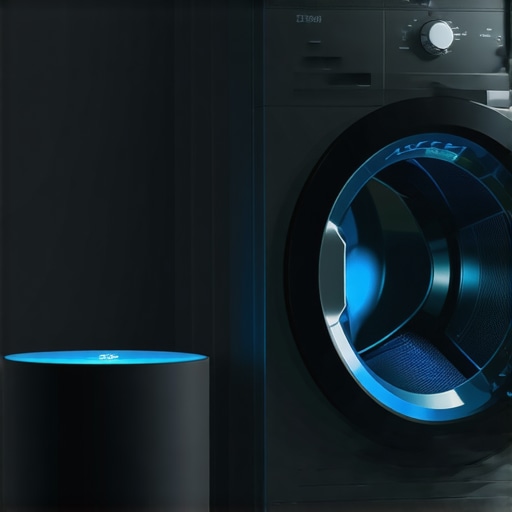
I remember the night I almost gave up on my ‘genius’ laundry room. I was standing there at 10:00 PM, wet towels piled high, staring at my phone as a little loading circle spun endlessly. My brand-new washer was supposed to be the crown jewel of my home, but instead, it was just a silent, expensive box that refused to talk to my router. It’s a specialized kind of frustration when the tech that’s meant to simplify your life ends up adding another chore to your list. We’ve all seen the promises of how smart washing machines can simplify laundry day, but if you can’t even get the thing to stay connected, those features are basically useless. Today, I’m going to share exactly how I stopped the ‘connection failed’ cycle and finally got a lag-free setup that actually works when I’m away from home.
Stop Fighting the Spinning Connection Icon
Most of us make the same mistake I did when I first started building my central kitchen hub for all your smart appliances. I thought my high-end mesh network would just handle everything. I didn’t realize that the thick metal casing of the machine acts like a literal shield, or that my router was trying to force a high-speed 5GHz connection on a device designed for the longer range of 2.4GHz. This leads to that dreaded lag where you press ‘Start’ on the app, and nothing happens for three minutes. You might even find why your smart washer keeps disconnecting from the home network is simply because your laundry room is a Wi-Fi dead zone. According to research from the IEEE, the structural materials in modern homes, combined with the heavy metal shielding of large appliances, can reduce signal strength by more than 50% in utility areas. I wasted hours trying to ‘reset’ my app when the real culprit was just basic signal physics.
Is a Wi-Fi Washer Really Worth the Trouble?
I get it—you might be wondering if you should just go back to the old-school manual dial. But once you can use your smart washers delayed start for cheaper energy rates without the app crashing, the convenience is undeniable. The trick isn’t to work harder; it’s to set up your network to handle the unique ‘blind spots’ of a laundry room. Have you ever felt like your ‘smart’ appliance was actually making you work more than your old manual one? Let me know if you’ve been tempted to just unplug the whole thing. Before we dive into the specific router settings, let’s talk about the physical placement of your hardware, because if your signal can’t get through the dryer next to it, no amount of firmware updates will help.
Fix the Frequency Mismatch Once and For All
Most routers today are ‘smart,’ meaning they try to shove every device onto the fastest possible highway. In the tech world, that’s the 5GHz band. But here is the problem: 5GHz is like a sports car—it is fast but can’t handle off-roading through your walls. Your laundry room and kitchen are essentially off-road terrain. I spent three frustrating hours trying to connect your smart oven to your home network without the frustration, only to realize my phone was on one frequency while the oven was desperately hunting for the other. They were like two people trying to talk through a glass wall. To fix this, you need to enter your router settings and ‘split’ your SSIDs. Give the 2.4GHz band its own name, like ‘Home_Legacy’ or ‘Smart_Devices.’ By forcing your top smart appliances for a seamless home experience in 2025 to live on this longer-range frequency, you eliminate the constant ‘searching’ phase that drains battery and causes app timeouts. #IMAGE_PLACE_HOLDER_B#
The Simple Way to Beat Thick Concrete Walls
If splitting the bands doesn’t work, you are likely dealing with a physical barrier. I remember moving my router from the living room to the hallway closet just to see if I could finally get my fridge to update its inventory. It felt like a messy science experiment with cables trailing across the floor, but the results were instant. If you cannot move your main router, do not rely on cheap Wi-Fi extenders; they often create a second network that confuses your appliances. Instead, look into a Powerline adapter. These devices use your home’s existing electrical wiring to carry the internet signal directly into the laundry room outlet. It turns your wall socket into an Ethernet port, bypassing the metal shielding of your washing machines that save water. This is often the only way to solve why your smart washer keeps disconnecting from the home network when it’s tucked behind a dryer and a water heater.
Stop Ignoring Those Annoying Firmware Pop-ups
We’ve all clicked ‘Remind Me Later’ on a software update, but for smart hardware, these are not just cosmetic changes. When you see why your smart appliance app keeps asking for a firmware update, it’s often because the manufacturer has released a patch specifically for Wi-Fi stability or security protocols. Think of firmware like the appliance’s ‘brain.’ Without the latest logic, the hardware might struggle to handshake with a modern router. For instance, if your dishwasher keeps giving you phantom errors, it might not be a mechanical failure at all. Check the app for a pending update before you start worrying about how to tell if your dishwasher heating element is actually broken. A simple five-minute download can sometimes recalibrate the sensors and restore the connection immediately.One thing I’ve learned after years of tinkering is that we give ‘Smart Mode’ way too much credit. Everyone tells you to just hit ‘Auto’ and let the machine decide, but in my experience, that is exactly how you end up with a why your high efficiency washer leaves white streaks on dark clothes. These machines use turbidity sensors to ‘see’ how dirty the water is. If you have hard water or use a specific type of eco-friendly detergent, the sensor often misreads the cloudiness and cuts the rinse cycle short. It’s a classic case of the tech being too clever for its own good. Have you ever fallen into this trap of trusting the ‘Auto’ button too much? Let me know in the comments.
Smart Sensing Isn’t the Magic Bullet You Think
When you look at the future of home appliances trends to watch in 2025, everything points toward more automation. However, the ‘Oops’ factor here is huge. Most people assume a smart dishwasher can handle anything, but if you don’t periodically find the hidden sensor in your dishwasher that needs a manual scrub, the AI will keep defaulting to the longest, hottest cycle because it thinks your plates are permanently filthy. This leads to unnecessary wear and tear on your glassware. According to the Association of Home Appliance Manufacturers (AHAM), high-efficiency sensors are calibrated for specific soil levels, and deviating from manufacturer-recommended maintenance can cause a 30% increase in mechanical errors over the life of the unit. #IMAGE_PLACE_HOLDER_C#
The High-Efficiency Trap That Ruins Your Clothes
Another nuance experts rarely mention is the ‘Detergent Loop.’ In a traditional machine, extra soap just meant extra bubbles. In a smart HE machine, it creates a nightmare. Excess suds confuse the pressure sensors, which can lead to why your smart dishwasher app keeps giving you phantom errors or cause a washer to add three extra rinses, doubling your water bill. Learning the secret to using less detergent in your high efficiency washer is actually the best way to keep your ‘smart’ features from over-calculating and stalling.
Why Your Washer Timer Is Always Lying to You?
It’s the most common complaint: the app says 10 minutes left, but 20 minutes later, it’s still spinning. This isn’t a glitch; it’s the machine’s load-balancing logic working overtime. If you have a single heavy towel mixed with light shirts, the sensors detect an imbalance and will keep slowing down and restarting the spin to protect the drum. You can read more about why your washing machine takes much longer than the timer says to understand how these micro-adjustments actually save your machine from a catastrophic hardware failure. Stop blaming the Wi-Fi and start looking at how you load the drum.It is one thing to get your machines connected; it is another to keep them from becoming expensive paperweights three years down the road. I learned the hard way that ‘smart’ does not mean ‘self-cleaning.’ In fact, the more sensors a machine has, the more physical maintenance it actually requires to stay accurate. If your machine cannot ‘see’ what it is doing because of mineral buildup or lint, the software starts making bad guesses that lead to cycle errors. For my own laundry room, this meant moving beyond the app and getting my hands dirty. Learning how to clean the debris filter on your front load washer effectively is not just about hygiene; it is about preventing the ‘Drain Error’ that triggers your app to scream at you at 2:00 AM.
Don’t Let Gunk Blind Your Smart Sensors
I’ve found that the most common reason for a smart appliance ‘losing its mind’ is actually a dirty sensor. In my kitchen, I noticed my fridge was running much harder than usual, despite what the digital display claimed. After a bit of digging, I realized the internal thermometer was coated in a thin layer of dust. Taking the time to learn how to recalibrate your refrigerators internal thermometer for better cooling saved me from a potential compressor failure. According to technical documentation from the Association of Home Appliance Manufacturers (AHAM), mineral buildup on turbidity sensors is the leading cause of AI cycle miscalculations in modern dishwashers, often resulting in a 20% increase in energy consumption as the machine tries to overcompensate for ‘dirty’ water that is actually just a dirty lens. #IMAGE_PLACE_HOLDER_D#
One Hub to Rule Them All
If you find yourself jumping between five different apps to check on your laundry, your fridge, and your dishwasher, you are doing it wrong. The secret to a truly ultimate guide to smart home appliances for a modern living is consolidation. I personally transitioned to a dedicated local hub that supports the Matter protocol. This ensures that even if my internet goes down, my central kitchen hub for all your smart appliances keeps everything running on the local network. It reduces the latency that usually makes voice commands feel like a chore.
How do I maintain my smart appliances over years of use?
Long-term success comes down to ‘Digital Hygiene’ and physical inspection. Every six months, I perform a ‘Hard Reset’ on my network and check for firmware updates manually. Looking toward the future of home appliances trends to watch in 2025, we are moving toward ‘Energy Orchestration,’ where your machines will communicate directly with the power grid to find the cheapest millisecond to run. If your sensors are dirty now, they won’t be able to handle those high-speed data exchanges later. I strongly suggest you try one specific task today: go into your fridge settings and recalibrate the thermometer. You might be surprised to find your ‘smart’ fridge has been lying to you about its internal temp for months.
The Hardest Lesson I Learned While Living with Connected Hardware
After years of trial and error, I’ve realized that a smart home is only as good as its physical foundation. Here are a few lightbulb moments that changed everything for me: Maintenance is the secret software. No app update can fix a clogged filter. I used to think the tech would alert me to everything, but physical digital hygiene is what keeps the sensors accurate. Connectivity isn’t just about speed. I spent way too much time chasing high-speed Wi-Fi when all my washer really needed was a stable, long-range signal. Don’t overcomplicate your router setup. The Auto button is a suggestion—sometimes, your own intuition about a load of laundry is better than a sensor’s guess. Learning when to override the machine is part of the mastery. #IMAGE_PLACE_HOLDER_E#
My Personal Toolkit for a Zero-Stress Kitchen
If you’re looking to dive deeper into making your home run like a well-oiled machine, I highly recommend checking out these resources. I personally rely on technical standards from AHAM for maintenance. For hardware, I always suggest using a Powerline Adapter to bypass thick utility room walls; it’s the best way to fix a smart washer that wont pair with your home bluetooth. Additionally, I’ve compiled my best strategies into the ultimate guide to smart home appliances for a modern living to help you avoid common pitfalls and keep your ecosystem running smoothly year-round.
Your Journey to a Truly Seamless Smart Life
Building a home that works for you shouldn’t feel like a second job. As we look toward the future of home appliances trends to watch in 2025, the goal is total harmony between your daily habits and your hardware. Take it one device at a time, don’t be afraid to experiment with your settings, and remember that even the most advanced top smart appliances for a seamless home experience in 2025 still need a little human touch to perform their best. You’ve got this! Have you ever struggled with your smart washer disconnecting just when you needed it most? Let me know in the comments below!