
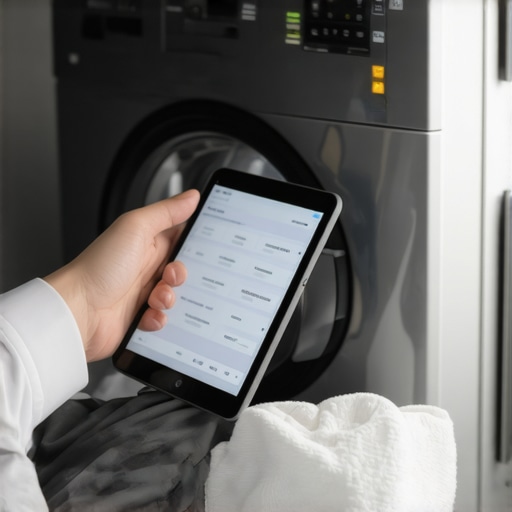
Last week, I was standing in my laundry room, frustrated because my smart washing machine suddenly stopped responding to my app commands. It was dead silent, and I felt that sinking suspicion—had I lost the connection? That moment was a real lightbulb for me. It became clear that firmware updates are not just annoying tech fluff; they’re crucial for keeping our appliances running smoothly and securely.
Why Firmware Updates Are the Unsung Heroes of Smart Appliances
When I first got my smart washing machine, I underestimated the importance of keeping its software up to date. I thought, “It’s working fine now, why bother?” But then, a glitch that seemed minor turned into a persistent headache—erratic cycle times, unresponsive controls, and even a weird odor from the drum. Turns out, those issues were rooted in outdated firmware, which prevented the machine from functioning optimally and even posed security risks. Experts agree that updating firmware ensures your appliances operate efficiently, fix bugs, and patch security vulnerabilities. According to Smart Appliance Review, neglecting firmware updates can leave your device vulnerable to cyber threats and cause performance problems.
So, why is this so crucial now? As our appliances become smarter and more connected, their software complexity increases. Manufacturers regularly release firmware updates to improve performance and security, much like your smartphone or computer. Not updating could mean missing out on significant improvements or exposing your data to unnecessary risks.
Is Firmware Updating a Hassle Worth Avoiding?
I remember my early mistake—trying to DIY everything without reading the manual or knowing the manufacturer’s update process. I ended up bricking my washer twice (not literally, but close enough). That’s why I want to share what I’ve learned so you can avoid the same pitfalls and get it right the first time.
Are you facing recurring issues with your smart washing machine? Do you worry about security vulnerabilities or simply want the best performance? Don’t worry—this guide will walk you through the simple steps to update your firmware safely and effectively, turning your gadget into the powerhouse it’s meant to be. Plus, I’ll share tips on recognizing when a firmware update is needed, so you’re never left guessing. Stay tuned, because taking these steps can extend your appliance’s life and keep your laundry routine smooth and stress-free.
Prepare Your Device and Environment
First, ensure your appliance is plugged in and connected to a stable Wi-Fi network. Just like preparing a recipe, gathering all ingredients beforehand prevents surprises later. I once attempted an update during a storm, causing interruptions, which led to a failed firmware install—messy and frustrating. So, choose a calm, well-lit time with reliable internet.
Check for Firmware Updates Manually
Navigate to your appliance’s app or control panel. For most smart dishwashers or washing machines, there is a section labeled “Settings” or “Device Info.” Tap or click on “Firmware Update” or “Check for Updates.” Think of this like checking your phone for updates manually—it’s the most direct way to verify if your device needs a newer version. I remember discovering a crucial update for my smart refrigerator this way, which improved energy efficiency significantly.
Download and Install the Update
Once the update is detected, follow prompts to download and install. Ensure the device remains connected and doesn’t lose power during this process—like charging your phone fully before a long trip. If prompted, do not interrupt or unplug the appliance. Interruptions can corrupt the firmware, causing malfunctions. During one update, my refrigerator’s screen flickered, and I feared I bricked it, but a quick reset fixed the issue—lesson learned to avoid another interruption.
Monitor the Installation Process
Stay nearby and observe progress indicators. Some appliances display progress bars, others show animated icons. Do not attempt to use the device until the update completes. Think of it like baking a cake: rushing or opening the oven early ruins the batter. I once tried to use my smart washer mid-update, which triggered an error, forcing me to restart the process—patience is key.
Verify Successful Update and Reboot
After installation, the device may reboot automatically. Check the firmware version in the app or control panel to confirm the update was applied successfully. If issues persist, consult the manufacturer’s troubleshooting tips—similar to restarting your computer when it acts up. For ongoing security and performance benefits, consider enabling automatic updates if available.
Address Common Problems Promptly
If the update fails, do not panic. Power cycle the appliance by unplugging for 30 seconds, then reconnect. Repeat the update process. Persistent issues might require contacting support via their contact page. I had a tricky firmware glitch with my smart oven, which was resolved after a support call, saving me from costly repairs.
 Many homeowners assume that selecting a new refrigerator or washing machine is simply about capacity, features, or energy ratings. However, as an expert in smart appliances, I can tell you that the real pitfalls lie in understanding the nuances that many overlook. For instance, the misconception that all smart appliances are universally compatible or easy to maintain can lead to costly mistakes. One common myth is that firmware updates are optional—nothing could be further from the truth. Neglecting these updates not only hampers performance but also exposes your devices to security vulnerabilities, as highlighted by recent industry studies.
Confusing high-tech features for unnecessary gimmicks is another trap. The so-called “smart” capabilities, such as AI-driven wash cycles or adaptive refrigeration, are designed to optimize energy use and prolong appliance lifespan. Yet, many users disable these features, believing they complicate maintenance, which paradoxically results in higher utility bills and more frequent repairs. Advanced automation is often misunderstood; to truly benefit, homeowners must learn how to fine-tune settings manually and understand the algorithms driving these smart functions.
Is Your Appliance Making Critical Assumptions About Your Lifestyle?
An often-overlooked nuance is the assumption that a one-size-fits-all approach works for appliances that claim to “adapt” to your habits. While adaptive wash cycles in washers or temperature settings in smart refrigerators are marketed as tailored solutions, they can sometimes misinterpret user behavior, leading to suboptimal performance or even damage. For example, an overly sensitive moisture sensor might cause unnecessary drying cycles or spoil fresh produce prematurely. According to experts from the Ultimate Guide to Smart Home Appliances, understanding these subtle biases in smart technology can help users customize and calibrate devices effectively.
A critical warning is to avoid trusting automation blindly. Many users think that their smart appliances are “set it and forget it,” but ignoring manual calibration options can lead to poor results. Regularly reviewing and adjusting these settings ensures that your appliance functions in harmony with your lifestyle, saving energy and extending device life.
Furthermore, the misconception that all compatibility issues are resolved once the devices are connected ignores the importance of network stability and cybersecurity. Weak Wi-Fi signals or outdated firmware can cause intermittent operation or open vulnerabilities. As I’ve stressed in articles on smart-home hub issues, investing in reliable internet infrastructure and timely firmware updates is crucial to maintaining seamless and secure operation.
Finally, remember that all these advanced features are only as good as your understanding of them. Educate yourself about the specific needs and limitations of your appliances. Don’t assume that modern tech will automatically solve all problems without proper management. By recognizing these often-hidden nuances, you can optimize your appliances’ performance and longevity.
Have you ever fallen into this trap? Let me know in the comments about your experiences with smart appliances and how you navigated their complexities.
Equip Yourself to Maintain Smart Home Appliances Long-Term
Maintaining your appliances isn’t just about occasional resets or firmware updates; it’s about having the right tools and a systematic approach. I’ve found that investing in reliable diagnostic tools and employing disciplined maintenance routines dramatically extend the lifespan of devices like refrigerators, washers, and dishwashers.
One indispensable device I use regularly is a digital multimeter, specifically a Fluke model. It’s invaluable for troubleshooting electrical issues in appliances, especially when you’re trying to pinpoint unexpected power drains or faulty wiring. Paired with a reliable Wi-Fi analyzer app, I routinely verify that my smart appliances maintain a stable connection, which is critical for automatic updates and remote management. These tools allow me to troubleshoot issues myself before calling support, saving time and money.
Beyond hardware, I favor software solutions such as appliance-specific diagnostic apps. Many modern appliances have companion apps that provide detailed error codes and maintenance reminders. For example, Samsung’s SmartThings lets me run diagnostic tests on my refrigerator and dishwasher remotely, catching potential problems early. Regularly running these diagnostics, especially after firmware updates, helps prevent small issues from becoming costly repairs.
Developing a maintenance schedule is another game-changer. I dedicate time monthly to clean condenser coils (with a brush and vacuum—see this guide) and inspect door seals. Visual inspections combined with digital diagnostics help catch leaks, abnormal noises, or performance drops early. This proactive approach significantly improves appliance longevity and efficiency.
Where do I see smart appliance maintenance heading? The future is increasingly leaning toward predictive maintenance powered by AI and IoT sensors. These innovations could alert homeowners to impending failures weeks in advance, enabling even more targeted interventions without guesswork. Industry experts believe that by 2025, most high-end models will have built-in sensors that communicate directly with support networks, simplifying long-term upkeep (forecast here).
How do I maintain my appliances to last longer?
The key is to combine the right hardware diagnostics with a disciplined cleaning and inspection routine. I recommend starting by adding a quality multimeter to your toolkit—like the Fluke 117, which I use personally because of its durability and accuracy. Use it regularly to check electrical connections, especially after firmware updates or power outages. Simultaneously, utilize your appliance’s diagnostic features to monitor performance. Scheduling a monthly cleaning of components like condenser coils or door seals prevents many issues and keeps energy bills low. Don’t forget to document any anomalies or error codes; this helps when consulting support or planning repairs.
By adopting these tools and habits today, you set yourself up for a smoother, more reliable appliance experience tomorrow. Want to try out a practical tip? Start by running diagnostic tests via your appliance’s smartphone app after your next firmware update. This simple step can reveal underlying issues early—saving you both time and money down the road.
The Hardest Lesson I Learned About Smart Appliances
One of my most valuable realizations was that firmware updates are not just routine maintenance—they’re the backbone of appliance longevity and security. Skipping updates can lead to performance issues and expose you to cyber threats, which I experienced firsthand when neglecting these updates caused my smart washer to malfunction unexpectedly.
3 Myths About Smart Appliances That Held Me Back
I once believed that all smart appliances were universally compatible and maintenance-free. Dispelling these myths opened my eyes to the importance of understanding device-specific requirements, compatibility, and the necessity of regular firmware checks to ensure optimal performance.
What Industry Experts Won’t Tell You About Home Appliance Care
Professionals emphasize proactive maintenance over reactive repairs. Regular diagnostic checks with trusted tools, like a reliable multimeter, combined with deep understanding of your appliances’ smart features, can prevent costly breakdowns and prolong their lifespan—something I wish I had prioritized earlier.
My Essential Toolkit for Smart Appliance Management
I highly trust the Ultimate Guide to Smart Home Appliances for comprehensive insights and troubleshooting tips. Additionally, diagnostic apps from brands like Samsung’s SmartThings help monitor device health remotely. These resources have empowered me to troubleshoot issues early and maintain peak performance.
How to Get Started with Long-Term Appliance Wellness
Take small, consistent steps—like scheduling monthly cleaning routines, running diagnostic tests, and staying updated with firmware releases. Incorporating these habits into your routine can dramatically improve appliance reliability and efficiency, making your smart home truly work for you.
Your Turn to Trust Your Intuition with Tech
Empower yourself with knowledge—your smart appliances are an investment worth nurturing. By understanding their nuances and performing regular maintenance, you’ll enjoy seamless performance and peace of mind. Ready to elevate your smart home game?
What’s the biggest challenge you’ve faced with maintaining your smart appliances? Share your story below—I’d love to hear it!