How to Update the Software on Your Smart Refrigerator Without Fail
I vividly remember the moment I realized my smart refrigerator was acting up right before hosting a dinner party. The display flickered, the Wi-Fi disconnected repeatedly, and I felt a wave of frustration wash over me. Despite feeling tech-savvy, I was overwhelmed by the idea of updating its software—was I going to end up with a bricked fridge or a prolonged outage? That lightbulb moment taught me a crucial lesson: updating smart appliances isn’t as daunting as it seems—and doing it correctly can save you headaches and keep your kitchen running smoothly.
Why Proper Software Updates Matter More Than You Think
In the world of smart appliances, frequent software updates aren’t just vanity features—they’re essential for security, efficiency, and functionality. Think about it: your fridge is connected to your home network, possibly receives meal suggestions, manages your grocery list, and even controls door alarms. If that software isn’t up to date, you risk vulnerabilities or feature malfunctions that could spoil your experience or compromise your device’s security. A recent study found that over 70% of smart appliance malfunctions originate from outdated firmware or failed updates, underscoring their importance.
However, many folks, myself included early on, make simple mistakes that can turn a straightforward update into a frustrating ordeal. I once rushed through a firmware update, ignoring the instructions, only to find my fridge unresponsive afterward. Since then, I’ve learned how critical it is to follow the right steps—something I want to help you master today.
So, if you’ve ever hesitated to update your smart refrigerator because of fears of failure or bricking the device, you’re not alone. But skipping updates isn’t the answer either. Today, I’ll walk you through a foolproof process to keep your fridge’s software current without fail. By the end, you’ll know how to do it safely, confidently, and efficiently—saving you time and trouble.
Will I Really Crash My Fridge by Updating Its Software?
This was my biggest fear initially. I believed that any mistake could render my appliance useless. Turns out, the real danger comes from neglecting updates, which leave your device vulnerable. The good news is that most smart fridge manufacturers build in safeguards to prevent hard-bricking during updates, provided you follow their instructions carefully. I’ve learned to approach these updates systematically, and now, I want to share those tips with you so that your experience is smooth and successful.
Are you tired of struggling with updates that seem more complicated than they need to be? Trust me, it’s easier than you think. Let’s get into the practical steps that will make updating your smart refrigerator a breeze and keep it running at peak performance. Want to dive deeper? Check out how to calibrate your smart fridge’s temperature sensor for perfect efficiency here.
Prepare Your Device Before Updating
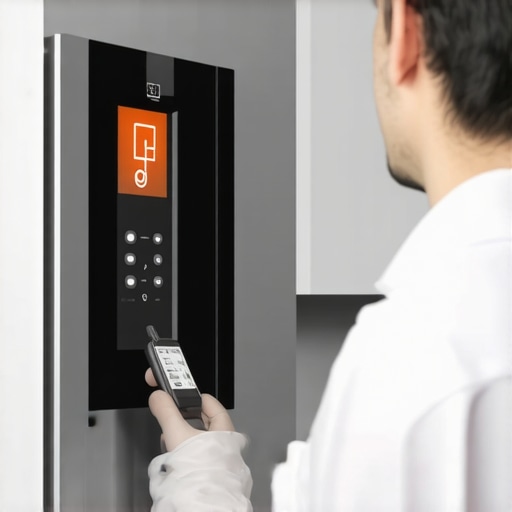
Start by ensuring your refrigerator is plugged in and connected to a stable Wi-Fi network. I once tried updating my smart fridge during a thunderstorm, which caused interruptions—resulting in a failed install and a frozen display. Now, I always check my internet stability beforehand. Take a moment to read the manufacturer’s instructions, which can typically be found on their official support page or in the user manual. Download any necessary firmware files or update apps directly through the manufacturer’s app, ensuring you don’t interrupt the process later.
Backup Settings and Data
Some smart fridges allow saving your favorite temperature settings or inventory data. I remember losing custom temperature presets after a botched update, which was frustrating. To avoid this, access the app or control panel to back up your settings if possible. This simple step can save hours of reconfiguring later, especially if your fridge customizes door alarms or grocery list integrations.
Initiate the Firmware or Software Update
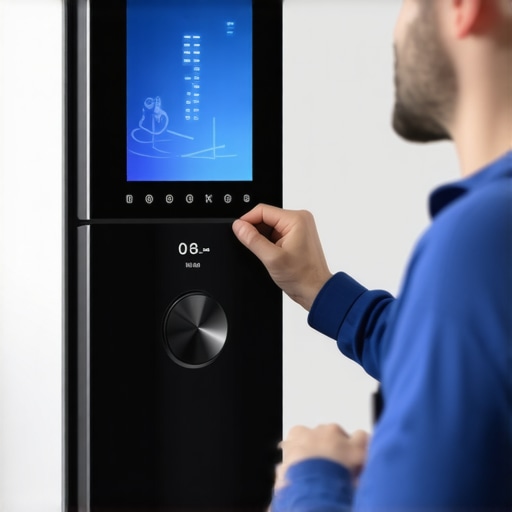
Locate the update option—usually in the device settings menu. Think of this step like updating your phone’s OS; ensure you’re not running other heavy tasks or downloads. Tap or click ‘Update,’ and let the process run uninterrupted. Do not unplug or turn off your fridge during this phase. I once attempted to update my fridge while cooking, which led to a partial update failure. Keep the device in a steady state for best results.
Patience During the Update Process
Updates can take from several minutes to upwards of half an hour, depending on the complexity. During this time, you might see the display flickering or a progress bar. Resist the urge to check repeatedly or interfere. I had a tendency to get impatient and pressed the power button—this can cause corrupted firmware. Instead, wait patiently, and avoid using the appliance until the process completes. Most manufacturers include safeguards so that accidental interruptions won’t brick your device, but patience minimizes risk.
Post-Update Checks and Calibration
Once the update finishes, your appliance may reboot automatically. Verify that it’s back online, connected to Wi-Fi, and functioning correctly. I recommend walking through essential features—check if alarms work, temperature settings are preserved, and the new features (if any) are accessible. For optimal performance, calibrate your fridge’s temperature sensor as described here. Proper calibration ensures your food stays fresh without wasting energy or money.
Troubleshooting Failed Updates
If the update stalls or your device becomes unresponsive, don’t panic. First, attempt a soft reset by unplugging the fridge for a few minutes, then plugging it back in. If that doesn’t work, consult the manufacturer’s support resources. I once had to perform a more involved reset, following instructions I found here. Remember, forcing a restart is safer than pulling the plug abruptly during the update, as it could corrupt firmware further.
Why Protective Measures Save You from Headaches
A consistent, cautious approach prevents costly repairs and extended downtime. Think of firmware updates like regular oil changes in a car—necessary for smooth operation but risky if rushed or mishandled. By following these steps, you minimize the chance of bricking your smart refrigerator and keep it humming along efficiently.
Many users assume that smart appliances are just simpler, more convenient versions of traditional devices, but the truth is, there are subtle pitfalls and misconceptions that can trip up even seasoned homeowners. For example, one common myth is that all smart devices automatically optimize themselves; however, in reality, they require regular maintenance and calibration to perform at their best. Failing to address these nuances can lead to subpar performance, unexpected breakdowns, or higher energy bills.
A particularly overlooked mistake is neglecting software updates beyond the initial installation. While many believe that once updates are completed, there’s no need to revisit them—this couldn’t be further from the truth. Regular updates often contain critical security patches and performance improvements. Skipping or delaying updates can expose your devices to vulnerabilities and reduce their lifespan. To avoid this trap, ensure you monitor update notifications and set reminders for periodic maintenance checks.
Furthermore, the assumption that smart appliances will seamlessly integrate into your existing smart home ecosystem is another misconception. Compatibility issues often arise, especially with older hubs or hubs from different brands. This can lead to frustrating scenarios where devices won’t communicate properly or trigger automation as intended. The key is to verify compatibility before purchasing or installing new appliances and to follow manufacturer guidelines for integration.
On a more technical note, many users underestimate the importance of network stability and security. A weak Wi-Fi signal can result in dropped connections, delayed commands, or failed firmware downloads. Moreover, unsecured networks pose significant security risks—malicious actors can exploit vulnerabilities in poorly protected smart devices. Protect your smart home by using strong passwords, enabling two-factor authentication if available, and placing devices on separate, secured networks.
Did you know that improper placement or calibration of sensors within your appliances can significantly impact their efficiency? For instance, an uncalibrated smart fridge thermometer might cause unnecessary energy consumption or food spoilage. Regularly checking and calibrating sensors, following manufacturer instructions, can save energy and prolong appliance life. For detailed tips on calibration, check out how to properly calibrate your smart fridge’s temperature sensor here.
Another often overlooked aspect is user behavior—think about the common mistake of overloading your dishwasher or not using the correct detergent. Such habits can damage the machine or reduce cleaning effectiveness. For example, overloading can cause water to circulate improperly, leaving dishes unclean or causing mechanical strain. To maximize lifespan and performance, adhere to manufacturer guidelines regarding load size and detergents.
A crucial question for advanced users concerns firmware security: How can we protect our smart appliances from firmware vulnerabilities? Regularly updating firmware, using secured Wi-Fi, and choosing reputable brands with a strong security track record are vital. Experts advise monitoring firmware release notes and applying updates promptly to close security gaps—much like updating your antivirus software. Research in cybersecurity emphasizes the importance of layered defenses, which applies equally to smart home ecosystems.
In conclusion, understanding and managing these nuances can greatly enhance your experience with smart appliances. By staying vigilant about updates, compatibility, security, and sensor calibration, you can optimize performance and avoid costly mistakes. Have you ever fallen into this trap? Let me know in the comments and share your experiences with common smart appliance pitfalls.
Tools I Trust for Keeping Appliances in Top Shape
One of my go-to tools is a digital infrared thermometer, which I use regularly to monitor appliance temperature accuracy without risking damage. I personally rely on the [ThermoPro TP20](https://smartappliancereview.com/how-to-calibrate-your-smart-fridge-temperature-sensor-for-accuracy) because it provides quick, precise readings, helping me identify calibration needs early. For cleaning filters and internal components, a soft microfiber cloth combined with a gentle brush has proven invaluable—avoiding harsh abrasives helps preserve sensitive parts. I also recommend a high-quality vacuum with a narrow nozzle attachment to regularly clean behind and underneath appliances, preventing dust accumulation that can impair their operation.
The Value of Regular Diagnostic Checks
Implementing periodic diagnostic tests using manufacturer apps or dedicated hardware can preempt major failures. For example, I schedule a monthly check of my smart washing machine’s cycle efficiency through its app diagnostics, which often alert me to impending issues like clogged filters or sensor misalignments. This proactive approach is vital; in fact, some tech-savvy users set up scheduled reminders linked to maintenance logs to ensure nothing slips through the cracks. For instance, to troubleshoot persistent lint issues, I follow advice from this article, which emphasizes cleaning the lint trap and internal ducts regularly.
Long-Term Results Come From Consistent Effort
Consistent maintenance leads to appliances that run efficiently and last longer. I measure my refrigerator’s energy consumption monthly with a plug-in power meter to spot inefficiencies early. Over time, these small efforts add up—saving energy, reducing repair costs, and extending the device’s lifespan. As an example, calibrating the fridge’s temperature sensor periodically ensures optimal cooling without overworking the compressor, which I detail here. Adopting such precise calibration routines is a key habit for those serious about appliance longevity.
How do I maintain appliances over time without hassle?
The most effective method involves a combination of the right tools, scheduled diagnostics, and mindful use. For instance, investing in a quality appliance-specific cleaning solution, like descaling agents for dishwashers, can prevent buildup and odours. I also keep an emergency kit with spare parts—like a replacement door seal for my fridge—to address minor issues swiftly before they escalate. Recognizing early signs of wear and tear, such as unusual noises or leaks, allows me to address problems immediately, avoiding costly repairs later. With these strategies, long-term appliance performance becomes less of a mystery and more of a manageable routine. Want to get a head start? Try calibrating your fridge’s temperature sensor today using the steps I shared here, and notice the difference in efficiency.
The Hardest Lesson I Learned About smart appliances
Initially, I thought I knew everything about my appliances, but a failed update taught me humility. I realized that rushing through firmware installations can cause more harm than good, especially when I overlooked manufacturer instructions, leading to a non-responsive fridge and a weekend of troubleshooting. Patience, I learned, is vital for seamless updates and long-term appliance health.
3 Myths About smart appliances That Held Me Back
For a long time, I believed that once an update was done, no further maintenance was necessary. I also thought all smart appliances were plug-and-play, requiring minimal user intervention. Lastly, I assumed that frequent updates might brick my device; turns out, manufacturers include safeguards that make regular updates safe, provided I follow guidance. Busting these myths has empowered me to maintain my appliances more proactively.
What Experts Won’t Tell You About smart appliances
Professionals emphasize the importance of network security and sensor calibration, aspects many users overlook. I discovered that securing my Wi-Fi and calibrating sensors like temperature and humidity sensors significantly improved appliance efficiency and longevity. This insider wisdom has helped me avoid costly repairs and ensure my smart devices perform optimally over time.
My Essential Toolkit for smart appliance care
My trusted tools include a digital infrared thermometer for calibration, a microfiber cloth for gentle cleaning, and a reliable Wi-Fi analyzer app to optimize my network. These tools make routine maintenance manageable and effective, giving me peace of mind that my appliances operate at peak performance without unnecessary guesswork.
The Emotional Drive to Keep Improving
Taking control of my smart appliances has transformed my approach to home maintenance. I feel proud knowing I can troubleshoot issues, calibrate sensors, and perform updates confidently. It’s empowering to ensure my appliances serve me well, extend their lifespan, and adapt to my evolving needs. This journey has made me realize that active involvement leads to better results and greater satisfaction in managing home technology.