
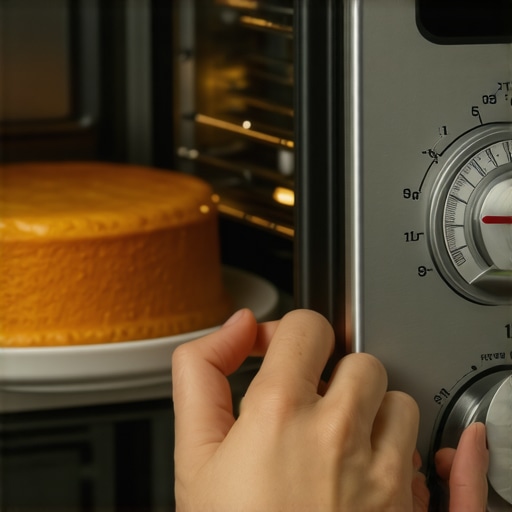
I stood there, staring at the smoky, black-edged remains of my grandmother’s famous lemon sponge cake, feeling like a total failure. I followed the recipe to the letter. 350 degrees for 30 minutes. But my oven had other plans, turning a celebratory dessert into something that looked more like a hockey puck. I’ve been there, scraping carbonized batter off a baking sheet while wondering if I should just give up and buy a toaster oven. It’s frustrating. It’s expensive. And honestly, it’s a bit insulting when your ‘smart’ kitchen decides to sabotage your hard work.
Your Digital Display Is Not the Boss of Your Kitchen
The first thing I did—and this was a huge mistake—was blame my baking sheets. I spent way too much money on heavy-duty ceramic pans, thinking my old ones were just conducting heat too fast. Spoiler alert: the pans weren’t the problem. The problem was that my oven’s internal brain thought 350 degrees was actually 385. We’re going to stop that madness today. I’m going to show you how to take control back from your appliance so you can actually trust the numbers on the screen again. You might find that you need to recalibrate a smart oven thermostat that burns everything to get back to baking perfection. It’s surprisingly simple once you realize that even the most expensive models can be incredibly fickle. Sometimes, the issue is the opposite, and you have to fix a smart oven that won’t reach the target temperature, but the core problem remains the same: a lack of communication between the sensor and the heating element.
Does a ten-dollar gadget really beat a thousand-dollar smart sensor?
It sounds ridiculous, doesn’t it? You spend a mortgage payment on a sleek stainless steel range, and yet a cheap analog thermometer from the grocery store is often more accurate. According to the culinary experts at America’s Test Kitchen, home ovens frequently deviate by 25 to 50 degrees from their set temperature. That’s the difference between a golden-brown crust and a fire hazard. I spent years thinking I was just a bad baker until I realized my equipment was gaslighting me. You might even notice that your smart oven takes longer to preheat than your old analog model, adding even more confusion to the process. Have you ever had a recipe fail spectacularly because your oven went rogue? Tell me your worst kitchen disaster in the comments below; I promise I won’t judge, because I’ve likely done worse. Let’s look at how we can stop the burning and start the baking.
Grab a Manual Thermometer and Find Your Baseline
The biggest mistake most people make is trusting the ‘preheat’ beep. In most smart ovens, that beep is just a timer based on an algorithm, not a measurement of the actual air temperature inside the cavity. To truly see what is happening, you need a cheap, stainless steel oven thermometer. I remember the first time I did this after a disastrous batch of macarons that looked like puddles. I placed the thermometer in the center of the rack, set the oven to 375°F, and waited. My oven beeped ready in eight minutes, but the manual dial only read 310°F. It took another twelve minutes for the thermometer to actually hit the target. If I had put my tray in at the beep, the bake would have been ruined. This is why you must ignore the screen and watch the dial. If you find your appliance is consistently off, it might be time to recalibrate your refrigerator’s internal thermometer as well, as these sensors often share similar calibration logic across brands. Establishing this baseline is the only way to know if your oven is running hot or cold.
Navigate the Settings to Enter Calibration Mode
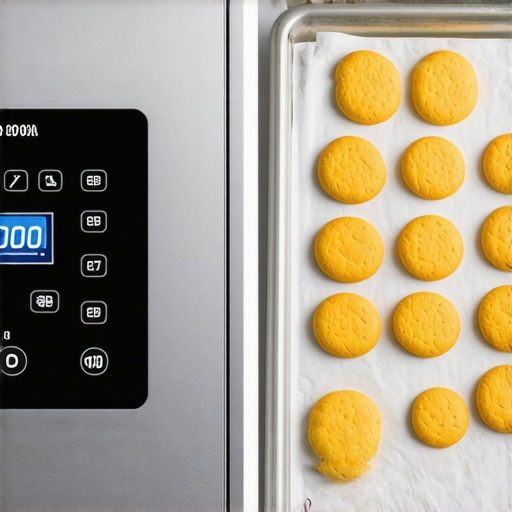
Once you know exactly how many degrees your oven is off, you don’t just have to ‘do the math’ in your head every time you bake. Most smart ovens have a hidden offset setting. On my LG unit, I had to dig through the ‘Settings’ gear icon, scroll past the Wi-Fi options, and find ‘Oven Offset.’ This allows you to tell the oven, ‘Hey, when you think you are at 350, you are actually at 335, so add 15 degrees.’ It is a game-changer. It is very similar to how you might recalibrate a smart oven thermostat that burns everything by manually adjusting those software parameters. I once adjusted mine by 20 degrees after a sequence of burnt biscuits, and suddenly, the ‘smart’ part of my kitchen actually started acting smart again. If you cannot find this in your app, check the physical touch panel; sometimes these deeper ‘service’ settings are intentionally kept off the mobile interface to prevent accidental changes.
Balance Your Kitchen’s Tech Load
Your oven isn’t just a heating box anymore; it is a computer that generates heat. If your kitchen is packed with tech, sometimes the signals get crossed. I once had a situation where my oven kept throwing a sensor error every time my dishwasher started its heavy cycle. It sounds crazy, but if you are trying to set up a smart kitchen without spending a fortune, you might be dealing with electrical interference or Wi-Fi congestion. If your oven’s brain is struggling to maintain a connection, it can occasionally lag in its sensor reporting. I found that I had to stop my smart oven from dropping the Wi-Fi signal by moving my router closer, which weirdly stabilized the temperature fluctuations. Just like you would bypass the smart features on your appliance for manual use when the app crashes, sometimes you just have to turn off the ‘Smart’ settings for a day to see if the hardware performs better on its own. This diagnostic step saved me from calling a repairman for what ended up being a simple router issue.
The Sugar Cube Heat Map Test
If your calibration is correct but you are still getting burnt edges, you might have ‘hot spots’ rather than a calibration issue. This is the ‘hardware’ side of the problem. Take a baking sheet and place sugar cubes in a grid pattern across the surface. Put them in at 350°F and watch which ones melt first. In my old oven, the back-left corner would liquefy while the front-right stayed solid. No software update can fix a physical airflow problem. In those cases, you have to learn to rotate your pans halfway through. It is about as essential as knowing the best way to load a dishwasher for maximum water flow; if the air (or water) can’t reach the target, the tech doesn’t matter. I once ignored a hot spot while roasting a chicken, and half the bird was dry while the other half was barely at temp. Now, I use the sugar cube map as my kitchen’s ‘cheat sheet’ so I know exactly where to place my most delicate pastries.
While the sugar cube test helps you master the physical quirks of your oven, there is a much deeper layer of ‘smart’ deception we need to tackle. Most of us assume that a more expensive machine with a fancy LCD screen is inherently more efficient, but that is a classic trap. In reality, that ‘Eco’ button you press religiously might be the primary reason your plates still feel greasy or your washer smells like a damp basement. The truth is, the truth about the eco mode on your new dishwasher is often that it trades heat for time, which can lead to long-term grease buildup in your pipes. According to the Association of Home Appliance Manufacturers (AHAM), modern efficiency standards have forced manufacturers to use lower temperatures and less water, which necessitates much longer run times to achieve the same level of sanitation. If you find yourself constantly guessing if your machine is actually saving you money, you must learn how to tell if your appliances eco-friendly tag is just marketing before you commit to your next kitchen upgrade. 
Stop Trusting the App Diagnostics Blindly
A massive mistake I see tech-savvy homeowners make is relying solely on the ‘Self-Diagnosis’ feature in their apps. We assume that if the software doesn’t throw an error code, the hardware is fine. This is rarely the case. For example, why your front loader is vibrating so hard it shakes the whole house usually has everything to do with physical shock absorbers wearing out, something your smart sensor might not flag until the unit literally walks across the floor. You have to trust your ears and eyes over the digital notification. If the machine sounds like a jet engine, it is broken, regardless of what the green checkmark on your phone says. Have you ever fallen into this trap of ignoring a weird noise because the app said ‘System Normal’? Let me know in the comments.
Why does a simple dishwasher cycle now take four hours?
This is the most common advanced question I get from people moving from old analog units to new AI-integrated ones. You are not crazy; why your dishwasher is taking four hours to finish a single load is actually a byproduct of those smarter water-saving algorithms we discussed earlier. To use less water, the machine has to soak and recirculate it for much longer periods. It is a trade-off that prioritizes utility bills over your schedule. However, if your dishes are coming out both wet and dirty, the problem might be the hidden sensor that stops your dishwasher from drying properly, which can get clouded by hard water deposits and trick the computer into ending the dry cycle early. Understanding these hardware-software conflicts is the only way to truly master a modern kitchen.I’ve realized that the ‘smart’ in smart appliances stands for ‘software-monitored,’ but the hardware is still subject to the laws of physics. If you want to avoid a $300 service call for a $5 sensor, you need to get comfortable with a little bit of dirt. My absolute go-to for dishwashers is learning the trick to removing hard water spots from your dishwasher interior. Calcium buildup is the silent killer of sensors; it coats the turbidity sensor—the one that ‘sees’ how dirty the water is—and forces the machine to run longer than it needs to. I personally use a shop-vac once every six months to suck out the standing water in the sump; it is the only way to ensure no debris is clogging the impeller. If you hear a constant rattle, it is often because you need to stop your refrigerator from vibrating against the cabinets, which can loosen internal wiring over time.
How can I keep my smart appliances running like new for a decade?
Consistency beats complexity every time. I treat my appliances like my car. Every quarter, I go through a mental checklist: I replace the water filter in my fridge without making a mess, I scrub the gasket on the front-loader to prevent mold, and I check the heating element. Here is my pro tip: buy a basic digital multimeter. According to the technical experts at RepairClinic, a heating element should show between 10 and 50 ohms of resistance. If yours is showing ‘infinite,’ it is dead, and no amount of app-resetting will fix it. Knowing how to tell if your dishwasher heating element is actually broken with a physical tool is the ultimate power move. It stops you from being at the mercy of a technician’s schedule. 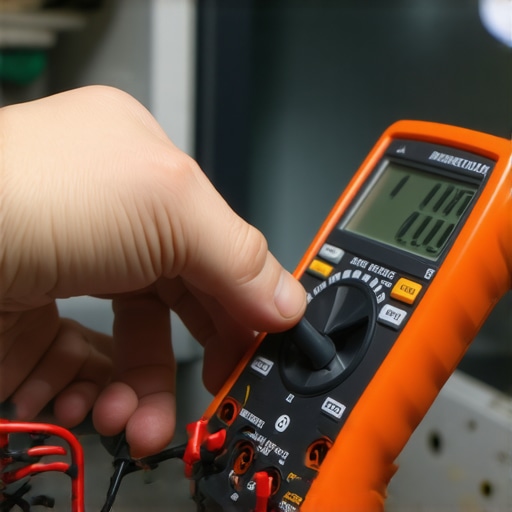
Master the Low-Tech Fixes for High-Tech Problems
Don’t forget the drainage. A smart washer is useless if the physical drain pump is clogged with a stray nickel or a clump of pet hair. I always tell my friends that the 5-minute fix for a washing machine that won’t drain is usually just clearing the coin trap. If you don’t do this, the computer will eventually burn out the motor trying to push water against a blockage. Looking ahead, the future of home appliances trends to watch in 2025 suggest we are moving toward ‘Matter’ compatibility, which means your fridge and your washer will finally speak the same language regardless of the brand. This should make diagnostics much more accurate, but for now, we are the bridge between the digital and the physical. I challenge you this weekend to pull out your dishwasher kickplate and just look for leaks or dust—it might save you thousands. We aren’t finished yet; there is one more secret to ensuring these machines don’t just work, but work efficiently for the long haul.
Why My Kitchen Software Almost Won the War
After years of tinkering, I realized that the biggest hurdle isn’t the technology itself, but our blind faith in it. These were the lightbulb moments that changed how I cook and clean:
- The digital readout is a suggestion, not a fact. Always verify with a secondary physical tool.
- Firmware updates can fix software bugs, but they can’t fix a loose wire or a clogged filter.
- If you experience a sudden glitch, knowing how to reset your smart appliance after a major power surge is often the fastest way to clear a frozen screen.
- Cleaning the hardware is the best ‘software’ optimization you can perform; a clean sensor is a fast sensor.
The Gear That Actually Makes a Difference
If you want to move from frustrated owner to kitchen master, you need a few non-negotiable tools in your drawer. I personally rely on these every time a sensor goes haywire. First, a high-quality stainless steel oven thermometer is the only way to audit your calibration. Second, a simple digital multimeter allows you to test heating elements before calling a pro. Finally, keep specialized cleaners handy; learning the best way to clean a stainless steel fridge without scratching it keeps your exterior sensors clear and your kitchen looking sharp. I also highly recommend bookmarking the ultimate guide to smart home appliances for a modern living as a reference for when you’re ready to expand your ecosystem.
#IMAGE_PLACEHOLDER_E#
Take Back Control of Your Modern Kitchen
It’s easy to feel overwhelmed by sensors and Wi-Fi alerts, but remember that these tools are there to serve you, not the other way around. By applying these physical checks and calibration tricks, you ensure that your smart appliances remain an asset rather than a headache. If you hear a strange sound, don’t ignore it; identifying the refrigerator noise that means your fan motor is dying early can save your groceries and your sanity. Don’t be afraid to get your hands a little dirty to keep the gears turning smoothly. Your future self—and your next batch of cookies—will thank you for it. Have you ever found a simple physical fix for an appliance that the digital app couldn’t solve? Share your story in the comments below!