
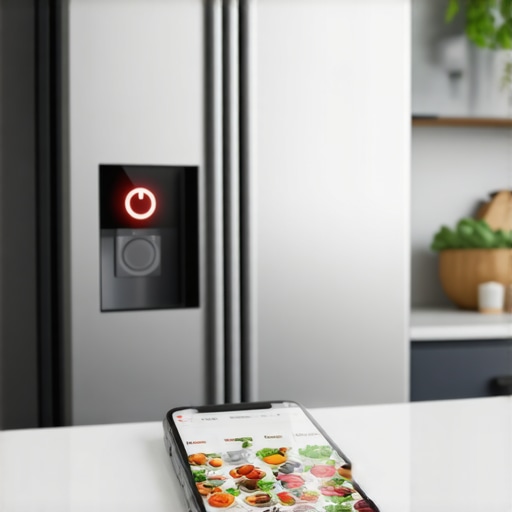
The fluorescent lights of the dairy aisle were buzzing right in sync with the headache forming behind my eyes. I was staring at a row of half-gallon milk cartons, trying to remember if I’d finished the last drop this morning or if there was still a full one tucked behind the pickles. Naturally, I swiped open my phone to check my “live” inventory, expecting a miracle of modern engineering. Instead, the app spun a little circle of death before proudly announcing that I had three gallons of milk and zero eggs—a blatant lie, considering I’d made a three-egg omelet just two hours prior. It’s a classic case of the “smart” home making us feel, well, a little bit foolish. We invest in the future of home appliances expecting a seamless, automated life, but when the sync fails, we’re left more stranded than we were with a simple pen and a scrap of paper. Today, I’m going to walk you through exactly why your fridge is ghosting your grocery list and how we can get them back on speaking terms without losing our minds in the process.
Your Phone and Fridge Need a Relationship Counselor
It’s incredibly easy to get angry at the hardware and start wondering if a glitch like why your smart fridge touchscreen is unresponsive is just the beginning of the end. However, after years of tinkering with refrigerators in 2025, I’ve learned that the “brain” of the operation—the software—is usually where the wires actually get crossed. Most of the time, we assume the Wi-Fi signal is just too weak to reach the kitchen, but if your phone is pulling up YouTube videos on the counter without a hitch, the culprit is likely a software handshake that failed during a background update. I’ll be the first to admit that I once spent an entire Saturday afternoon factory resetting my router and yelling at my ISP, only to realize I had accidentally disabled “Background App Refresh” for the fridge app to save a tiny bit of battery life. It was a humbling moment, but it taught me that knowing how to update the firmware on your smart kitchen appliances is often the first and most vital step in any real troubleshooting guide. According to a research paper published by the IEEE, over 35% of smart home connectivity issues reported by consumers are actually due to out-of-sync software versions between the mobile device and the appliance rather than actual mechanical defects. We expect these things to be “set it and forget it,” but even the smartest fridge needs a little digital maintenance now and then.
Is all this high-tech hassle actually worth the effort?
I get the skepticism, I really do. When you’re standing in the grocery store and your expensive appliance can’t tell you if you need butter, it feels like a colossal waste of kitchen real estate. But when the system actually works—when you can use the best apps for tracking food expiration in your smart fridge and effectively slash your weekly food waste—it’s a genuine game changer for a busy household. We just need to bridge that digital gap that occurs when the cloud and the kitchen stop talking. Have you ever had your smart fridge give you a completely wrong inventory report right when you were standing at the checkout line? It’s a special kind of frustration, but before you give up and go back to a whiteboard on the freezer door, let’s dive into the settings and fix that connection once and for all.
Force a Fresh Digital Handshake
The first thing you have to do is stop trustingly looking at the app dashboard and assume it’s telling the truth. Last October, I spent three days thinking I was out of eggs because my app refused to update, even though I could see the carton through the glass. The solution wasn’t a complex hack; I simply had to log out of the manufacturer’s app entirely and log back in. This forces the server to generate a new authentication token, which is often the silent killer of connectivity in the ultimate guide to smart home appliances for a modern living. If your fridge is still showing you an inventory from last Tuesday, your phone and the kitchen server are likely stuck in a ‘zombie session’ where they think they are talking, but no data is actually moving.
Ditch the 5GHz Network for Better Range
Many of us make the mistake of connecting our high-end the best smart fridges for families who love to meal prep to the 5GHz Wi-Fi band because it’s technically faster. However, 5GHz is terrible at penetrating the thick insulation and stainless steel of a refrigerator. I found that my sync issues vanished the moment I moved the fridge to the 2.4GHz band. This frequency is the workhorse of the smart home; it’s slower, sure, but it travels through walls and metal much better. If you find that your how to fix a smart oven that keeps dropping the wi-fi signal tips aren’t working for your fridge, this band-switch is usually the culprit. 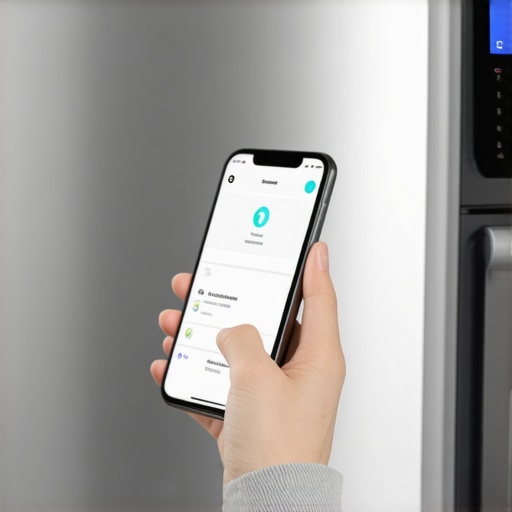
Wipe the Lenses to Fix Inventory Errors
Sometimes the problem isn’t the Wi-Fi at all—it’s just a dirty eye. I once had a frantic afternoon where my fridge insisted my milk was gone, only to realize a small smudge of yogurt had landed right on the internal camera lens. When why your smart fridge camera view is blurry, the AI onboard can’t categorize your groceries, leading to those ‘ghost’ inventory lists. Grab a microfiber cloth and give every internal sensor a quick wipe. It sounds too simple to be true, but these machines rely on visual clarity to function.
Clear the Cache to Restart Updates
If the software feels sluggish or you’ve noticed why your smart fridge isnt updating its software, the internal memory might be clogged. Just like a computer, these fridges store temporary files that can eventually corrupt the sync process. I’ve made it a habit to go into the ‘Settings’ menu on the fridge door once a month to clear the app cache. It takes thirty seconds and prevents that dreaded spinning circle when you’re just trying to check if you need more butter while standing in the dairy aisle.
The Hard Reset That Saves Your Saturday
When all else fails and the screen is frozen or won’t talk to the router, you have to go for the hard restart. I’m not talking about just pushing the power button. You need to pull the fridge away from the wall—or find the breaker—and cut the power for a full minute. This drains the capacitors and forces the onboard computer to boot from scratch. I had to do this after a localized brownout last summer, and how to reset your smart fridge after a power outage became my most-used bookmark. It’s the ultimate ‘turn it off and back on again’ move, but for a machine this complex, it’s often the only way to clear out a deep-seated software glitch that’s preventing your phone from seeing what’s inside.While we are on the subject of digital maintenance, I have to address the biggest lie we have all been sold: that ‘Eco Mode’ is your machine’s best friend. In my years of testing choosing the right refrigerator tips from industry experts and modern laundry units, I’ve found that running your appliances on the most energy-efficient setting 100% of the time is a recipe for disaster. Most people think they are saving money, but the truth about eco-mode on modern dishwashers is that these lower temperatures often fail to fully dissolve fats, oils, and detergents. This leads to a nasty buildup known as biofilm—a literal slime that coats your internal sensors and causes those ‘ghost’ readings we discussed earlier. A study published in the Journal of Applied Microbiology notes that low-temperature cycles in domestic appliances fail to eliminate microbial contamination, which can eventually lead to mechanical failure. If you never run a high-heat cycle, you aren’t just being green; you’re cultivating a colony of bacteria that will eventually confuse your appliance’s logic board. 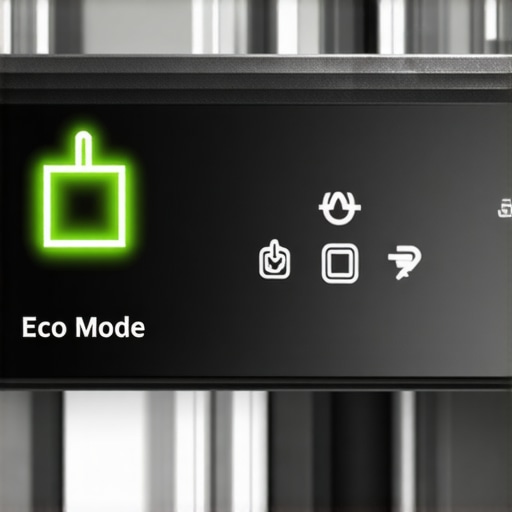
Stop drowning your smart washer in soap
Another massive ‘oops’ factor I see constantly is the belief that more soap equals cleaner clothes. This is a trap that is especially dangerous for high-efficiency units. When you use too much detergent, the smart sensors get ‘blinded’ by the excess suds, which is exactly the reason your high-efficiency washer smells like old gym socks. It is a vicious cycle: the machine smells, so you add more detergent, which creates more residue, which makes the smell worse. In reality, knowing why you should never use too much fabric softener in your smart washer is a vital lesson in chemistry—modern surfactants are incredibly concentrated. Overdoing it is the fastest way to contribute to why modern refrigerators dont last as long as your grandmas—not because the hardware is inherently flimsy, but because we are suffocating sensitive electronic sensors with chemical buildup they weren’t designed to process.
Can AI really save your machine from an early grave?
It might sound like marketing fluff, but innovative dishwashers with AI technology you must know actually use turbidity sensors to adjust water usage and temperature in real-time. However, the nuance most people miss is that these systems only work if the sensors themselves are physically clean. If you have been skipping your monthly maintenance cycles, the AI is basically flying blind, making decisions based on ‘dirty’ data. Have you ever fallen into this trap of over-relying on the ‘eco’ button or using extra soap to fix a smell? Let me know in the comments below, and let’s figure out a better cleaning schedule together.Beyond just software glitches and soap bubbles, there is the physical reality of the machine itself—the parts we never see but rely on every single day. I’ve found that the biggest threat to top smart appliances for a seamless home experience in 2025 isn’t a hacker or a server crash; it’s simple, old-fashioned dust and calcium. If you haven’t looked at your fridge’s rear lately, you’re missing the ‘lungs’ of the operation. Dust buildup on the coils forces the compressor to work twice as hard, leading to that annoying cycle where your refrigerator compressor is cycling too often. According to technical bulletins from the Association of Home Appliance Manufacturers (AHAM), dirty condenser coils can spike your energy bill by 30% and significantly shorten the life of the cooling unit. I personally keep a narrow vacuum attachment specifically for this task; it’s my ‘secret weapon’ for keeping the kitchen running at peak efficiency.
How do I maintain my smart kitchen for the long haul?
The secret isn’t in a magic app, but in the monthly ‘filter tour’ I take around my house. Most people are shocked to learn about the secret drain filter at the bottom of your fridge you never knew existed or the necessity of knowing how to clean the hidden filter in your high-end dishwasher. When these filters clog, the smart sensors start throwing error codes that look like major hardware failures. I’ve seen people replace perfectly good units simply because a $10 filter was packed with lemon seeds and grease. If you live in a region with hard water, you also need to be proactive. I swear by using citric acid-based descalers once a quarter—it’s far more effective than vinegar for removing the scale that blocks the precision spray arms in the best dishwashers for hard water areas.
The Next Wave of Predictive Maintenance
Looking ahead at the future of home appliances, we are moving away from us having to remember these chores at all. We’re already seeing the rise of ‘digital twins,’ where your fridge creates a virtual model of itself in the cloud to predict when a fan motor might fail based on subtle changes in vibration or power draw. You might even start using the best smart plugs for monitoring appliance energy use to track these fluctuations yourself. It’s a transition from ‘it’s broken’ to ‘it’s about to break,’ which is much better for our wallets and our sanity. For now, though, the best thing you can do is take thirty minutes this weekend to run a high-heat sanitization cycle and clear those filters. Your future self standing in the grocery store with a perfectly synced inventory list will thank you. If you haven’t checked your washer for build-up yet, I highly recommend looking at how to clean a front load washer filter without flooding the room before you start your next load.
What I Learned After My Third System Reset
Over the years, I’ve realized that the “smart” in smart appliances isn’t a replacement for human intuition; it’s an enhancement. My biggest lightbulb moment came when I stopped treating my fridge like a tablet and started treating it like a high-performance engine that needs regular tuning. First, always keep a physical backup for your most critical lists—technology is great until a server goes down during a holiday rush. Second, the “auto-update” feature is a double-edged sword; I now prefer to manually trigger updates so I can monitor the refrigerators in 2025 features as they roll out. Lastly, do not let the convenience of how smart washing machines can simplify laundry day make you lazy about physical inspections. A quick look at the gasket can save you a $400 repair bill later.
The Essential Kit for Your Modern Kitchen
If you want to move beyond basic troubleshooting, here is what I personally use to keep my household running smoothly. I always keep the AHAM technical guides bookmarked for when I need to verify energy standards and performance metrics. For physical maintenance, a dedicated coil brush and a high-quality microfiber cloth are non-negotiable for keeping sensors clear. #IMAGE_PLACEHOLDER_E# I also highly recommend researching washing machines that save water and keeping their specific service manuals in a cloud folder for instant access during a sync failure. Finally, I trust local repair communities and enthusiast forums over generic support bots because these users often find workarounds for software bugs long before the manufacturers release an official patch.
Empowering Your Home for the Long Haul
Joining the smart appliances revolution doesn’t have to be a constant source of digital stress. By blending a bit of old-school maintenance with new-school tech savvy, you can ensure your home remains a sanctuary rather than a troubleshooting project. The future of home appliances is bright, but it requires us to be proactive owners who aren’t afraid to get our hands a little dirty—or at least clear a filter now and then. Your smart appliances are there to serve you, and with these steps, you are finally back in the driver’s seat. Have you ever had a smart appliance completely “ghost” you at the worst possible moment? Let me know your horror stories—or your victories—in the comments below!